Replacing a mechanical limit switch with a photoelectric sensor can remove physical contact from an object-detection point, but it is not always a direct one-for-one substitution. The retrofit must preserve the original control function, electrical logic and required level of safety.
This guide focuses on general-purpose object detection in conveyors, packaging equipment and automated machinery. It does not cover personnel-safety functions.
1. Confirm what the existing switch proves
Start by identifying why the mechanical switch is installed. A limit switch may confirm that a product is present, a cylinder has reached its end position, a guard is closed or a mechanism is physically seated. A photoelectric sensor detects an optical target; it does not provide the same physical proof in every application.
| Existing function | Retrofit guidance |
|---|---|
| Non-contact product presence or counting | A photoelectric sensor is often suitable when the target and background can be detected reliably. |
| Machine end-of-travel confirmation | Evaluate a proximity sensor or another position-sensing method as well as photoelectric options. |
| Guard or personnel-safety interlock | Do not replace it with a general-purpose photoelectric sensor. Use approved safety-rated devices and validate the safety circuit. |
| Positive mechanical seating | Confirm that optical detection provides enough evidence for the process; a mechanical or proximity device may still be required. |
2. Choose the sensing method for the actual target
| Method | Typical use | Points to verify |
|---|---|---|
| Through-beam | Reliable detection across a gap | Requires an emitter and receiver on opposite sides. Check alignment, cable access and contamination on both units. |
| Retro-reflective | Single-side wiring with a reflector opposite | Glossy or transparent targets may require polarized optics or a model designed for clear-object detection. |
| Diffuse reflective | Shorter-range detection from one side | Performance varies with target color, surface finish, angle and background. Test the real product. |
| Background suppression | Targets in front of a nearby or changing background | Verify the specified sensing range, target size and separation from the background. |

Record the minimum and maximum target size, color, material, speed, sensing distance, background and environmental conditions before selecting a model. Browse our photoelectric sensor range or review a general-purpose photoelectric sensor option as a starting point.
3. Check electrical compatibility
A mechanical contact is passive, while a three-wire DC photoelectric sensor requires power and has an electronic switching output. Verify the following on the sensor datasheet and the PLC input-module manual:
Supply-voltage range and available DC power capacity.
PNP or NPN output and the PLC input common connection.
Normally open or normally closed behavior, including the required state when the target is absent.
Maximum output current, leakage current and residual voltage.
Connector pinout or cable colors for the exact model; do not rely on color convention alone.
Input response and any diagnostic behavior during power-up or fault conditions.
When changing from a dry contact to an electronic output, update the drawing and terminal schedule. Never assume the existing two-wire cable can be reused without checking conductor count, shielding and voltage rating.
4. Plan the mechanical installation
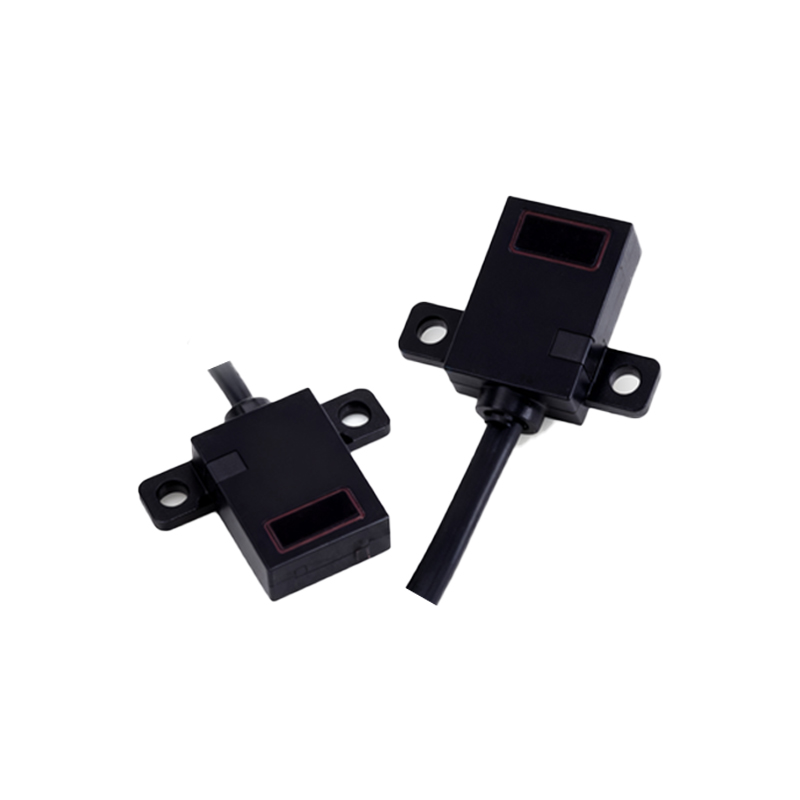
Use a rigid, adjustable bracket and keep the target inside the specified sensing zone.
Protect the sensor and reflector from impact, vibration, dust, oil and water spray appropriate to the application.
Keep signal cables away from motor and variable-frequency-drive power cables; apply shielding and grounding according to the equipment design.
Allow access for alignment, lens cleaning and replacement.
For through-beam and retro-reflective systems, verify alignment at the limits of machine vibration and target position.
5. Review PLC logic instead of copying the old input
The new sensor may switch faster and may have different ON/OFF logic from the mechanical contact. Review the input mapping, inversion, filters, timers and fault handling. Do not use a generic response-time value: the sensor response, PLC input filter, scan time and the time the target remains visible must be checked together.
Target visibility time = target length in the travel direction ÷ target speed
The complete detection chain should respond comfortably within that time. If the old program used debounce for contact bounce, reduce or remove it only after testing noise, vibration and product variation. Define what the machine should do if the sensor remains continuously ON, never turns ON or changes state unexpectedly.
6. Commission the retrofit under real conditions
Lock out hazardous motion before rewiring or repositioning devices.
Verify supply polarity, input common, output type and the PLC indication before enabling motion.
Test the smallest, darkest, brightest, most reflective and most transparent products expected in production.
Run at minimum and maximum speed and test the edges of the permitted target path.
Check operation under expected ambient light, vibration and contamination.
Verify start-up, loss-of-power and disconnected-sensor behavior.
Record the model, settings, mounting distance, wiring and PLC address for maintenance.
Common retrofit problems
| Symptom | Checks |
|---|---|
| No PLC input | Supply voltage, polarity, PNP/NPN compatibility, input common, pinout and sensor indicator. |
| False or intermittent detection | Alignment, vibration, background reflections, electrical noise, contamination and sensitivity setting. |
| Works with one product but not another | Target color, gloss, transparency, size, angle and sensing method. |
| Incorrect machine sequence | NO/NC logic, input inversion, filters, timers, edge detection and fault-state assumptions. |
Need help reviewing a retrofit?
Send the existing switch function, target details, sensing distance, supply voltage, PLC input type, required quantity and environmental conditions through our contact and RFQ page. We can use that information to narrow the sensing method and model options.