Photoelectric sensors can support part presence, pallet loading, tool-magazine checks and material handling around a CNC machine cell. Their non-contact operation is useful when a target can interrupt or reflect a light beam, but coolant, chips, reflective metal and vibration can make an otherwise simple detection task unreliable.
This guide explains where photoelectric sensing fits, what to verify before selecting a model and when another sensor technology is the better choice.
Where photoelectric sensors are useful in a CNC cell
| Detection task | Possible approach | Main checks |
|---|---|---|
| Part present at a loading station | Through-beam, retro-reflective or background-suppression sensor | Part size, surface finish, position variation and nearby fixtures. |
| Pallet or fixture arrival | Photoelectric or inductive proximity sensor | If the target is metal and close to the sensor, an inductive sensor may be less sensitive to coolant and optical contamination. |
| Tool or pocket occupancy in a magazine | Compact photoelectric or fiber-optic sensing head | Available space, smallest tool diameter, oil film, chips and cable routing. |
| Blank, finished part or container transfer | Through-beam or retro-reflective sensor | Conveyor speed, target spacing and the time the target remains in the beam. |
| Chip bin or conveyor status | Photoelectric, ultrasonic or mechanical level method | Dust, irregular surfaces, buildup and cleaning access. |
Important safety boundary
A general-purpose photoelectric sensor must not be used as a substitute for an approved guard interlock, safety light curtain or other personnel-protection device. Safety functions require safety-rated components, the correct architecture and validation for the machine risk assessment.
A standard sensor may provide process information to the CNC controller, but it should not be described as proof that a guard is safely closed or that a hazardous area is clear.
Choose the sensing method for the target
| Method | Strength | CNC-cell limitation to check |
|---|---|---|
| Through-beam | Reliable detection when the target blocks the beam | Requires mounting and wiring on both sides; both optical surfaces can collect mist or debris. |
| Retro-reflective | Emitter and receiver in one housing | Requires a reflector; shiny targets may need polarized optics and must be tested at expected angles. |
| Diffuse reflective | One-sided installation without a reflector | Detection changes with metal finish, color, angle and background. |
| Background suppression | Separates a target from a nearby fixture or background | Verify the operating window with the smallest target and worst-case surface. |
| Fiber-optic head | Small sensing point in a confined location | The amplifier must be mounted where it is protected and serviceable. |
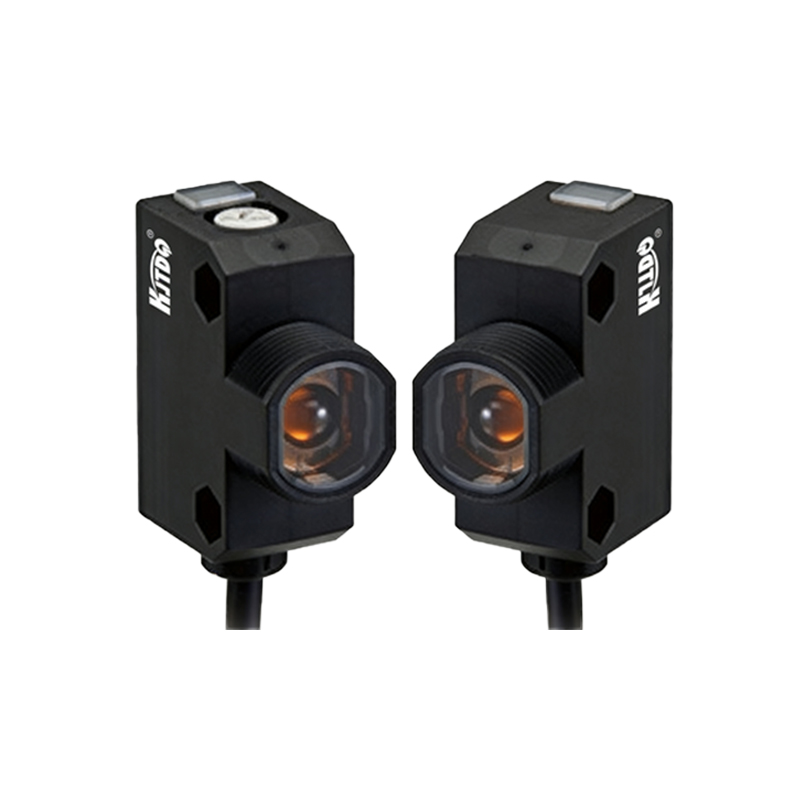
Browse our photoelectric sensor range or review a general-purpose photoelectric sensor option as a starting point. Final selection should be based on the target, environment and controller interface.
Environmental conditions to document
Coolant type, mist, oil film and the direction of spray.
Metal chips, dust and the likelihood of material accumulating on the lens or reflector.
Ambient light, nearby laser or inspection sources and reflective machine surfaces.
Machine vibration, bracket stiffness and target-position tolerance.
Temperature range and the required enclosure protection for the exact mounting location.
Cleaning chemicals and mechanical impact risk.
Do not assume that an enclosure rating alone guarantees reliable optical detection. The model must also be mounted so that the optical surface remains usable and can be inspected or cleaned.
Check the electrical and control interface
Verify the sensor datasheet and the CNC or PLC input documentation before wiring:
Supply-voltage range and available power.
PNP or NPN switching output and input-common arrangement.
Normally open or normally closed logic and the intended fault state.
Connector pinout, output-current limit and cable requirements.
Sensor response time, controller input filter and scan or task timing.
For a moving target, estimate the available detection time:
Detection time = target length in the direction of travel ÷ target speed
The full detection chain must respond within that time with an adequate margin. Use the specifications for the exact sensor and controller rather than a generic response-time claim.
Installation checklist
Lock out hazardous machine motion before mounting or wiring.
Use a rigid, adjustable bracket outside direct chip and coolant paths where possible.
Keep sensor cables separated from spindle-motor and variable-frequency-drive power cables.
Align the beam using the sensor indicators and the manufacturer procedure.
Test the smallest target, the greatest position variation and the most reflective or oily surface expected.
Run tests with coolant, mist, vibration and production lighting present.
Document the model, settings, wiring, mounting distance and controller address.
Common problems and checks
| Symptom | Checks |
|---|---|
| False detection from metal surfaces | Sensing method, polarization, background, target angle and sensitivity setting. |
| Signal disappears during production | Coolant film, chips, alignment, vibration, cable damage and supply voltage. |
| Works during setup but misses fast parts | Target visibility time, sensor response, controller input filter and scan timing. |
| Frequent cleaning is required | Relocate or shield the sensor, change the optical path or consider a non-optical sensing method. |
Need help selecting a sensor for a CNC cell?
Send the target material and size, sensing distance, machine cycle, coolant conditions, available voltage, controller input type and required quantity through our contact and RFQ page. We can use those details to narrow the sensing method and model options.