In industrial automation and control systems, Phoenix Contact proximity sensors are renowned for their reliability, precision, and robust construction. However, encountering a situation where a Phoenix proximity sensor exhibits no response—failing to detect a target or send a signal—can bring a production line or a critical process to an abrupt halt. For electrical engineers and maintenance technicians, a systematic approach to diagnosing and resolving this issue is paramount. This article outlines a comprehensive troubleshooting methodology, focusing on common failure points and practical solutions, adhering to industry-standard practices.
The first and most critical step is always safety. Ensure the system is properly locked out and tagged out (LOTO) before performing any physical inspection or testing. Verify that all power sources to the sensor and the associated controller are de-energized.
Begin the diagnostic process with a thorough visual inspection. Examine the sensor's housing for any signs of physical damage, cracks, or excessive contamination from oil, coolant, or metal shavings. The sensing face must be clean and unobstructed. Check the installation: ensure the sensor is securely mounted, correctly aligned with the target, and that the target itself meets the sensor's specifications (correct material, size, and within the stated sensing distance). A common oversight is the use of an incorrect target material for inductive sensors; for instance, a non-ferrous metal may not be detected by a standard inductive unit designed for steel.
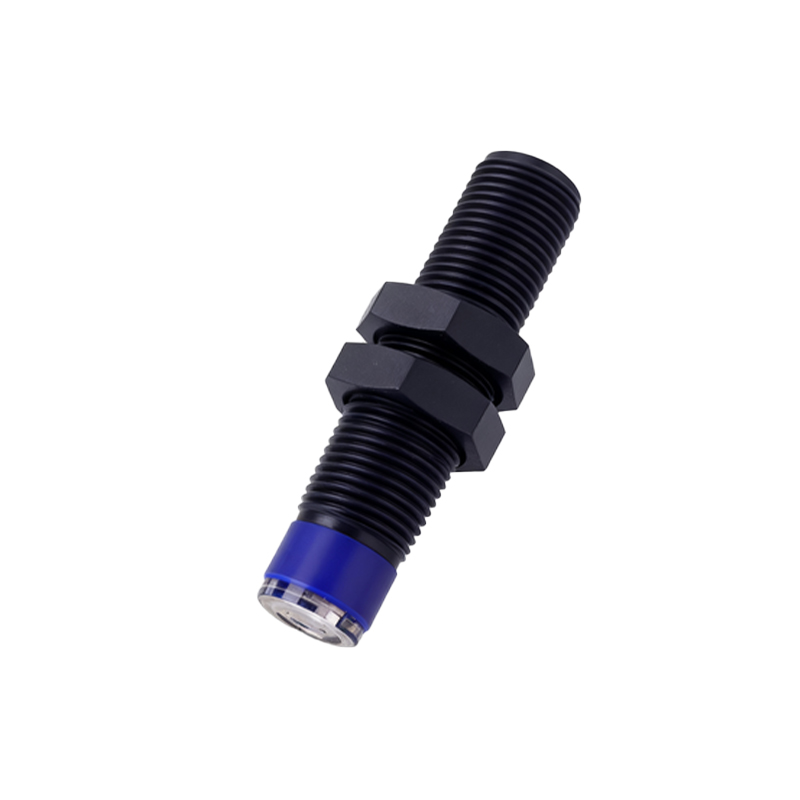
Next, proceed to electrical verification. After safely restoring power, use a multimeter to check the supply voltage at the sensor's terminals. Compare the measured value against the sensor's rated voltage (e.g., 10-30 VDC). A voltage that is too low or absent indicates a problem in the power supply circuit—check fuses, circuit breakers, and wiring. Inspect the cable and connector for damage, pinching, or loose connections. Phoenix sensors typically use robust connectors, but strain relief might have failed, leading to broken wires internally.
If power is confirmed, the next step is to monitor the output signal. For a digital sensor, use the multimeter in DC voltage mode or a logic probe. Actuate the target (move the metal object into the sensing field). Observe if the output voltage switches states. A sinking (NPN) sensor should pull the output close to 0V when active, while a sourcing (PNP) sensor should output close to the supply voltage. No change in state suggests an internal sensor failure. Crucially, verify the wiring configuration. A frequent error is incorrect connection of the sensor's output wire to the PLC input module. Confusing NPN and PNP wiring or mismatching the input type (sourcing vs. sinking) on the PLC will result in no effective signal transfer.
For analog output sensors, measure the output current (typically 4-20mA) with the target at varying distances. A fixed, unchanging current reading, often at 0mA or below 4mA, indicates a fault. Also, check for short circuits or excessive load on the output line.
Environmental factors are a significant contributor to sensor failure. Phoenix sensors have specified operating temperature ranges. Excessive ambient heat or cold can cause internal components to drift or fail. Similarly, exposure to chemicals outside its ingress protection (IP) rating can damage the electronics. Strong electromagnetic interference (EMI) from nearby motors, variable frequency drives (VFDs), or welding equipment can disrupt sensor operation. Ensure proper shielding of cables and consider relocating the sensor if EMI is suspected.
If all external factors—power, wiring, target, and environment—are verified and correct, the issue likely resides within the sensor itself. Internal component failure, such as a damaged oscillator coil in an inductive sensor or a faulty integrated circuit, can occur. Before replacement, consult the sensor's datasheet for any diagnostic LEDs. Many Phoenix models feature status indicators that provide valuable clues: a steady green light often indicates power, while a flashing light might indicate a short circuit or other internal fault.
As a final verification step, perform a substitution test with a known-good sensor of the same model, installed under identical conditions. This conclusively isolates the problem to the original unit. When replacing the sensor, ensure the part number is exact, paying attention to the output type, connection style, and sensing distance.
Preventive maintenance is key to avoiding unplanned downtime. Establish a regular schedule to clean sensor faces, check mounting integrity, and verify electrical connections. Keep a small stock of critical spares based on Mean Time Between Failure (MTBF) data.
In summary, a Phoenix proximity sensor with no response requires a logical, step-by-step investigation. Start from the simplest external causes—power and physical installation—before moving to wiring, configuration, environmental influences, and finally, internal sensor failure. Documenting each step and its finding not only solves the immediate problem but