Proximity sensors are critical components in automation, robotics, and safety systems, detecting the presence or absence of objects without physical contact. However, like any electronic device, they can malfunction, leading to production downtime or safety hazards. Effective debugging is essential to maintain operational efficiency. This guide outlines systematic methods for troubleshooting common proximity sensor issues, ensuring reliable performance in industrial and commercial applications.
The first step in debugging is understanding the sensor type. Inductive sensors detect metallic objects, capacitive sensors sense both metallic and non-metallic materials, and photoelectric sensors use light beams. Each type has unique characteristics and potential failure modes. Always refer to the manufacturer’s datasheet for specifications such as sensing range, output type (PNP/NPN), and voltage requirements. Incorrect installation or misalignment is a frequent cause of failure, so verify the sensor is properly mounted and oriented toward the target area.
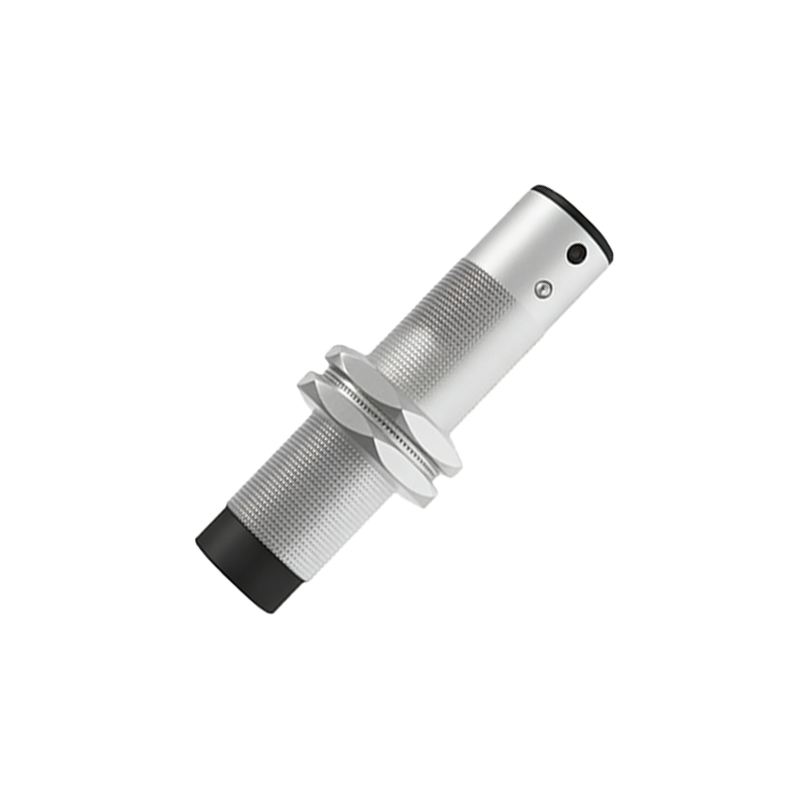
Electrical issues are common culprits in sensor malfunctions. Begin by checking the power supply with a multimeter to ensure it matches the sensor’s rated voltage (e.g., 12-24V DC). Fluctuations or noise in the power line can cause erratic behavior; using a stabilized power source or adding filters may resolve this. Next, inspect wiring connections for loose terminals, corrosion, or short circuits. For three-wire sensors, confirm the wiring configuration: brown wire typically to positive, blue to negative, and black for the output signal. Swap sensors with a known working unit to isolate whether the problem lies in the sensor itself or the external circuit.
Environmental factors significantly impact sensor performance. Dust, moisture, or chemical exposure can degrade sensors over time. Clean the sensing face regularly with a soft cloth and isopropyl alcohol, avoiding abrasive materials. For inductive sensors, metallic debris may cause false triggering. Temperature extremes can also affect operation; ensure the ambient conditions stay within the sensor’s specified range. In high-vibration settings, secure mounting brackets and vibration-resistant models are advisable. Additionally, electromagnetic interference from motors or cables can disrupt signals—use shielded cables and maintain distance from noise sources.
Calibration and sensitivity adjustments are vital for optimal detection. Many sensors feature potentiometers or teach-in functions to fine-tune sensing distance. If the sensor fails to detect objects within range, gradually increase sensitivity while testing with a target. Conversely, if it triggers falsely, reduce sensitivity. For photoelectric sensors, align the emitter and receiver precisely, and check for ambient light interference. Retroreflective sensors may require cleaning of the reflector, while through-beam sensors need clear line-of-sight. Log calibration settings for future reference.
Output signal analysis helps diagnose deeper issues. Use an oscilloscope or PLC monitor to observe the sensor’s output waveform. A weak or inconsistent signal may indicate internal component failure. For digital outputs, verify the signal switches cleanly between high and low states. Analog sensors should provide a stable voltage or current proportional to distance. If the output is erratic, replace the sensor. In networked systems, check communication protocols (e.g., IO-Link) for configuration errors or software glitches.
Preventive maintenance reduces debugging needs. Establish a schedule to inspect sensors visually, test functionality with standard targets, and record performance data. Keep spare sensors on hand for critical applications. Training personnel on basic troubleshooting steps—like power checks and cleaning—can minimize downtime. Remember, safety first: always lock out equipment before handling sensors in hazardous areas.
In summary, debugging proximity sensors involves a methodical approach: verify installation and power, address environmental influences, calibrate sensitivity, and analyze outputs. By combining technical knowledge with practical checks, most issues can be resolved quickly, ensuring sensors contribute to efficient and safe operations.