Understanding the PMF50 Sensor and Its Applications
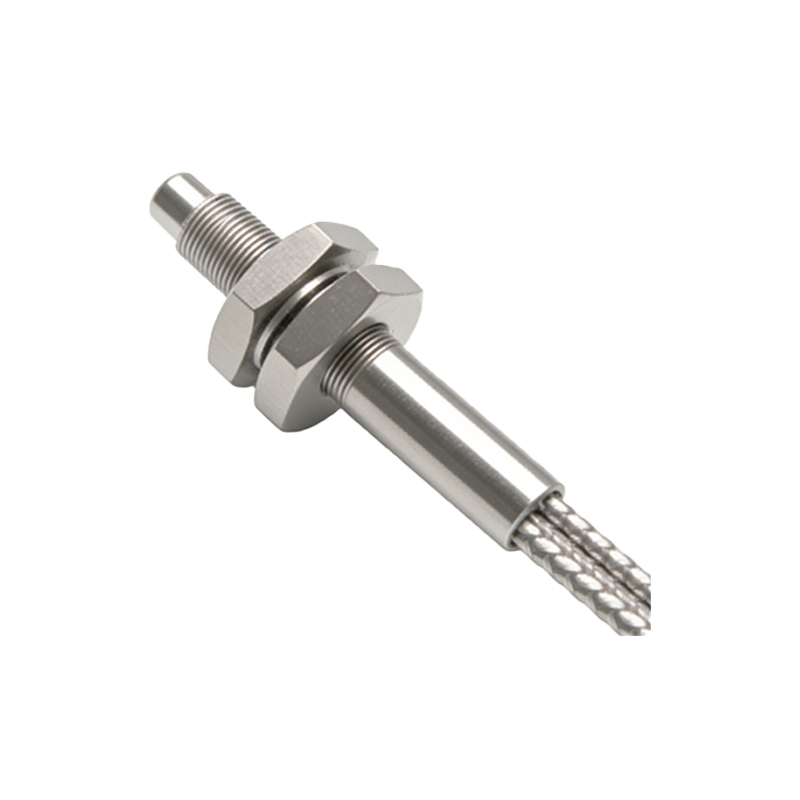
The PMF50 is a high-performance photoelectric sensor commonly used in automated manufacturing, packaging, and material handling systems. It operates by emitting a light beam (infrared or visible) and detecting changes in the reflected or interrupted signal. Before installation, verify that the sensor model matches your application requirements, such as sensing range (e.g., up to 50 meters for through-beam types), output type (NPN/PNP, analog, or IO-Link), and environmental rating (IP67 or higher). Ensure the power supply voltage (typically 10–30 VDC) is stable and within specifications.
Pre-Installation Safety and Tools Preparation
Always disconnect power before handling the sensor to prevent electric shock or damage. Use appropriate personal protective equipment (PPE), including safety glasses and insulated gloves. Gather essential tools: a Phillips-head screwdriver, mounting brackets (supplied with the sensor or M18 threaded adapters), cable glands, a multimeter for continuity checks, and a laser alignment tool for long-range setups. For through-beam models, you will also need a separate reflector or receiver unit.
Selecting the Mounting Location
Position the sensor where it has a clear line of sight to the target object without obstructions like dust, fog, or reflective surfaces that could cause false triggering. For diffuse-mode sensors, mount the sensor perpendicular to the target surface (within ±10°). For retro-reflective models, install the sensor and reflector at the same height, ensuring the beam path is free of obstacles. For through-beam sensors, align the emitter and receiver directly facing each other, with a maximum offset of 5° to maintain reliable detection. Maintain at least 50 cm distance from high-voltage cables or motors to avoid electromagnetic interference.
Mechanical Installation Steps
1. Attach the mounting bracket to the machine frame using M4 screws (torque: 2 Nm). Ensure the bracket is level using a spirit level.
2. Insert the PMF50 sensor into the bracket and tighten the locking ring or set screw to 1.5 Nm to prevent vibration-induced movement.
3. For through-beam systems, secure the emitter on one side and the receiver on the opposite side, aligning them using a laser pointer. The optical axis must be within 2 mm of perfect alignment.
4. For retro-reflective sensors, position the reflector (e.g., a prismatic reflector) on the target side, ensuring its surface is clean and perpendicular to the sensor. The sensor’s light spot should hit the center of the reflector.
5. Verify that the sensor’s sensing window is not blocked by debris or protective covers. Remove any plastic shipping caps.
Wiring and Electrical Connections
Consult the sensor’s datasheet for pin assignments. Standard wiring: Brown wire = VCC (10–30 VDC), Blue wire = GND, Black wire = NPN output (normally open or normally closed), White wire = PNP output or auxiliary function. Use a shielded cable (e.g., 4-core, 0.5 mm²) to reduce noise. Connect the cable via the M12 connector or pigtail leads, tightening the nut to 0.6 Nm. For IO-Link versions, use a master module and a shielded cable with pin 4 as the communication line. After wiring, use a multimeter to check for short circuits and ensure the power supply polarity is correct.
Alignment and Sensitivity Calibration
Reconnect power. For initial testing, set the sensor’s sensitivity (via a potentiometer or IO-Link software) to medium range. Adjust the target object—such as a moving box or metal part—within the sensing field. Observe the output LED: a steady green light indicates proper detection; a red flashing LED means misalignment or weak signal. Fine-tune the sensor’s tilt or position until the LED is stable. For through-beam sensors, adjust the receiver’s angle to maximize signal strength (use a signal strength indicator if available). For retro-reflective models, ensure the reflector is clean and the sensor’s optical filter is correctly set (e.g., background suppression mode).
Final Testing and Troubleshooting
Test the sensor under actual operating conditions: run the conveyor or machine cycle at normal speed. Check for false triggers caused by ambient light, dust, or vibration. If the sensor fails to detect, verify the sensing distance (use a ruler to measure), clean the lens with a lint-free cloth, and confirm the target material’s reflectivity (e.g., dark surfaces may require a stronger light source). For persistent issues, swap the sensor with a known working unit to rule out a defective device. Document the installation details (mounting location, wiring, and calibration settings) in the maintenance log for future reference.
Maintenance and Long-Term Care
Inspect the sensor quarterly: check for loose brackets, corroded connections, or scratched lenses. Clean the optical surface with isopropyl alcohol and a soft brush. Replace the cable gland if the rubber deteriorates. For sensors in harsh environments (e.g., high humidity or temperature), consider using a protective housing or air purge system. Keep the firmware updated for IO-Link sensors to ensure compatibility with newer controllers.