1. Understanding the EESX671 Sensor and Its Applications
The EESX671 is a compact, through-beam photoelectric sensor commonly used in industrial automation for precise object detection. It consists of a separate emitter and receiver, which must be aligned correctly for reliable operation. This sensor is ideal for applications such as conveyor belt monitoring, part counting, and packaging line inspection. Before installation, verify the sensor’s specifications, including supply voltage (typically 12-24 VDC), output type (NPN or PNP), and sensing distance (up to 5 meters). Ensure the environment is free from excessive dust, moisture, or vibration that could affect performance.
2. Pre-Installation Safety and Tools Checklist
Safety is paramount when working with electrical equipment. Disconnect the power supply before handling the sensor to avoid electric shock. Use appropriate personal protective equipment (PPE), such as insulated gloves and safety glasses. Prepare the necessary tools: a multimeter for voltage checking, a screwdriver for terminal connections, mounting brackets, screws, and cable ties. Confirm that the sensor’s cable length is adequate for your setup. If extending the cable, use shielded twisted-pair wire to minimize electromagnetic interference (EMI).
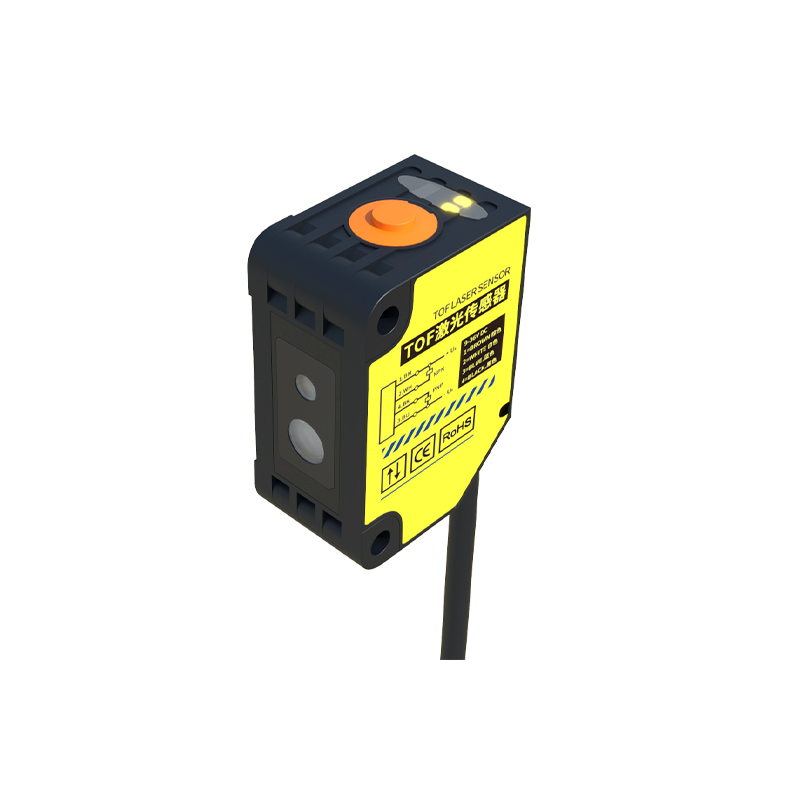
3. Mounting the Emitter and Receiver
Mount the emitter and receiver on opposite sides of the detection area. Use the provided brackets to secure them rigidly. Ensure the optical axes are aligned horizontally and vertically. A misalignment of even a few degrees can cause detection failures. For best results, maintain a clear line-of-sight between the two units without obstructions. The sensing distance must be within the rated range. If the distance exceeds 5 meters, consider using a reflective or fiber-optic sensor instead. Tighten all mounting screws to prevent movement from vibration.
4. Wiring Connections and Power Supply Setup
Connect the sensor’s wires according to the color code: typically brown for power (VCC), blue for ground (GND), black for output (NO or NC). For the EESX671, the emitter and receiver are often pre-wired, but if custom wiring is required, refer to the datasheet. Use a multimeter to confirm that the supply voltage is within the specified range. Connect the output wire to the PLC or relay input. For NPN output, the load should be connected between the output and VCC; for PNP output, connect the load between output and GND. Ensure all connections are secure and insulated to prevent shorts.
5. Alignment and Calibration Procedures
After mounting and wiring, power on the system. Adjust the emitter and receiver alignment using the sensor’s LED indicators. The receiver’s LED should be solid green when correctly aligned and detecting the beam. If the LED is red or flashing, adjust the sensor’s position using the fine-tuning screws or shims. For long distances, use a laser pointer to check alignment. Perform a test run by passing objects through the beam. Verify that the sensor outputs the correct signal (ON/OFF) with the appropriate speed. In high-speed applications, adjust the response time using the potentiometer (if available).
6. Testing and Troubleshooting Common Issues
Conduct a full system test. If the sensor fails to detect, check for the following: power supply issues (use a multimeter), misalignment (recheck optical axis), dirty lenses (clean with a dry cloth), or electrical noise (add shielded cable). For intermittent detection, inspect for loose connections or vibration. If the output is stuck in one state, test the sensor with a spare unit to isolate the problem. Document all test results for future maintenance. Regularly inspect and clean the sensor lenses every 3 months to ensure long-term reliability.
7. Final Verification and System Integration
Once installation is complete, integrate the sensor with your control system. Program the PLC to interpret the sensor’s output correctly. Run a production cycle to confirm the sensor’s performance under load. Record the installation parameters (mounting positions, wiring details, calibration settings) in the maintenance log. Provide training to operators on basic troubleshooting and cleaning procedures. Ensure that spare sensors and cables are stocked for quick replacement. A properly installed EESX671 sensor will provide years of reliable service in your automation setup.