2026-06-07
Tech Hub
By 创始人
Understanding Photoelectric Sensor Switch Graphic Symbols: A Comprehensive Guide for Engineers
Introduction to Photoelectric Sensor Symbols
Photoelectric sensors are pivotal components in industrial automation, utilizing light beams to detect objects without physical contact. For electrical engineers, interpreting graphic symbols on schematics is essential for system design and troubleshooting. These symbols, standardized under IEC 61131 and NEMA guidelines, represent sensor types including through-beam, retro-reflective, and diffuse modes. Each symbol conveys specific operational characteristics, such as emitter-receiver alignment or ambient light immunity. This guide decodes common graphic identifiers to enhance circuit readability and maintenance efficiency.
Through-Beam Sensor Symbol
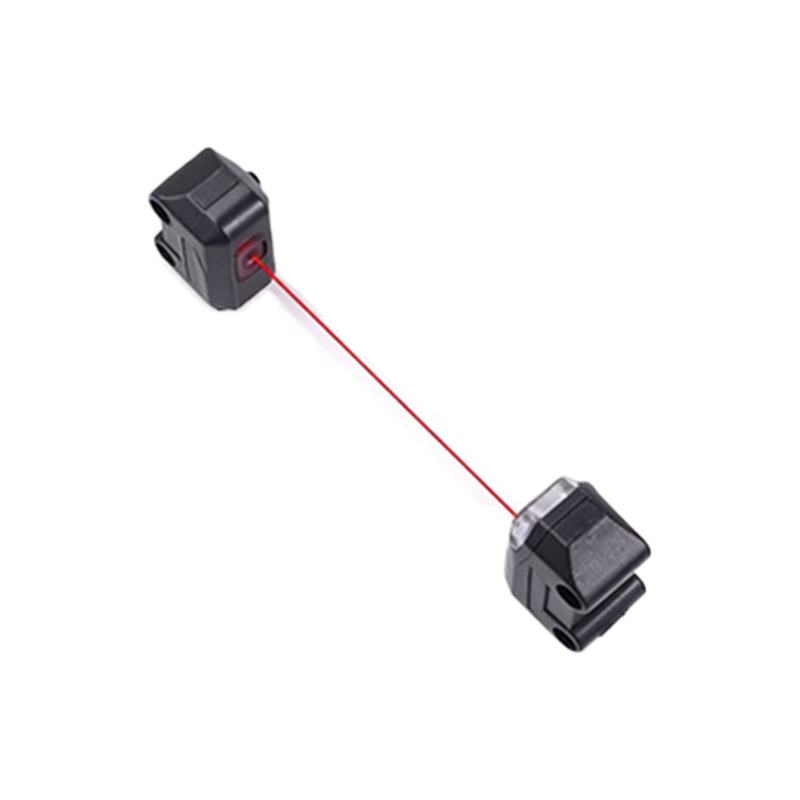
The through-beam sensor symbol features two distinct blocks: one for the emitter (often marked with an arrow pointing outward) and one for the receiver (indicated by an inward arrow or a lens icon). Typically, the emitter is labeled with a letter 'E' or a light source icon, while the receiver shows 'R' or a detector symbol. This arrangement signifies separate housings, requiring precise alignment. In schematics, the symbol often includes a dashed line between emitter and receiver to represent the uninterrupted light path. Engineers must note that this design offers high detection accuracy but demands careful installation to avoid obstruction.
Retro-Reflective Sensor Symbol
Retro-reflective sensors combine emitter and receiver in a single unit, symbolized by a box with both an outward arrow and an inward arrow, often with a small reflector icon nearby. The graphic may include a curved arrow or a triangle to indicate the light beam reflecting off a reflector back to the sensor. In many standards, the symbol also highlights a key feature: polarization filters to minimize false triggers from shiny surfaces. Engineers should look for a 'P' marking or a crossed-line icon within the symbol to identify polarized models, critical for applications with glossy objects.
Diffuse Sensor Symbol
Diffuse sensor symbols depict a single housing with an arrow pointing outward and a second arrow angled slightly away, representing light scatter from the target. The graphic often includes a curved line or a dotted cone to illustrate the detection zone. Unlike retro-reflective symbols, no separate reflector is shown. Some advanced diffuse sensors include a background suppression feature, marked with a small 'B' or a double-headed arrow. This variation is crucial for detecting objects against varying backgrounds, as it uses triangulation to ignore non-target surfaces.
Fiber Optic Sensor Symbols
Fiber optic sensors are represented by a symbol with a housing connected to a curved line or wavy line, indicating fiber cables. The emitter and receiver may be separate or combined, shown with arrows similar to through-beam or diffuse types. In schematics, the fiber symbol often includes a small circle at the cable end to denote the lens. Engineers must differentiate between glass and plastic fiber types: glass fibers are marked with a 'G' or a solid line, while plastic fibers use a dashed line. This distinction affects bend radius and temperature tolerance.
Key Graphic Modifiers and Labels
Common modifiers in photoelectric sensor symbols include sensitivity adjustment arrows, timing delay symbols (e.g., 't' with a clock icon), and output type indicators (NPN or PNP). The output type is often labeled with a small arrow pointing away from the sensor for NPN (sinking) or toward it for PNP (sourcing). Additionally, symbols may include a lightning bolt for high-power models or a shield icon for EMC-protected versions. Understanding these modifiers is vital for selecting compatible sensors and ensuring stable operation in noisy industrial environments.