1. Introduction to Photoelectric Sensors and DAQ Cards
Photoelectric sensors are essential components in industrial automation, detecting objects, distances, and material properties through light beams. Data acquisition (DAQ) cards serve as the bridge between these sensors and control systems, converting analog or digital signals into readable data. Proper integration requires understanding sensor output types, signal conditioning, and DAQ card specifications to ensure reliable performance in environments like conveyor lines or robotic assembly.
2. Understanding Sensor Output Types
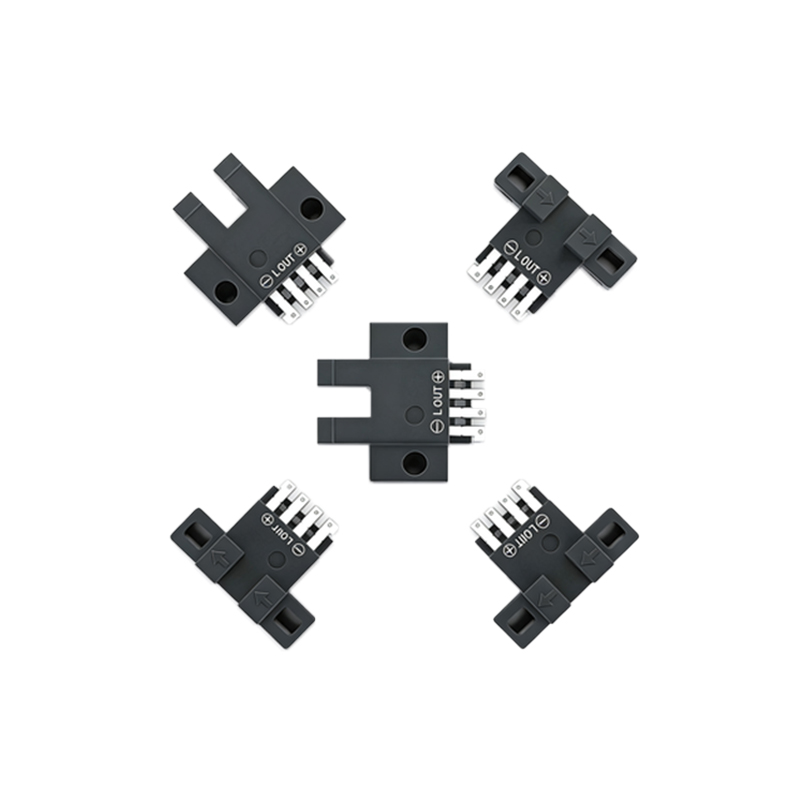
Most photoelectric sensors offer two primary output types: NPN (sinking) and PNP (sourcing). NPN outputs switch the load to ground when activated, while PNP outputs provide a positive voltage. For DAQ card integration, the key is matching the sensor output to the card's input configuration. Additionally, some sensors feature analog outputs (e.g., 0-10V or 4-20mA) for continuous measurement, requiring DAQ cards with analog input channels and appropriate resolution. Always verify the sensor's datasheet for output current and voltage limits.
3. Signal Conditioning for Reliable Data
Raw sensor signals often require conditioning to eliminate noise or voltage mismatches. Use pull-up or pull-down resistors for NPN/PNP outputs to ensure stable logic levels. For analog sensors, consider differential inputs on the DAQ card to reduce common-mode noise. Employ low-pass filters for high-frequency interference, and use shielded twisted-pair cables to minimize electromagnetic interference from nearby motors or inverters. A practical example: for a 4-20mA loop, add a 250-ohm resistor to convert current to voltage for the DAQ card.
4. Wiring and Connection Best Practices
Connect the photoelectric sensor's power supply (usually 10-30 VDC) to a regulated source, and wire the output to the DAQ card's digital or analog input terminal. For NPN sensors, connect the output to the DAQ input and a pull-up resistor to the DAQ's supply voltage; for PNP, connect directly to the input. Use a common ground between the sensor, DAQ card, and power supply to avoid ground loops. Label all wires clearly and test continuity with a multimeter before powering the system.
5. Configuring the DAQ Card Software
After hardware setup, configure the DAQ card's software driver (e.g., NI-DAQmx or similar). Set the input channel type as digital or analog, define the trigger threshold for digital sensors, and set sampling rate and range for analog inputs. For high-speed applications, enable hardware triggering to capture sensor events without software latency. Test the configuration with a simple script to read sensor state, such as detecting object presence or measuring light intensity changes.
6. Troubleshooting Common Issues
If the DAQ card does not register sensor signals, check power supply voltage at the sensor terminals. Verify output type compatibility: a PNP sensor connected to an NPN-only DAQ input will not work. Use an oscilloscope to inspect signal waveform for noise or voltage drops. For analog sensors, ensure the DAQ card's input range matches the sensor's output (e.g., 0-10V sensor on a ±10V input). Replace damaged cables or connectors if intermittent faults occur.
7. Advanced Integration: High-Speed and Multi-Sensor Systems
For applications requiring fast response, such as counting objects on a high-speed conveyor, use DAQ cards with high sampling rates (e.g., 1 MHz or more) and digital inputs with debounce filters. For multi-sensor arrays, daisy-chain sensors with shared triggers or use a multiplexer module to expand input channels. Optimize software by using interrupt-driven or DMA-based data transfer to avoid CPU bottlenecks. Document sensor calibration and timing parameters for system reproducibility.
8. Conclusion and Best Practices Summary
Successful integration of photoelectric sensors with DAQ cards hinges on careful selection of output types, proper signal conditioning, correct wiring, and software configuration. Always test in a controlled environment before deployment. For long-term reliability, use industrial-grade connectors and regularly inspect for environmental factors like dust, vibration, or temperature extremes. With these practices, engineers can build robust sensing systems for automated monitoring and control.