Understanding the Basics of Inductive Photoelectric Sensors
Inductive photoelectric sensors, often used in industrial automation, combine inductive proximity sensing with photoelectric principles to detect metallic objects. Unlike standard photoelectric sensors that rely on light reflection, these sensors are specifically designed to sense ferrous and non-ferrous metals within a defined range. Their wiring diagram typically includes three primary wires: brown (positive power supply, usually 10-30 VDC), blue (negative power supply or ground), and black (normally open or normally closed output). Before interpreting the diagram, verify the sensor model and output type (PNP or NPN) as this dictates the load connection.
Standard Wiring Color Codes and Connections
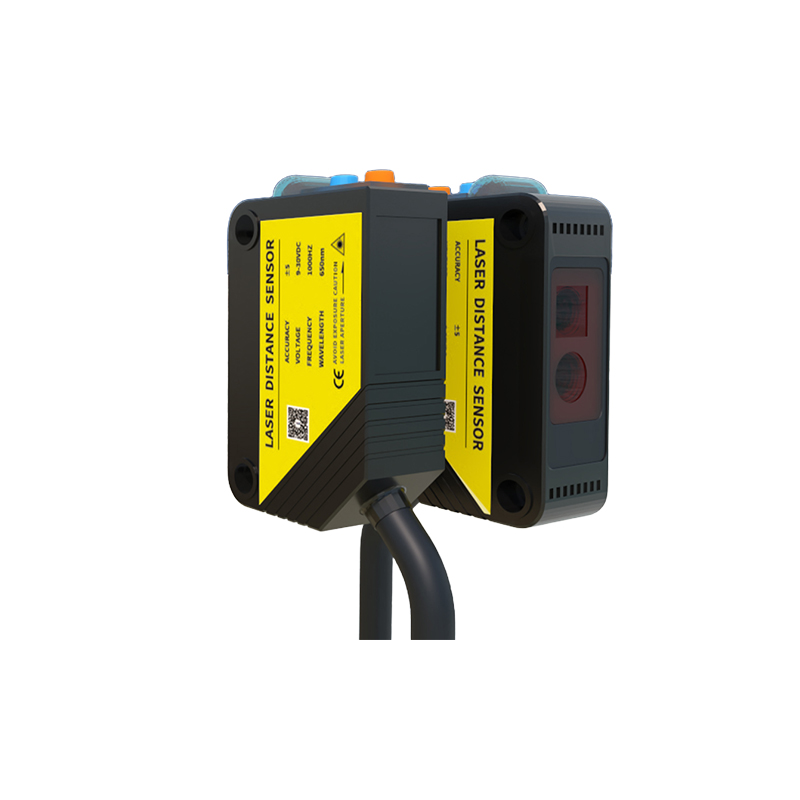
In most industrial applications, the brown wire connects to the positive terminal of the DC power supply, while the blue wire connects to the negative terminal or ground. The black wire serves as the switching output. For a PNP (sourcing) sensor, the load (e.g., PLC input or relay) is connected between the black output wire and the negative power supply rail. For an NPN (sinking) sensor, the load is connected between the black output wire and the positive rail. Always refer to the sensor datasheet for exact wiring, as some models may include additional wires for features like test inputs or dual outputs.
Typical Wiring Diagram for Inductive Photoelectric Sensors
A standard wiring diagram for a three-wire inductive photoelectric sensor is straightforward. The diagram shows: Brown wire to DC+ (e.g., 24V), Blue wire to DC- (0V), and Black wire to the load input. If the sensor has a built-in LED indicator, it will illuminate when the target is detected. For normally open (NO) configuration, the output switches on when metal is present; for normally closed (NC), the output switches off. Ensure the load current does not exceed the sensor's rated capacity, typically 100-200 mA, to avoid damage.
Step-by-Step Wiring Procedure
1. Disconnect power before wiring to prevent electrical shock.
2. Identify the sensor wires: brown (power), blue (ground), black (output).
3. Connect the brown wire to the positive terminal of the power supply (e.g., 24 VDC).
4. Connect the blue wire to the negative terminal (0 VDC).
5. Connect the black wire to the input of the control device, such as a PLC digital input module.
6. For PNP sensors, ensure the PLC input is configured as sinking; for NPN sensors, configure as sourcing.
7. Power up and test the sensor by placing a metal object in front of the sensing face. Observe the LED indicator and output signal.
Common Troubleshooting Tips
If the sensor fails to operate, check the wiring polarity: reversed power connections can damage the sensor. Verify the supply voltage is within the specified range (e.g., 10-30 VDC). Test the load connection: for a PNP sensor, a multimeter between black and blue should show voltage when metal is detected; for NPN, voltage should appear between black and brown. Ensure the target metal is within the sensing distance (typically 2-8 mm for inductive types). If the LED is off, suspect a broken wire or faulty sensor.
Advanced Wiring Configurations
Some inductive photoelectric sensors feature four wires, offering both NO and NC outputs simultaneously. In such cases, the brown and blue wires remain for power, while a white wire provides the complementary output. For example, if the black wire is NO, the white wire is NC. These configurations are useful for fail-safe systems. When wiring multiple sensors to a single PLC, ensure the total current draw does not exceed the power supply rating. Use shielded cables for long distances to minimize electromagnetic interference.