Introduction to Photoelectric Sensing Technology
Photoelectric sensors are fundamental components in modern printer design, serving as the primary mechanism for detecting paper presence, position, and movement. These sensors operate by emitting a light beam, typically from an LED or infrared source, towards a photodetector. The state of the detected light—whether interrupted or reflected—generates an electrical signal that the printer's control board interprets. This simple yet reliable principle forms the backbone of automated paper handling, ensuring precise alignment and preventing jams. The technology's non-contact nature makes it ideal for the delicate and fast-paced environment inside a printer, where mechanical switches would wear out quickly or damage media.
Core Operating Principles and Components
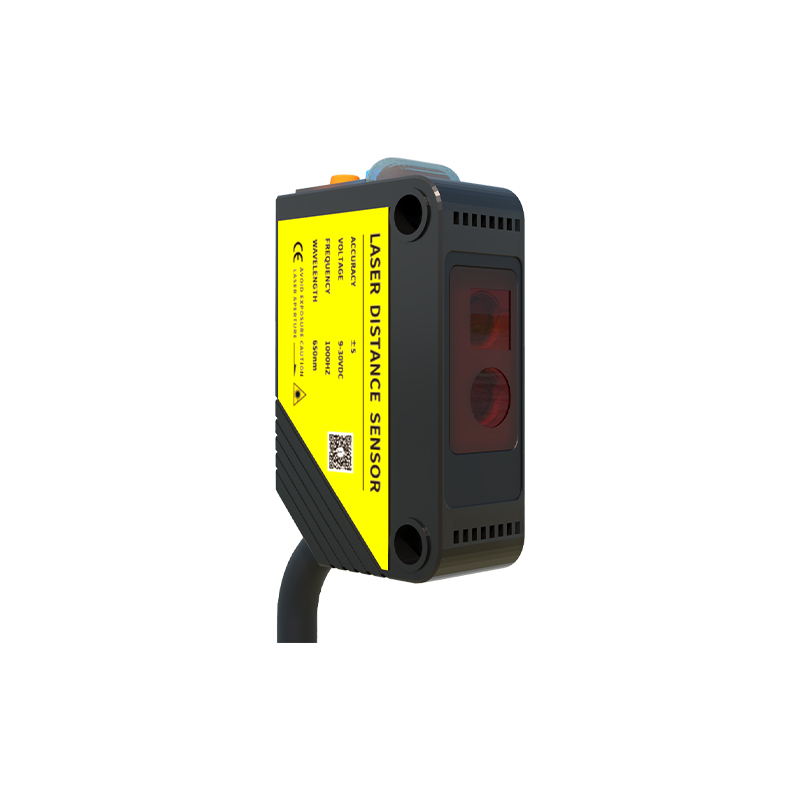
A standard photoelectric sensor system in a printer consists of three key elements: the emitter, the detector, and the signal processing circuit. The emitter is usually a focused infrared LED due to its immunity to ambient light interference. The detector, often a phototransistor or photodiode, converts received light intensity into a proportional electrical current. Two primary configurations are employed: transmission (or through-beam) and reflection. In transmission types, the emitter and detector are placed opposite each other, with paper passing between them to interrupt the beam. Reflection types, including diffuse and retro-reflective, have both units on the same side, detecting light bounced off the paper or a reflector. The choice depends on the specific detection task, such as paper-out sensing at the tray (often transmission) or media type detection (often reflective).
Key Applications in Printer Functionality
These sensors are strategically placed throughout the printer's paper path to enable critical functions. The most common application is the paper-out sensor, located in the input tray, which signals when the paper supply is exhausted. Paper width and length sensors, often an array of transmission sensors, determine media size for proper formatting. Registration sensors, positioned just before the imaging drum or printhead, detect the leading edge of the sheet to synchronize the start of the printing process with extreme precision, crucial for accurate image placement. Duplex units rely on sensors to track a sheet's position during its flip for two-sided printing. Toner or ink level detection in some models also utilizes reflective photoelectric principles to monitor supply.
Common Failure Modes and Diagnostic Symptoms
Despite their reliability, photoelectric sensors are susceptible to failures that manifest as specific printer errors. Dust and paper debris accumulation on the emitter or detector lens is the most prevalent issue, causing intermittent or constant false signals. Symptoms include persistent "paper jam" or "no paper" errors when the tray is full, or misfeeds and misalignment during printing. A failed LED emitter or degraded photodetector will stop generating a signal altogether. Diagnosing these often involves accessing the printer's service menu to check sensor status codes or using a multimeter to test the output voltage of the sensor circuit while manually triggering the beam. Visual inspection for contamination is always the first step in troubleshooting.
Best Practices for Maintenance and Cleaning
Preventive maintenance is key to ensuring the longevity of photoelectric sensors. Regular cleaning of the printer's interior, particularly around the paper path, reduces dust accumulation. When cleaning the sensor components themselves, use compressed air to blow away loose debris. For stubborn contamination on the optical surfaces, a cotton swab lightly moistened with isopropyl alcohol can be used, followed by a dry swab to prevent streaks. It is critical to avoid abrasive materials or excessive force that could scratch the lenses. Always disconnect the printer from power before performing any internal maintenance. For technicians, keeping a log of sensor-related errors can help identify patterns and predict failures before they cause significant downtime.
Future Trends and Technological Evolution
The evolution of photoelectric sensing in printers continues alongside advancements in printer technology itself. The integration of smarter, digital sensors with built-in microcontrollers allows for more sophisticated communication with the main processor, enabling predictive maintenance alerts. There is also a trend towards miniaturization, allowing for more sensors to be placed in compact consumer and industrial printers for enhanced media handling capabilities. Furthermore, the development of sensors capable of distinguishing between different paper types, weights, and even colors by analyzing reflected light spectra is an area of ongoing research, promising greater automation and print quality optimization in future printer generations.