Introduction to Photoelectric Sensor Simulation
In the rapidly evolving landscape of industrial automation, photoelectric sensors are indispensable components for object detection, positioning, and quality control. However, the traditional process of designing, integrating, and troubleshooting these sensors on the physical production line can be time-consuming, costly, and prone to errors. This is where virtual simulation software emerges as a transformative tool. Photoelectric sensor virtual simulation software allows engineers to create, test, and optimize entire sensing systems within a digital twin of the real-world environment. By replicating the physics of light beams, object properties, and environmental conditions, these platforms enable a risk-free and highly efficient development cycle, from initial concept to final deployment.
Core Functionalities and Features
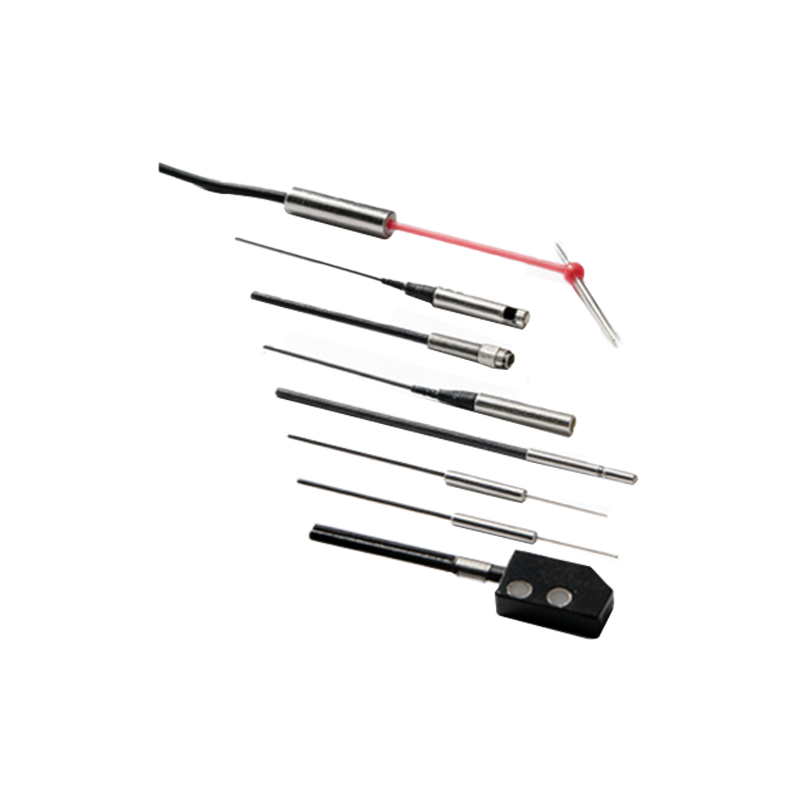
Modern photoelectric sensor simulation software offers a suite of powerful features designed to mirror real-world complexities. At its core, the software includes extensive libraries of sensor models from various manufacturers, covering diffuse, retro-reflective, through-beam, and background suppression types. Engineers can precisely configure parameters such as sensing range, response time, light source type (e.g., red LED, laser), and output logic. The environment editor is equally critical, allowing users to define the properties of targets (size, material, color, surface finish) and ambient conditions (ambient light, dust, moisture). Advanced software incorporates ray-tracing algorithms to visualize the exact path and dispersion of the emitted light beam, providing intuitive feedback on alignment, beam break detection, and potential false triggers caused by reflective surfaces or background objects.
The Simulation and Analysis Workflow
The typical workflow begins with building a digital model of the machine or production line segment. Engineers place virtual sensors in their intended locations and define the path and characteristics of the target objects. Once the scene is set, the simulation is executed. The software calculates interactions in real-time or via stepped analysis, generating data logs and visual outputs. Key performance metrics, such as detection consistency, timing diagrams, and signal stability, are automatically recorded. This phase allows for the identification of design flaws—like a sensor being placed too far for a dark object or at a suboptimal angle—that would be costly to discover post-installation. Engineers can iteratively adjust sensor positions, types, or settings and immediately observe the impact on system performance.
Benefits for System Design and Integration
The advantages of employing virtual simulation are substantial. Primarily, it drastically reduces development time and cost by eliminating the need for physical prototypes and minimizing machine downtime during commissioning. It enhances design accuracy and reliability, ensuring the selected sensor technology is optimal for the application before any hardware is purchased. Furthermore, it serves as an excellent tool for training and knowledge transfer. New engineers can experiment with complex scenarios without the risk of damaging equipment. For system integrators, simulation models can be shared with clients or team members to validate concepts and facilitate clearer communication, ensuring all stakeholders have a unified understanding of the sensing solution.
Overcoming Real-World Application Challenges
A significant strength of high-fidelity simulation software is its ability to model and help overcome common real-world challenges. For instance, engineers can simulate the effects of harsh environments, such as heavy washdown conditions interfering with a sensor's lens or extreme temperatures affecting performance. They can test detection reliability for challenging targets like transparent glass bottles, shiny metallic parts, or inconsistently shaped objects. The software can also model the impact of vibration on sensor alignment over time. By stress-testing the system in the virtual realm, engineers can proactively select sensors with appropriate IP ratings, design protective housings, or implement redundancy, thereby significantly improving the robustness and uptime of the final installation.
Future Trends and Integration with Industry 4.0
The future of photoelectric sensor simulation is tightly interwoven with broader Industry 4.0 and digital twin initiatives. Next-generation software is moving towards cloud-based platforms that enable collaborative design across global teams. Integration with PLC simulation software allows for the co-simulation of the entire control system, including sensor inputs, logic processing, and actuator outputs. Furthermore, the data generated from virtual simulations can feed into predictive maintenance algorithms and digital twins that run in parallel with the physical asset, providing continuous performance insights. As machine learning algorithms advance, we can anticipate simulation software that not only models scenarios but also suggests optimal sensor configurations and layouts based on the defined task and constraints.
Selecting the Right Simulation Software
Choosing an appropriate photoelectric sensor simulation tool requires careful consideration. Key evaluation criteria include the accuracy of the physical and optical models, the breadth and depth of the sensor model library, compatibility with other CAD and automation design tools, and the usability of the interface. The software should offer robust analysis and reporting features. Cost, licensing models, and the availability of technical support are also practical concerns. Leading automation component manufacturers often provide their own simulation suites tailored to their product portfolios, while third-party software may offer greater flexibility and a vendor-agnostic approach. A trial period is highly recommended to assess the software's capabilities against specific project requirements.