Introduction to U-Shaped Photoelectric Sensors
U-shaped photoelectric sensors, also known as through-beam sensors, consist of a separate emitter and receiver housed in a U-shaped bracket. The emitter projects a light beam directly to the receiver, creating a detection zone. When an object interrupts this beam, the sensor triggers an output signal. These sensors are widely used in industrial automation for tasks like object detection, counting, and positioning due to their high reliability and long sensing ranges. Their design allows for consistent performance even in challenging environments with dust, dirt, or vibrations, making them a staple in manufacturing and packaging lines.
Understanding Sensitivity in Photoelectric Sensors
Sensitivity in photoelectric sensors refers to the minimum change in the received light intensity required to detect an object reliably. For U-shaped sensors, this is inherently high because the direct beam path provides a strong signal. However, sensitivity adjustments are often related to fine-tuning the sensor's response to ensure it triggers accurately for specific objects or conditions. While the basic optical sensitivity is fixed by the alignment and power of the emitter-receiver pair, many modern U-shaped sensors incorporate electronic controls to adjust threshold levels, helping to filter out ambient light or minor obstructions.
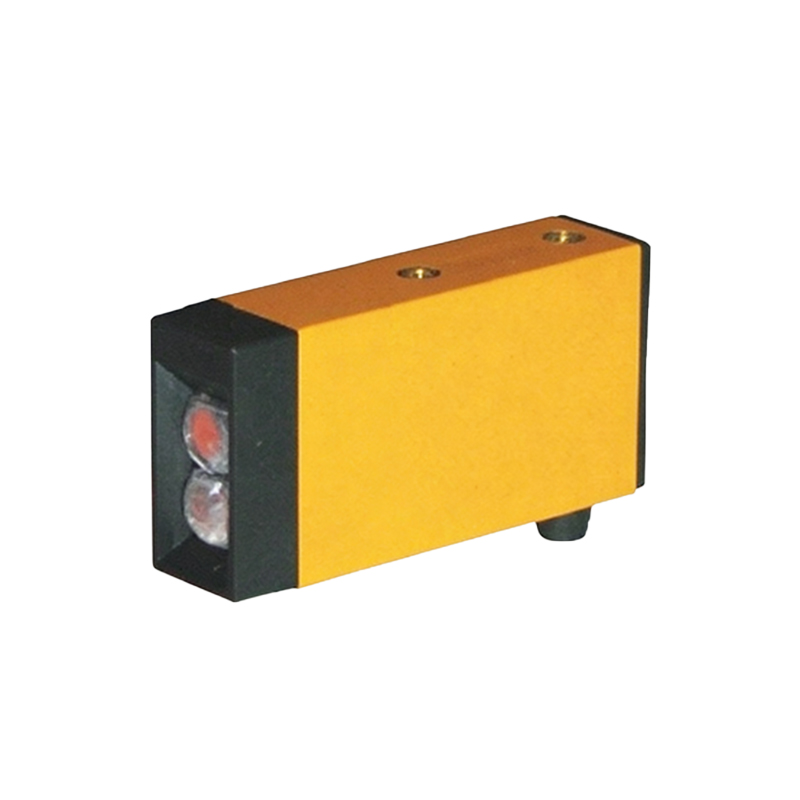
Adjustability Features of U-Shaped Sensors
Most contemporary U-shaped photoelectric sensors offer some form of sensitivity adjustment through built-in potentiometers, digital switches, or programming interfaces. These adjustments typically modify the receiver's threshold—the light intensity level at which the output switches. By increasing the threshold, the sensor becomes less sensitive, ignoring smaller objects or slight beam interruptions; decreasing it makes the sensor more sensitive to detect finer changes. Additionally, some models include features like teach-in functions or auto-calibration, allowing users to set sensitivity based on specific application needs without manual tuning.
Practical Steps for Adjusting Sensitivity
To adjust sensitivity on a U-shaped sensor, first ensure proper installation and alignment of the emitter and receiver. Access the adjustment mechanism, which may be a screw-type potentiometer or a digital menu via an interface. For basic adjustments, use a test object similar to the target item: place it in the beam path and tweak the setting until the sensor reliably detects it without false triggers from environmental factors. In industrial settings, follow manufacturer guidelines to avoid over-sensitivity, which can lead to erratic behavior, or under-sensitivity, causing missed detections. Regular maintenance, such as cleaning lenses, also preserves optimal sensitivity.
Benefits of Sensitivity Adjustment in Applications
Adjustable sensitivity enhances the versatility of U-shaped photoelectric sensors across diverse applications. In high-speed packaging, for instance, fine-tuning ensures accurate detection of transparent or thin materials. In automated assembly, it helps ignore background interference like conveyor vibrations. This flexibility reduces downtime and improves system efficiency by minimizing false positives and ensuring consistent operation under varying conditions, such as changes in ambient light or object surface properties.
Limitations and Considerations
While sensitivity adjustment is beneficial, U-shaped sensors have inherent limits. The fixed physical gap between emitter and receiver restricts detection to objects that fully interrupt the beam, making them less suitable for small or partially obscuring items compared to diffuse-reflective sensors. Environmental factors like heavy contamination or extreme temperatures can also impact adjustable ranges. Users should select sensors with appropriate IP ratings and consult specifications to ensure adjustability meets their operational demands without compromising reliability.
Conclusion and Best Practices
In summary, many U-shaped photoelectric sensors do allow for sensitivity adjustment through electronic means, enhancing their adaptability in industrial automation. To maximize performance, prioritize proper alignment, use adjustment features judiciously based on application tests, and maintain clean optical components. By understanding and leveraging these capabilities, engineers can optimize sensor functionality for precise, reliable object detection in dynamic environments.