Understanding the Photoelectric Sensor's Role
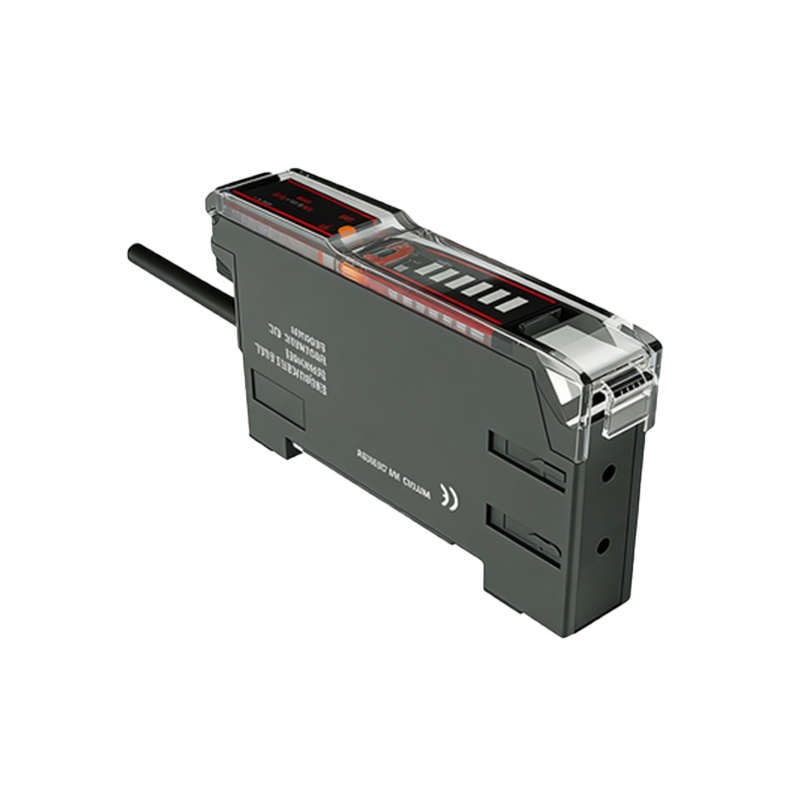
The photoelectric sensor is a critical component in modern industrial inkjet printers, often referred to as coding or marking machines. Its primary function is to detect the presence, position, or absence of a product on the production line. This detection triggers the precise timing for the printhead to apply codes, dates, batch numbers, or logos. The sensor typically uses a beam of light (infrared or visible) emitted from one side and received by a detector on the opposite or reflective side. When a product interrupts this beam, the sensor sends a signal to the printer's controller. A steady or blinking red indicator light on the sensor housing is a common diagnostic feature. While often a cause for concern, this red light is a communication tool, and its meaning can vary based on the sensor's mode and manufacturer.
Common Reasons for a Red Indicator Light
A red light on the photoelectric sensor is not inherently an alarm. First, consult the specific sensor's manual, as color codes differ. However, in a vast majority of industrial sensors, a red light signifies one of several states. In a standard "light-on" or "dark-on" operating mode, a solid red light often means the sensor's receiver is detecting the light beam. This indicates a clear beam path and is a normal "ready" state when no product is present. Conversely, if the red light turns off when an object breaks the beam, that is also normal operation. The problem arises when the expected behavior reverses or the light blinks in an error pattern. A constantly blinking red light usually indicates a fault condition, such as a misalignment, severe contamination, wiring issue, or the sensor operating outside its specified parameters.
Primary Cause: Misalignment and Beam Blockage
The most frequent culprit behind a problematic red light status is physical misalignment. In through-beam sensors, where the emitter and receiver are separate units, even minor vibrations or knocks can shift them out of perfect alignment. The receiver may only be getting a fraction of the emitted light, putting it in a marginal state that can cause erratic triggering and a blinking red fault light. For reflective sensors, the issue could be a change in the target's distance, color, or reflectivity, causing insufficient light to return to the receiver. Always verify the alignment first. Use the sensor's built-in potentiometer or indicator to check signal strength. Realign the units carefully until the indicator shows a stable, strong signal.
Secondary Cause: Lens Contamination and Environmental Factors
Industrial environments are harsh. Dust, oil mist, ink overspray, and moisture can accumulate on the sensor's lens. This contamination scatters or blocks the light beam, drastically reducing its effective strength. A dirty lens is a leading cause of intermittent faults and a blinking red error light. Regular, gentle cleaning of the lens with appropriate solvents is essential preventive maintenance. Furthermore, environmental factors like strong ambient light (sunlight or high-intensity factory lighting) can "blind" the receiver. Electrical noise from motors, drives, or welders can also interfere with the sensor's signal, causing unstable behavior and triggering error indicators on the sensor.
Troubleshooting and Resolution Steps
Begin with a systematic approach. First, power down and safely isolate the printer. Visually inspect the sensor, its lens, and the cabling for obvious damage, dirt, or loose connections. Clean the lenses thoroughly. Restart the system and observe the sensor's behavior without product flow. Check the alignment meticulously. Consult the manual to decipher the exact meaning of the light pattern (solid vs. blink codes). Many modern sensors have a teach-in or sensitivity adjustment mode. Use this function to recalibrate the sensor to the current environmental and target conditions. If available, monitor the sensor's output signal directly with a multimeter or the printer's diagnostic menu to see if it switches cleanly.
When to Seek Professional Support
If basic cleaning, realignment, and recalibration do not resolve the issue, the problem may be more complex. Persistent error lights could indicate a failing component within the sensor itself, such as the LED emitter or the phototransistor receiver. Internal circuitry damage from voltage spikes or moisture ingress is also possible. Additionally, the issue might not be the sensor at all, but a fault in the printer's main controller board or the intervening wiring harness. At this stage, contacting the printer manufacturer's technical support or a qualified service engineer is recommended. They can perform advanced diagnostics and have access to specific replacement parts, ensuring your coding operation resumes with minimal downtime and maintains print quality.