Proximity sensors are critical components in industrial automation, manufacturing lines, and various electronic systems. Their ability to detect the presence or absence of objects without physical contact ensures efficient and reliable operations. However, like any equipment, they require regular maintenance to perform optimally. Daily maintenance practices can prevent unexpected downtime, reduce repair costs, and extend the sensor's lifespan. This guide outlines essential steps for maintaining proximity sensors in daily operations.
First, visual inspection is a fundamental daily task. Operators should check the sensor's housing for any signs of damage, such as cracks, dents, or corrosion. Even minor physical defects can compromise the sensor's integrity, leading to moisture ingress or electrical failures. Additionally, inspect the mounting brackets and fasteners to ensure they are secure. Loose mounts can cause misalignment, affecting detection accuracy. Look for accumulated dust, dirt, oil, or metal shavings on the sensor face, as contaminants can interfere with sensing capabilities. A clean, soft cloth can be used to wipe the sensor surface gently. Avoid abrasive materials or harsh chemicals that might scratch or degrade the housing material.

Environmental factors play a significant role in sensor performance. Daily checks should include monitoring the operating environment for excessive humidity, temperature fluctuations, or exposure to corrosive substances. For instance, in high-humidity areas, condensation might form on the sensor, potentially causing short circuits. If sensors are used near welding stations or in dusty conditions, protective shields or enclosures may be necessary. Ensure that the ambient conditions remain within the sensor's specified ratings, as outlined in the manufacturer's datasheet. Any deviations should be addressed promptly to prevent long-term damage.
Electrical connections are another critical aspect. Loose or corroded wiring can lead to intermittent signals or complete failure. Daily, verify that all cables and connectors are firmly attached and free from visible wear or fraying. Check for proper cable routing to avoid tension, bending, or pinching, which could break internal wires over time. If the sensor uses a quick-disconnect fitting, ensure it is fully seated and locked. For sensors integrated into networked systems, monitor the output indicators (like LED status lights) to confirm normal operation. Unusual blinking patterns or a lack of illumination might indicate power issues or internal faults.
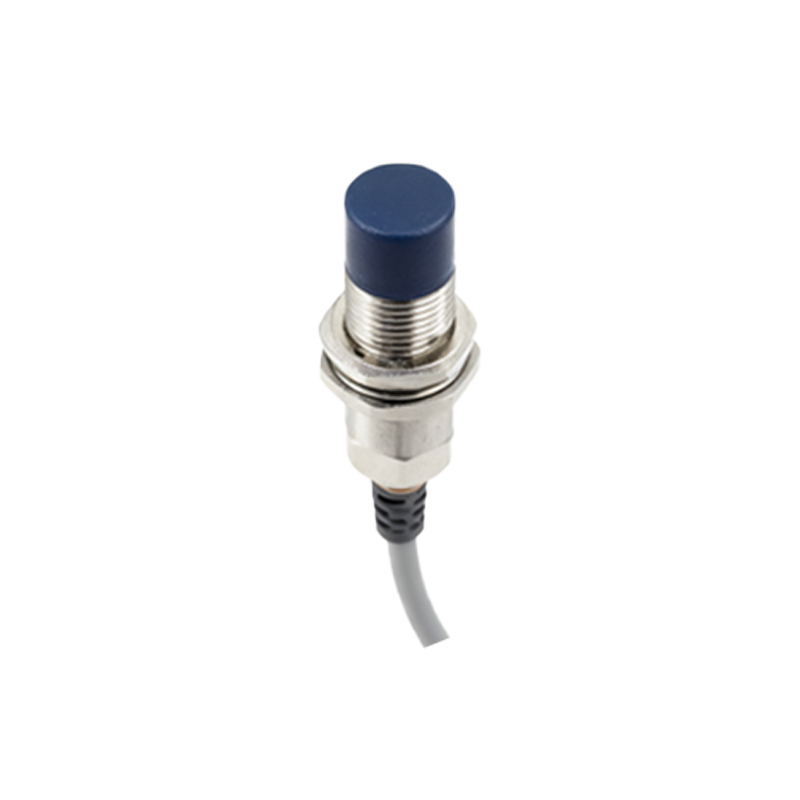
Functional testing should be part of the daily routine. This involves verifying that the sensor correctly detects targets within its specified range. Use a test object (e.g., a metal piece for inductive sensors) to trigger the sensor and observe the response. Ensure the detection distance remains consistent; any reduction could signal lens contamination or internal component wear. For adjustable sensors, avoid unnecessary tampering with sensitivity settings unless recalibration is needed. If the sensor controls critical processes, consider implementing a brief test cycle during startup or shift changes to confirm reliability.
Documentation and record-keeping, though often overlooked, are vital for maintenance. Log daily inspections, noting any anomalies, cleaning actions, or environmental changes. This record helps identify recurring issues and plan preventive measures. For example, if a sensor frequently gets dirty in a particular location, you might schedule more frequent cleanings or install additional protection. Training personnel on proper handling and maintenance protocols also ensures consistency. Operators should know how to identify common problems, such as false triggers or delayed responses, and report them immediately.
In summary, daily maintenance of proximity sensors involves a combination of visual checks, environmental monitoring, electrical inspections, functional tests, and documentation. By incorporating these practices into regular workflows, businesses can enhance operational efficiency, minimize disruptions, and maximize the return on their automation investments. Remember, proactive care is always more cost-effective than reactive repairs. Always refer to the manufacturer's guidelines for model-specific instructions, as maintenance needs may vary based on sensor type (e.g., inductive, capacitive, or ultrasonic) and application.