Understanding Proximity Sensor Basics
Proximity sensors are non-contact devices designed to detect the presence or absence of objects within a specified range. They operate based on various principles, such as electromagnetic fields, infrared light, or ultrasonic waves. Common types include inductive sensors for metallic objects, capacitive sensors for non-metallic materials, and photoelectric sensors for general detection. These sensors are widely used in industrial automation, robotics, and safety systems due to their reliability and durability. Understanding the fundamental working mechanism is essential for proper application. For instance, inductive sensors generate an electromagnetic field and detect changes caused by metallic targets, while capacitive sensors respond to changes in capacitance from any material. Selecting the right type depends on factors like target material, sensing distance, and environmental conditions.
Step-by-Step Installation Process
Proper installation ensures optimal performance and longevity of proximity sensors. Begin by mounting the sensor securely using brackets or threaded housings, ensuring it is aligned with the target object. Maintain the recommended sensing distance, typically specified in the datasheet, to avoid false triggers. For inductive sensors, the sensing range is usually shorter for non-ferrous metals compared to ferrous metals. Connect the wiring according to the diagram: brown wire to positive voltage, blue wire to negative or ground, and black wire as the output signal. Use shielded cables in electrically noisy environments to prevent interference. After installation, power on the system and test detection by moving a target object into the sensing zone. Adjust the position if necessary to achieve consistent operation.
Wiring Diagrams and Connections
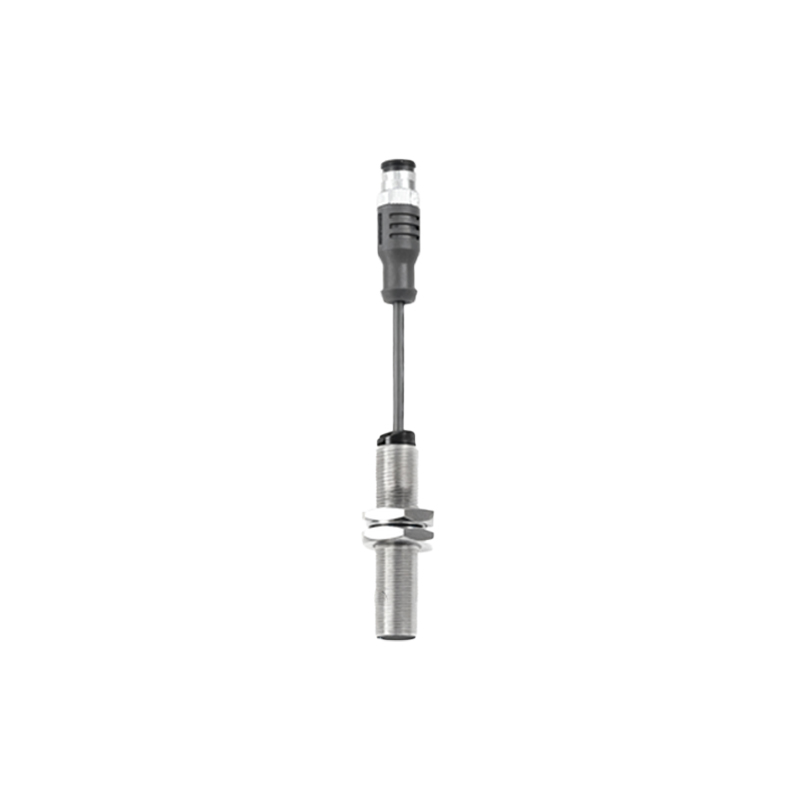
Wiring diagrams provide a visual guide for connecting proximity sensors to control systems like PLCs or relays. A typical three-wire DC sensor includes power supply connections and an output line. For NPN (sinking) sensors, the output connects to the load and then to positive voltage, while PNP (sourcing) sensors connect the output directly to the load. Ensure the power supply voltage matches the sensor rating, commonly 10-30V DC. In hazardous areas, use intrinsically safe circuits or barriers. For two-wire AC/DC sensors, connect in series with the load, noting that they may have higher residual current. Always refer to the manufacturer's manual for specific diagrams, as incorrect wiring can damage the sensor or cause malfunctions.
Configuration and Calibration Tips
Many proximity sensors feature adjustable settings for sensitivity, response time, or output mode. Use a screwdriver or digital interface to fine-tune these parameters. For example, increase sensitivity to detect smaller objects or reduce it to avoid background interference. Calibration involves setting the sensing distance under actual operating conditions. Place a standard target at the desired detection point and adjust until the sensor triggers reliably. Some advanced models offer teach-in functions for automatic calibration. Regularly check for drift due to temperature changes or wear, and recalibrate if needed. Document settings for future maintenance, and avoid over-adjusting, which can lead to unstable performance.
Troubleshooting Common Issues
If a proximity sensor fails to operate correctly, systematic troubleshooting can identify the cause. Start by verifying power supply and connections with a multimeter. Ensure the target object is within range and made of compatible material. For false triggers, check for environmental factors like vibration, dust, or electromagnetic interference. Clean the sensor face regularly to prevent buildup that may reduce sensitivity. If the output is inconsistent, inspect wiring for shorts or breaks and replace damaged cables. Consult error codes or LED indicators on the sensor for diagnostics. In persistent cases, test with a known working sensor to isolate the issue. Preventive maintenance, such as periodic inspections, minimizes downtime.
Applications in Industrial Automation
Proximity sensors play a critical role in modern industrial systems. In conveyor belts, they detect product position for sorting or counting. Machine safety systems use them as limit switches to prevent collisions or unauthorized access. Robotics rely on sensors for precise object handling and navigation. In automotive assembly, inductive sensors monitor metal parts during manufacturing. Choose sensors with appropriate IP ratings for harsh environments, such as those resistant to water, oil, or extreme temperatures. Integrate sensors with PLCs via digital inputs for automated control loops. Always follow industry standards like IEC 60947 for installation and safety. Real-world examples include packaging machines, CNC equipment, and elevator doors, where reliability is paramount.
Maintenance and Safety Guidelines
Regular maintenance extends the lifespan of proximity sensors. Inspect for physical damage, corrosion, or loose connections monthly. Clean lenses or sensing surfaces with a soft cloth and non-abrasive cleaner. Avoid using harsh chemicals that could degrade materials. Check mounting stability to prevent misalignment from vibration. For safety, de-energ