Introduction to Proximity Sensing Technology
A proximity sensor in a smartphone is a non-contact electronic component designed to detect the presence of nearby objects without any physical contact. Its primary function is to sense when an object, most commonly the user's face or ear, is close to the phone's screen during a call. This technology is fundamental to modern smartphone user experience, enabling automatic screen blanking to prevent accidental touch inputs and conserve battery power. The sensor operates by emitting an electromagnetic field or a beam of electromagnetic radiation, often infrared (IR) light, and then looking for changes in the field or return signal. This simple yet effective mechanism prevents the screen from staying lit against your cheek, which would otherwise lead to unintended button presses like muting the call or launching apps.
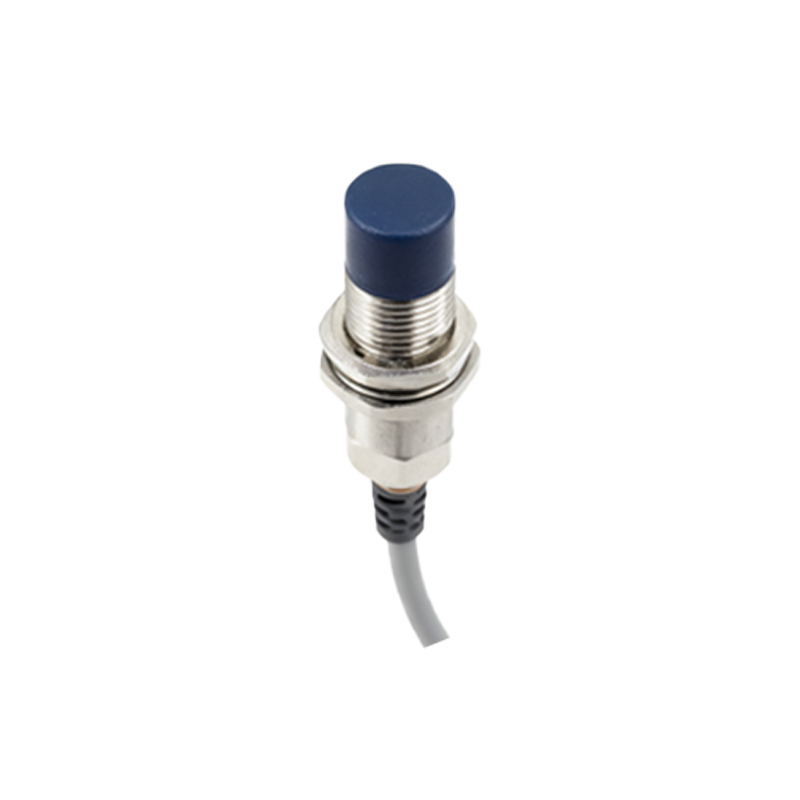
Core Working Principle and Components
The most common type found in mobile devices is the infrared (IR) proximity sensor. It typically consists of two main components: an IR LED (Light Emitting Diode) and an IR photodetector or photodiode. The IR LED emits a beam of invisible infrared light. When an object comes close to the phone's surface, this light reflects off the object and is captured by the IR photodetector. The sensor's internal circuitry measures the intensity of the reflected light. If the intensity exceeds a predefined threshold, it signals the processor that an object is in close proximity. The processor then commands the display to turn off. Once the object moves away, the reflected light intensity falls below the threshold, and the screen is turned back on. This entire process happens in milliseconds, ensuring a seamless user interaction.
Visualizing the Sensor Layout and Operation
Imagine a diagram here showing a smartphone cross-section. Near the top earpiece, two small components are labeled: "IR LED Emitter" and "IR Photodetector." Arrows show IR light beams emitting from the LED, hitting a stylized face, and reflecting back to the photodetector. The display is shown transitioning from ON to OFF state as the face approaches.] In physical terms, the proximity sensor is usually located at the top of the phone's front panel, very close to the earpiece speaker. It is often housed behind the dark glass of the screen or within a tiny pinhole, making it nearly invisible to the naked eye. This strategic placement optimizes its ability to detect a user's head during phone calls. The accompanying image or schematic clearly illustrates the emission, reflection, and detection cycle, providing an intuitive understanding of the non-contact detection process that is central to its function.
Key Applications Beyond Call Management
While the primary application is screen management during calls, proximity sensors enable several other smart features. They are used to turn off the display when the phone is placed inside a pocket or bag, preventing accidental interactions and saving battery. Some devices utilize the sensor to enable "Air Gestures" or "Quick Glance" features, where waving a hand over the sensor can silence alarms, preview notifications, or control media playback without touching the screen. In rugged or industrial handheld devices, they can help in power conservation by putting the device to sleep when not in use. The sensor's data is also sometimes used in conjunction with other sensors, like the ambient light sensor, to provide more nuanced context to the device's system software for automated adjustments.
Technical Challenges and Considerations
Designing an effective proximity sensor involves overcoming several challenges. Calibration is critical; the sensor must be tuned to differentiate between a deliberate close object (like a face) and environmental factors such as bright sunlight, which contains IR radiation that could saturate the photodetector. Different materials and colors reflect IR light differently, which manufacturers must account for. Furthermore, the sensor's aperture must be kept clean from dust and pocket lint, as obstructions can impair its functionality, leading to the screen not turning off during calls—a common user complaint. Modern sensors often incorporate digital filtering and advanced algorithms to improve reliability and reduce false triggers in diverse real-world conditions.
Evolution and Integration with Other Sensors
The technology has evolved from simple binary detection (near/far) to more sophisticated versions capable of measuring gradient distances. Today, proximity sensors are rarely standalone components. They are frequently integrated into compact multi-sensor modules that may also include an ambient light sensor, a color sensor, or even a time-of-flight (ToF) sensor for more advanced depth sensing. This sensor fusion allows for richer contextual awareness. For instance, the system can use ambient light data to adjust screen brightness while using proximity data to decide whether to turn the screen off completely. This integration is a key trend, moving towards more intelligent and power-efficient subsystems within the smartphone architecture.