Proximity sensors are ubiquitous in modern technology, yet their presence is often unnoticed. These small, sophisticated components are the silent guardians of functionality and safety in countless devices. But where exactly are they located, and what is their purpose? This guide demystifies proximity sensor placement and operation.
The core function of a proximity sensor is to detect the presence or absence of a nearby object without any physical contact. It achieves this by emitting an electromagnetic field, beam, or acoustic wave and then looking for changes in the return signal. The most common types are inductive (for metals), capacitive (for both metals and non-metals), photoelectric (using light beams), and ultrasonic (using sound waves). Each type dictates its optimal placement and application.
So, where do you find them? Let's explore common locations.
In Your Smartphone: This is the most familiar location for many. The proximity sensor in a smartphone is typically located near the earpiece at the top of the screen. During a phone call, it detects when your face is close to the screen and automatically turns off the display. This prevents accidental screen touches with your cheek and saves battery power. It's a small but crucial component for user experience.
In Automotive Systems: Modern vehicles are equipped with numerous proximity sensors, often called parking sensors. These are embedded in the front and rear bumpers. When you engage reverse gear, these ultrasonic sensors emit high-frequency sound waves. They calculate the distance to an obstacle based on the time it takes for the echo to return, providing audible or visual warnings to prevent collisions. More advanced systems use them for blind-spot monitoring and automatic emergency braking.
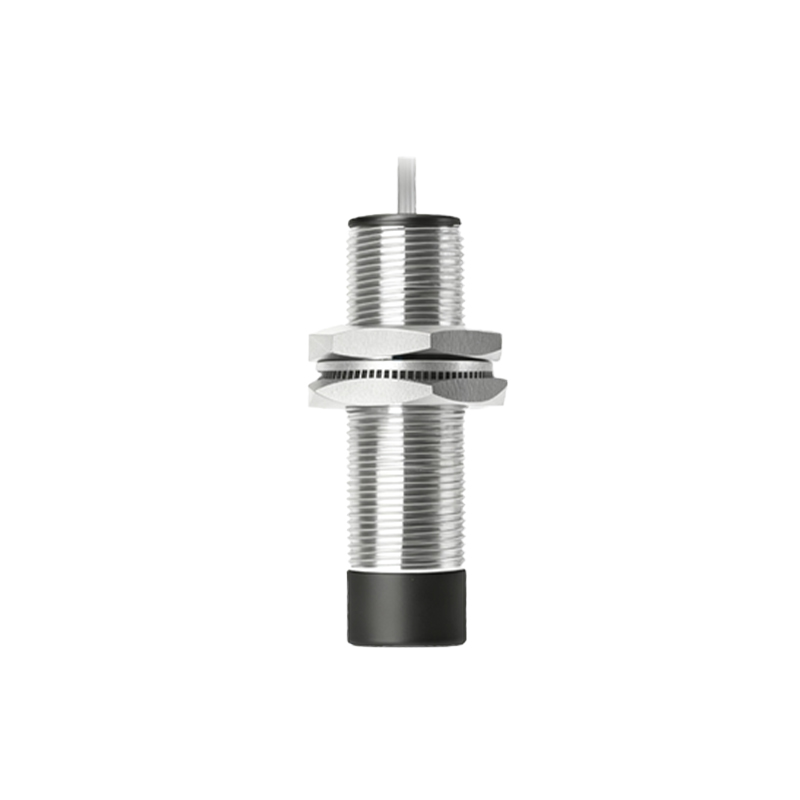
In Industrial Machinery: Manufacturing and packaging lines heavily rely on proximity sensors for automation and safety. Inductive sensors are mounted on assembly lines to detect the presence of metal parts, ensuring correct positioning for robotic arms. Capacitive sensors can detect liquid levels through container walls. Safety light curtains, which are arrays of photoelectric sensors, create an invisible barrier around dangerous machinery, stopping operation if a worker gets too close.
In Consumer Appliances: Touchless faucets and soap dispensers in public restrooms use infrared proximity sensors. A small lens, usually on the neck or spout of the faucet, emits an IR beam. When your hands interrupt the beam, it triggers the solenoid valve to release water. Similarly, some automatic hand dryers use sensors to activate the airflow. In homes, robot vacuum cleaners use infrared or ultrasonic sensors to navigate and avoid furniture and stairs.
In Retail and Security: The familiar chime as you enter a store is often triggered by a photoelectric sensor above the door. Anti-theft systems in libraries and retail stores use RFID technology, a form of proximity sensing. Access control systems for doors may use proximity card readers, where the sensor is embedded in the reader unit.
The placement is always strategic: the sensor must have an unobstructed "field of view" to its detection zone. For instance, a smartphone sensor is behind a small, often blacked-out, section of the glass. A parking sensor is flush with the bumper but its face is exposed. An industrial sensor is positioned precisely to monitor a specific point in a process.
Understanding their location helps in troubleshooting. If your phone screen doesn't turn off during calls, the sensor near the earpiece might be dirty or faulty. If a touchless faucet doesn't work, its sensor window likely needs cleaning. In industrial settings, knowing the sensor's location is key for maintenance and calibration.
In summary, proximity sensors are hidden in plain sight. From the phone in your pocket to the car you drive and the factories that build products, these devices provide essential detection capabilities. Their placement is always intentional, designed to seamlessly integrate into the device's form and function, making our interactions with technology safer, more efficient, and more intuitive. Next time your screen dims on a call or your car beeps as you park, you'll know there's a tiny, powerful sensor hard at work.