In the rapidly evolving landscape of smartphone technology, laser sensors have become integral components, particularly for enhancing autofocus capabilities in cameras and enabling advanced features like gesture recognition and augmented reality. However, like any sophisticated hardware, these sensors are susceptible to abnormalities that can impair device functionality. This article delves into the common causes, diagnostic methods, and potential solutions for laser sensor malfunctions in mobile devices.
Laser sensors in smartphones typically operate by emitting infrared laser pulses and measuring the time it takes for the light to reflect back. This data is used to calculate distances with high precision. When abnormalities occur, users may experience symptoms such as slow or inaccurate autofocus, failure in depth-sensing applications, or error messages related to the camera system. These issues can stem from various factors, including hardware damage, software conflicts, or environmental interference.
One primary cause of laser sensor failure is physical damage. Given their placement near camera modules, sensors are vulnerable to impacts, drops, or exposure to moisture. Even minor cracks or scratches on the protective cover can distort laser emissions, leading to erratic readings. Additionally, accumulation of dust or debris on the sensor surface can obstruct the laser path, causing similar performance degradation. In such cases, visual inspection is crucial; any signs of damage may necessitate professional repair or component replacement.
Software-related issues are another common culprit. Firmware bugs, outdated operating systems, or incompatible applications can disrupt the sensor's calibration and data processing. For instance, a recent system update might introduce conflicts with the sensor driver, resulting in malfunctions. To diagnose this, users can boot the device in safe mode to disable third-party apps temporarily. If the sensor functions normally in this state, a software conflict is likely. Resolving it may involve updating the device software, resetting camera settings, or performing a factory reset as a last resort.
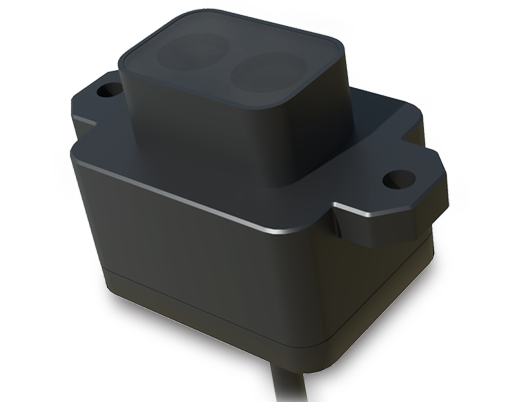
Environmental factors also play a role. Strong ambient light, particularly infrared sources like sunlight or certain artificial lights, can interfere with the sensor's laser signals, causing temporary abnormalities. Similarly, highly reflective or transparent surfaces may confuse the sensor by scattering or absorbing laser pulses. While these conditions are often temporary, they highlight the sensor's limitations in specific scenarios. Users should test the device in different environments to rule out persistent hardware faults.
Diagnosing laser sensor abnormalities requires a systematic approach. Begin by checking for physical damage and cleaning the sensor area with a soft, dry cloth. Next, test the sensor functionality using built-in diagnostic tools or third-party applications designed for hardware testing. Many smartphones offer hidden service menus that can run sensor diagnostics—consult the device manufacturer's guidelines for access. If software issues are suspected, ensure all updates are installed and consider clearing the cache partition to eliminate corrupted data.
In cases where hardware failure is confirmed, professional intervention is recommended. Attempting DIY repairs on laser sensors can void warranties and risk further damage due to their delicate nature. Authorized service centers have the expertise and tools to replace sensors accurately, ensuring optimal performance. For older devices, weigh the repair cost against the value of upgrading to a newer model with improved sensor technology.
Preventive measures can mitigate the risk of laser sensor abnormalities. Using protective cases and screen protectors can shield the sensor from physical harm. Avoid exposing the device to extreme temperatures or moisture, and regularly clean the sensor area gently. Keeping software up-to-date also minimizes compatibility issues. As smartphone manufacturers continue to integrate more advanced sensors, understanding their operation and maintenance becomes essential for maximizing device longevity and user experience.
Ultimately, laser sensor abnormalities, while frustrating, are often addressable through careful troubleshooting. By identifying the root cause—whether hardware, software, or environmental—users can take appropriate steps to restore functionality. As technology advances, future sensors may incorporate better resilience and self-diagnostic features, reducing the incidence of such issues. For now, a proactive approach to device care remains the best defense against sensor failures.