Proximity sensors are indispensable components in modern industrial automation, offering non-contact detection of objects without physical interaction. This tutorial provides a step-by-step guide on effectively utilizing proximity sensors in various applications, ensuring optimal performance and reliability.
First, understand the basic types of proximity sensors: inductive, capacitive, ultrasonic, and photoelectric. Inductive sensors detect metallic objects using electromagnetic fields, making them ideal for metal detection in machinery. Capacitive sensors respond to both metallic and non-metallic materials by sensing changes in capacitance, suitable for liquid level detection or plastic object sensing. Ultrasonic sensors use sound waves to measure distance or detect objects, effective in harsh environments with dust or moisture. Photoelectric sensors rely on light beams, excelling in long-range detection and precise positioning.
Before installation, carefully select the sensor based on your application requirements. Consider factors such as sensing distance, target material, environmental conditions (temperature, humidity, contaminants), and output type (NPN, PNP, analog, or digital). Always refer to the manufacturer’s datasheet for specifications like nominal sensing range, repeat accuracy, and response time. For example, in a conveyor system detecting metal parts, an inductive sensor with a 10mm range and PNP output may be appropriate.
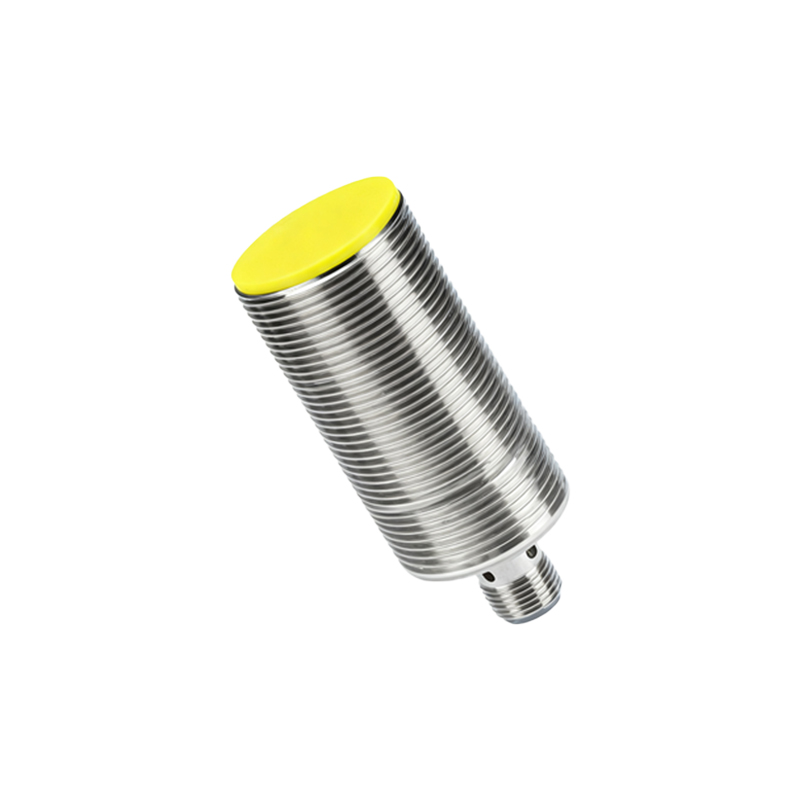
Installation is critical for sensor performance. Mount the sensor securely using brackets or holders to minimize vibration effects. Ensure proper alignment with the target object; misalignment can reduce sensing accuracy. Maintain the recommended sensing distance—typically 70-80% of the nominal range to account for tolerances. For inductive or capacitive sensors, avoid mounting near metal surfaces or other sensors to prevent interference. In dusty or wet areas, use sensors with appropriate IP (Ingress Protection) ratings, such as IP67 for waterproofing.
Wiring must adhere to electrical standards to prevent malfunctions. Connect the sensor to a power supply matching its voltage rating (e.g., 10-30V DC). For three-wire sensors, link the brown wire to positive, blue to negative, and black to the load (e.g., PLC input). Implement shielding for cables in high-noise environments to reduce electromagnetic interference. Always disconnect power during wiring to avoid short circuits. Test connections with a multimeter to verify voltage levels before operation.
Configuration involves adjusting settings for specific tasks. Many sensors feature potentiometers or DIP switches for sensitivity tuning. For capacitive sensors, adjust sensitivity to ignore background materials like conveyor belts. Ultrasonic sensors may require calibration for temperature compensation. Use teach-in functions on smart sensors to program detection thresholds automatically. In applications with varying target sizes, set hysteresis to prevent rapid switching.
Integration with control systems, such as PLCs or microcontrollers, enables automated workflows. Connect the sensor output to the controller’s input module. Program logic to trigger actions—for instance, stopping a motor when an object is detected. Use ladder logic or structured text to define conditions, incorporating sensor feedback for real-time monitoring. For analog sensors, scale output signals (e.g., 4-20mA) to represent distance or pressure values in the controller.
Maintenance ensures long-term reliability. Regularly clean sensor lenses or surfaces to prevent dirt buildup, which can impair functionality. Check for mechanical damage or loose connections during routine inspections. Calibrate sensors annually or as per operational intensity, using calibration tools if available. Monitor performance logs for drift in sensing range, and replace sensors showing consistent errors.
Troubleshooting common issues involves systematic checks. If a sensor fails to detect, verify power supply, wiring, and target positioning. Use an oscilloscope to analyze signal integrity in noisy setups. For false triggers, adjust sensitivity or install shielding. Consult error codes in diagnostic-enabled sensors to identify faults like overload or overheating.
In summary, mastering proximity sensor usage enhances efficiency in automation systems. By selecting the right sensor, installing it correctly, and maintaining it diligently, engineers can achieve precise, reliable object detection across industries like manufacturing, packaging, and robotics.