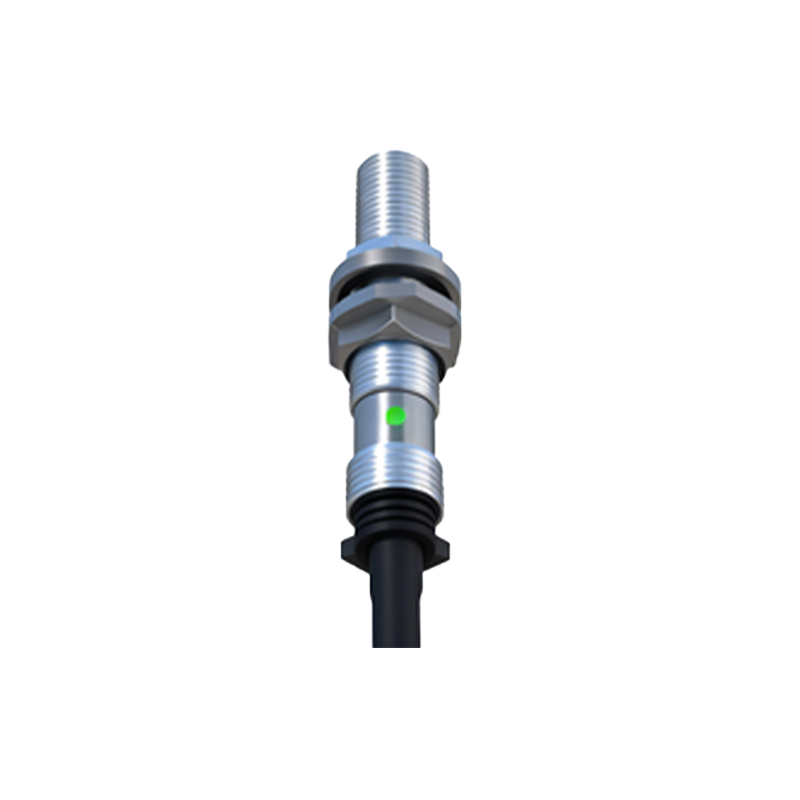
In the realm of industrial automation and control systems, the 14Pro series of proximity sensors has established itself as a reliable and widely adopted component. However, a specific technical anomaly—the absence of a serial code or the failure to communicate a valid serial identifier—has been observed in certain field deployments. This condition, often reported as "No Serial Code" or "Invalid Serial Communication," presents a unique diagnostic and operational challenge for maintenance engineers and system integrators.
The primary function of a proximity sensor, such as the 14Pro model, is to detect the presence or absence of an object without physical contact, typically through inductive, capacitive, or ultrasonic principles. Integral to modern smart sensor architecture is the inclusion of digital communication protocols and identification data. The serial code, often accessible via IO-Link, PROFINET, or other fieldbus systems, serves multiple critical purposes. It allows for precise device identification within a network, facilitates asset management and lifecycle tracking, enables the upload of specific parameter sets, and is crucial for advanced diagnostics and predictive maintenance routines. When this serial code is missing or reported as anomalous, it undermines these smart functionalities.
The root causes of this "No Serial Code" anomaly in 14Pro sensors can be multifaceted. A primary suspect is often firmware corruption or a software glitch within the sensor's microcontroller. This can occur due to electrical transients, improper shutdown sequences during firmware updates, or incompatibilities with the controlling master's communication cycle. Hardware failures constitute another significant category. Damage to the sensor's communication interface circuitry, faults in the non-volatile memory (EEPROM) where the serial data is stored, or degradation of the signal conditioning components can all lead to a loss of identifiable data. Furthermore, configuration and integration errors must not be overlooked. Incorrect parameterization of the sensor's data channel in the PLC or network controller, mismatched baud rates, or excessive electromagnetic interference (EMI) on the communication lines can manifest as a failure to read the serial code, even if the sensor's internal data is intact.
The troubleshooting methodology for this issue should follow a systematic, layered approach. The initial step involves basic physical and electrical inspection. Verify the integrity of the sensor's mounting, cable connections, and connector pins. Ensure the power supply voltage is within the specified range (e.g., 10-30V DC) and stable, as undervoltage can cause microcontrollers to behave unpredictably. Next, employ a diagnostic tool, such as a handheld IO-Link master or the engineering software suite provided by the manufacturer, to attempt a direct read of the device parameters. If the tool fails to identify the sensor but detects a device on the port, it strongly suggests a communication or data corruption issue.
Subsequent steps involve isolation and substitution. If possible, test the suspect 14Pro sensor on a known-good circuit or a bench setup with a standard master. Conversely, install a known-good sensor of the same model in the original problematic location. This swap test definitively isolates the fault to either the sensor unit or the external network/control system. For sensors suspected of firmware issues, a controlled power cycle (a full disconnect and reconnect) can sometimes reset a hung state. However, a more robust solution may involve re-flashing the firmware using a manufacturer-approved service tool, a procedure that typically requires the sensor to be in a specific service mode.
If hardware failure is confirmed, particularly with the memory or communication IC, component-level repair is rarely cost-effective in an industrial setting. The standard protocol is sensor replacement. Prior to installing a new unit, it is prudent to audit the installation environment for potential sources of EMI, such as variable frequency drives (VFDs) or high-current cabling running in parallel with the sensor signal lines. Implementing best practices like using shielded cables, proper grounding, and maintaining adequate separation from noise sources can prevent recurrence.
From a broader perspective, this anomaly highlights the increasing complexity of "smart" industrial components. While they offer tremendous advantages in data richness and system integration, their dependence on digital integrity introduces new failure modes. Proactive measures, including regular network diagnostics, maintaining stable power quality with surge protection, and adhering strictly to manufacturer guidelines for configuration and updates, are essential for maximizing the reliability of 14Pro sensors and similar intelligent devices. Documenting such field failures and their resolutions also contributes valuable data for future product iterations and support knowledge bases, closing the loop between field operation and engineering development.