Laser sensors are indispensable components in modern industrial automation, providing precise, non-contact measurement and detection. However, a common and often perplexing issue encountered by engineers and maintenance personnel is signal flickering. This phenomenon, where the sensor's output signal fluctuates erratically between states (e.g., ON/OFF) despite a seemingly stable target, can lead to production errors, machine downtime, and quality control issues. Understanding the root causes and implementing effective troubleshooting strategies is crucial for maintaining system integrity.
The primary culprit behind laser sensor flickering is often environmental interference. Industrial settings are rife with potential disruptors. Ambient light is a frequent offender, especially from high-intensity sources like welding arcs, strobe lights, or even direct sunlight entering through windows. These external light sources can saturate the sensor's receiver, causing it to misinterpret the reflected laser beam. Similarly, optical interference from other nearby laser sensors operating on similar wavelengths can create crosstalk, where one sensor picks up the signal from another. Electrical noise is another major factor. Noise induced from variable frequency drives (VFDs), large motors, solenoids, or switching power supplies can travel through power lines or be coupled into signal cables, corrupting the sensor's output signal.
Beyond the environment, the target object itself can be a source of instability. If the target surface is reflective, glossy, or transparent (like glass or clear plastic), the laser beam may scatter, reflect at odd angles, or pass through entirely, resulting in a weak or inconsistent return signal. Irregular surfaces, such as textured metals or granular materials, can also cause diffuse reflection, leading to varying signal strength as the sensor or target moves minimally. Furthermore, if the target is positioned at the very edge of the sensor's sensing range or its minimum spot size, even microscopic vibrations can cause the beam to partially miss the target, triggering flickering.
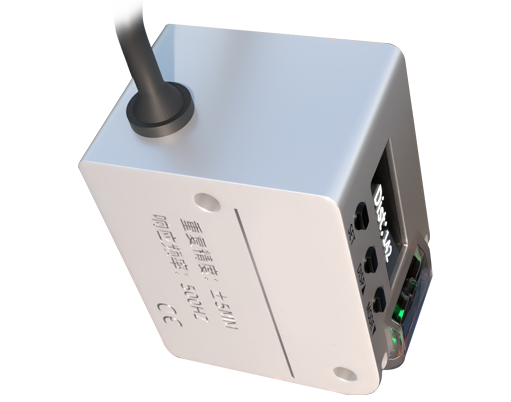
Improper installation and configuration are equally significant contributors. Mechanical vibration from the machine to which the sensor is mounted can cause microscopic movement, altering the beam's path. Inadequate mounting rigidity exacerbates this problem. Incorrect alignment, where the laser beam strikes the target at a non-optimal angle, reduces signal integrity. On the configuration side, setting the sensor's response time too fast for the application can cause it to react to minor, insignificant fluctuations in the received light intensity. Conversely, a dirty or contaminated sensor lens will attenuate both the outgoing beam and the incoming reflection, pushing the signal-to-noise ratio into an unreliable zone.

A systematic troubleshooting approach is essential. Begin with a thorough visual and environmental inspection. Check for sources of ambient light, ensure no other laser beams are intersecting, and verify the sensor is securely mounted away from obvious sources of vibration. Examine the target surface condition and consistency. Clean the sensor's lens meticulously with appropriate materials. Next, evaluate electrical connections. Ensure all cables are shielded, properly grounded, and routed away from power cables and noise sources. Check for secure connections at both the sensor and controller interfaces.
Utilize the sensor's built-in diagnostics, if available. Many modern laser sensors feature signal strength indicators (often via an LED or teach-in mode). Observe this indicator while the sensor is active; a fluctuating strength meter directly correlates with flickering and points to an optical or target-related issue. Adjust the sensor's configuration parameters. Increase the response time or hysteresis setting to "dampen" the output and prevent it from switching on minor signal variations. Reposition the sensor or the target to ensure it is well within the optimal sensing range and that the beam strikes a matte, opaque, and stable surface area.

If flickering persists, consider hardware solutions. Installing a physical barrier or shade around the sensor can block ambient light. For highly reflective targets, applying a matte tape or using a diffuse reflection mode sensor (if currently using a retro-reflective or through-beam setup) may be necessary. In electrically noisy environments, adding ferrite cores to cables or using an isolated power supply for the sensor can mitigate noise. Ultimately, selecting the right sensor for the application from the outset—considering factors like laser type (red, blue, infrared for different materials), sensing mode, and robust environmental ratings—is the best preventative measure against persistent signal flickering.