In industrial automation, material handling, and robotics, laser distance sensors are prized for their high precision, fast response, and non-contact measurement. However, a common and frustrating issue that engineers and maintenance technicians encounter is when a laser sensor simply stops displaying a distance reading. Instead of a stable numerical value, the display might show an error code, dashes, a constant value like zero or full-scale, or simply blank out. This failure halts processes and demands swift diagnosis. The root cause is rarely the sensor's core laser or timing electronics failing outright; more often, it's an issue with the signal path or operating environment. A systematic troubleshooting approach is key to resolving the "no distance display" problem efficiently.
The first and most critical step is to consult the sensor's user manual. Error codes are the sensor's primary diagnostic tool. A code like "E10" might indicate a measurement range error, while "E85" could signal a communication fault. Interpreting these codes correctly immediately narrows down the potential fault area. If there is no specific error code, the troubleshooting process begins with the physical measurement environment.
Laser sensors operate on the principle of time-of-flight or triangulation, requiring a clear, detectable reflection from the target. The most frequent culprit for a lost reading is an issue with the target or beam path. The target may have moved out of the sensor's defined measuring range, either too close or too far. The surface properties of the target are equally important. Excessively dark, matte, or absorbent surfaces can scatter the laser beam, preventing sufficient light from returning to the receiver. Conversely, shiny, specular surfaces like polished metal or glass can reflect the beam away at an angle, also causing a signal loss. Ensuring the target is within the specified range and has an appropriate, diffusely reflective surface is paramount.

Environmental contamination is a major adversary. Dust, oil mist, steam, or debris accumulating on the sensor's front lens acts as a barrier, attenuating both the outgoing beam and the returning signal. Regular cleaning of the lens with appropriate, lint-free materials is essential preventive maintenance. Similarly, physical obstructions in the beam path—a stray cable, accumulated product, or a misaligned machine part—will block the beam entirely. A simple visual inspection along the laser's path (using appropriate laser safety precautions) can often reveal this issue.
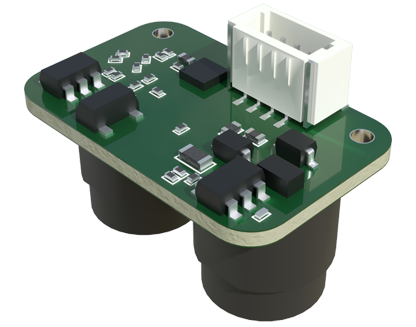
Electrical and connectivity problems are the next major category to investigate. Loose or corroded connections in the power supply, output wiring, or communication cable (for sensors with serial interfaces like RS-485 or IO-Link) can interrupt operation. Verify that the supply voltage is stable and within the sensor's specified tolerance, as under-voltage can cause erratic behavior. For sensors with programmable parameters, an incorrect configuration can lead to a lack of display. A setting might have been changed inadvertently, putting the sensor in a digital-only output mode that disables the display, or configuring an invalid output range. Performing a reset to factory defaults can rule out configuration errors.
Electrical noise and interference in industrial settings can also corrupt the sensor's signal processing. Ensure the sensor is properly grounded and that power and signal cables are routed away from high-voltage lines, motor drives, and welding equipment. Using shielded cables with the shield properly terminated at one end is a best practice for noise immunity.
If the target, environment, wiring, and configuration have all been verified, the issue may lie with the sensor's internal components. While less common, the receiver diode can degrade over time, especially if exposed to extreme temperatures or overpowering ambient light. Intense ambient light from halogen lamps or direct sunlight can saturate the receiver, blinding it to its own laser pulse. Using a sensor with a narrow spectral filter or installing a physical shade can mitigate this. Finally, mechanical shock or vibration can potentially misalign the sensitive internal optics.
A methodical verification process involves isolating variables. Test the sensor on a known, good target at a known distance in a clean, controlled environment. If it works, the problem is external. If it fails, try a different power supply and cable. Connecting the sensor to its configuration software can provide deeper diagnostic data and firmware status. As a last step, if the sensor is under warranty or a critical spare is available, replacement may be the most cost-effective solution after identifying a likely internal fault.
Preventive measures are crucial for minimizing downtime. Establish regular cleaning schedules for lenses. Protect sensors in harsh environments with appropriate IP-rated housings or air purges. Secure all cabling and connections against vibration. Document sensor parameters and configurations. Understanding why a laser sensor stops displaying distance transforms a perplexing failure into a solvable puzzle, ensuring continuous and reliable operation in demanding applications.