Proximity sensors are critical components in industrial automation, robotics, and safety systems, detecting the presence or absence of objects without physical contact. Proper calibration ensures accuracy, reliability, and longevity. This guide outlines step-by-step methods to adjust proximity sensor precision, tailored for engineers and technicians.
First, understand the sensor type. Inductive sensors detect metallic objects, capacitive sensors handle non-metallic materials, and ultrasonic or photoelectric sensors use sound or light waves. Each type requires specific calibration approaches. Begin by reviewing the manufacturer’s datasheet for key parameters: sensing range, hysteresis, repeatability, and output characteristics (e.g., NPN/PNP, analog/digital).
For inductive and capacitive sensors, start with mechanical alignment. Mount the sensor securely, ensuring the sensing face is parallel to the target object. Misalignment can cause false readings or reduced range. Adjust the mounting position to minimize lateral offset, typically keeping it within 10% of the sensor diameter.
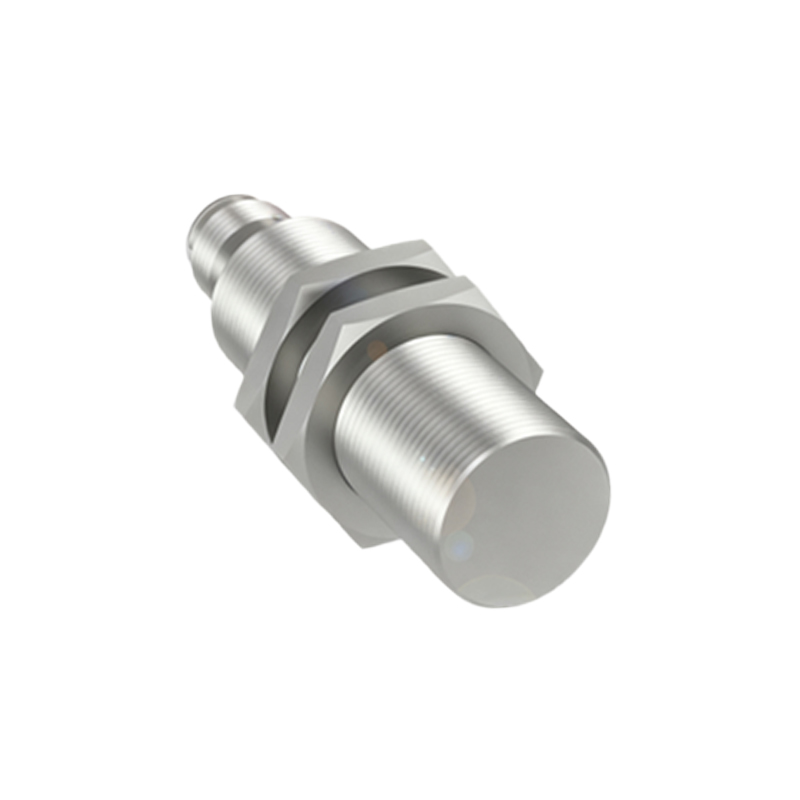
Next, set the sensing distance. Most proximity sensors have a potentiometer or teach-in button for adjustment. Power the sensor and introduce a standard target (e.g., a metal plate for inductive sensors) at the nominal sensing distance. Rotate the potentiometer slowly until the output indicator (LED or relay) activates. For digital sensors, use the teach-in function by pressing the button when the target is at the desired position. Avoid over-adjusting, as extreme settings may lead to instability.
Hysteresis calibration is crucial to prevent output chatter near the detection threshold. Hysteresis defines the difference between the switch-on and switch-off points. Increase hysteresis slightly if the sensor toggles erratically when the target moves slowly. Adjust via the potentiometer or software interface, balancing sensitivity and noise immunity. For analog sensors, calibrate the output curve (e.g., 4-20 mA or 0-10 V) using a multimeter. Apply targets at minimum and maximum distances, tuning the output to match the required signal range.
Environmental factors significantly impact precision. Temperature fluctuations, humidity, dust, or electromagnetic interference can drift sensor performance. Compensate by operating the sensor in its specified temperature range and using shielded cables for noise-prone areas. For capacitive sensors, adjust the sensitivity to ignore background materials (e.g., conveyor belts) by reducing the gain until only the target triggers detection.
Regular verification ensures sustained accuracy. After calibration, test with multiple target sizes and materials under real operating conditions. Measure repeatability by cycling the target 10-20 times; consistent activation indicates proper setup. Document settings, including potentiometer positions or software parameters, for future maintenance.
Advanced techniques involve using oscilloscopes to analyze signal waveforms or PLC integration for automated calibration routines. For networked sensors, leverage industrial protocols like IO-Link to monitor real-time data and fine-tune remotely. Troubleshoot common issues: if sensing range drops, check for sensor contamination or voltage supply fluctuations. If false triggers occur, inspect for external vibrations or reflective surfaces (for photoelectric sensors).
In summary, precise proximity sensor calibration hinges on understanding sensor specifications, meticulous mechanical setup, and adaptive adjustments to environmental conditions. Consistent testing and documentation uphold system integrity, reducing downtime and enhancing operational safety in industrial applications.