Proximity sensors are widely used in industrial automation, robotics, and safety systems due to their non-contact detection capabilities. However, like any electronic component, they can encounter various issues that affect performance. Understanding common problems and their solutions is crucial for maintaining operational efficiency. This article outlines frequent challenges with proximity sensors and provides practical troubleshooting guidance.
One prevalent issue is false triggering or erratic output. This often occurs when external factors interfere with the sensor's detection field. Metallic debris, nearby machinery, or other sensors operating at similar frequencies can cause unintended activations. To resolve this, ensure proper installation by maintaining adequate clearance from other objects—typically 1.5 times the sensor's rated sensing distance. Additionally, verify that the sensor is shielded or rated for the specific environment, such as in areas with high electromagnetic interference (EMI).
Another common problem is reduced sensing range or complete failure to detect targets. This can stem from sensor misalignment, where the target does not pass directly within the detection zone. Check the alignment and adjust the sensor position if necessary. Contamination, such as dust, oil, or moisture on the sensor face, can also attenuate signals. Regular cleaning with appropriate solvents and ensuring IP-rated enclosures for harsh conditions can mitigate this. Moreover, wear and tear over time may degrade internal components; inspect for physical damage and consider replacement if calibration fails.
Electrical issues, including wiring faults and power supply inconsistencies, are frequent culprits. Incorrect voltage levels—either too high or too low—can lead to sensor malfunction. Always confirm that the power supply matches the sensor's specifications (e.g., 10-30V DC for many models). Loose connections, frayed cables, or improper grounding can cause intermittent operation. Use a multimeter to test continuity and voltage at the sensor terminals. For inductive sensors, ensure the target material is compatible (e.g., ferrous metals for standard models), as non-metallic objects may not be detected without specialized sensors.
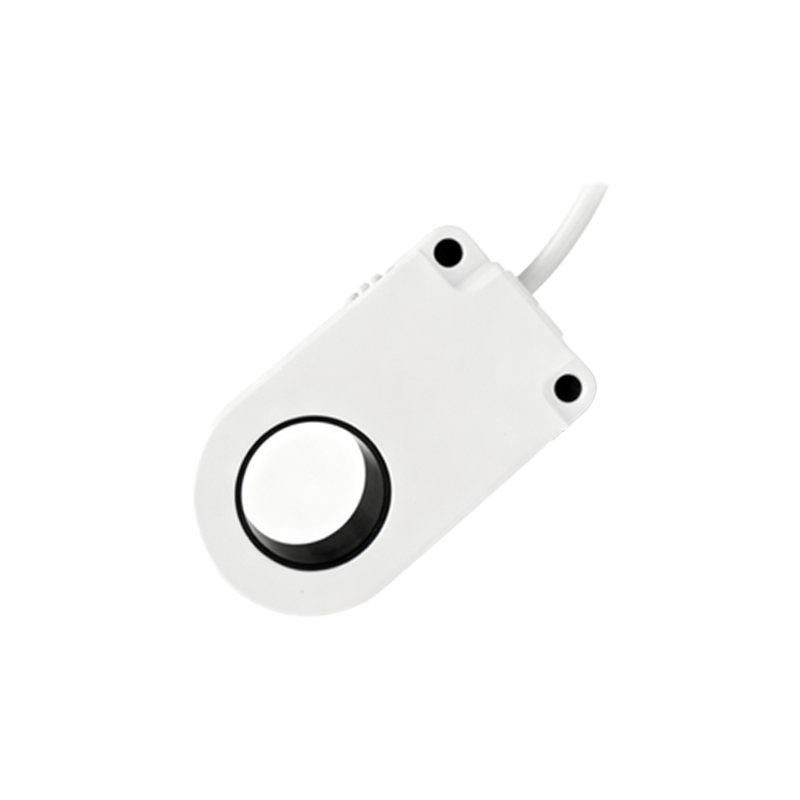
Environmental factors pose significant challenges. Extreme temperatures, beyond the sensor's operating range (commonly -25°C to 70°C), can affect electronic stability. In high-temperature settings, consider using sensors with extended thermal ratings or cooling mechanisms. Humidity and corrosive chemicals may lead to circuit board degradation or housing corrosion. Select sensors with appropriate ingress protection (IP) ratings, such as IP67 for dust and water resistance. Vibration and mechanical shock can loosen internal connections; mount sensors securely with anti-vibration brackets if needed.
Calibration drift is another concern, particularly for analog or adjustable sensors. Over time, components may age, causing output signals to deviate from setpoints. Recalibrate sensors periodically using manufacturer guidelines. For programmable sensors, reset to factory defaults and reconfigure if outputs become inconsistent. Software or firmware issues in smart sensors can also arise; update to the latest versions and check communication protocols (e.g., IO-Link) for errors.
In summary, proximity sensor issues often relate to installation, environment, electrical setup, or wear. Preventive maintenance, including regular inspections, cleaning, and testing, can minimize downtime. When troubleshooting, start with simple checks: verify power, inspect for obstructions, and confirm target properties. For persistent problems, consult technical datasheets or manufacturer support. By addressing these common pitfalls, engineers can enhance sensor reliability and extend service life in diverse applications.