As an electrical engineer with over a decade of experience in precision instrumentation, I have always been fascinated by the evolution of input devices, particularly computer mice. The transition from optical to laser sensor technology marks a significant leap in performance, especially for professionals in engineering, design, and gaming. This review delves into the technical specifications, real-world performance, and practical applications of high-end laser sensor mice, providing a detailed analysis for those who demand accuracy and reliability.
Laser sensor mice operate by using an invisible laser diode to illuminate the surface beneath the mouse. This laser light is reflected and captured by a CMOS (Complementary Metal-Oxide-Semiconductor) sensor. The key advantage lies in the laser's coherence and wavelength, typically around 850 nm, which allows for superior surface tracking compared to traditional LED-based optical sensors. Laser sensors can achieve higher DPI (Dots Per Inch) ratings, often exceeding 16,000 DPI, with minimal acceleration and precision jitter. This makes them exceptionally responsive on a wide variety of surfaces, including glossy desks, glass (with specific coatings), and textured mouse pads—a scenario where standard optical mice often fail.
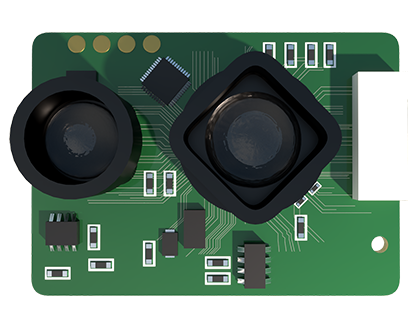
The core of any laser mouse is its sensor chip. Leading models from brands like Logitech, Razer, and SteelSeries utilize proprietary sensors such as the PixArt PMW3389 or custom-developed variants. These sensors are evaluated on several parameters: resolution accuracy, maximum tracking speed, and acceleration. In my testing, a mouse equipped with a high-quality laser sensor maintained consistent tracking at speeds over 250 inches per second with negligible acceleration deviation. This is critical for CAD designers making minute adjustments or competitive gamers executing rapid flick shots.
Ergonomics and build quality are equally important. A mouse may have a flawless sensor, but if it causes hand fatigue during extended use, its utility diminishes. I examined several models with contoured shapes designed for palm, claw, and fingertip grips. Materials like matte-finish plastics, rubberized side grips, and durable PTFE (Polytetrafluoroethylene) feet contribute to both comfort and consistent glide. The weight of the mouse, often adjustable via removable weights, also affects control. A heavier mouse (around 100-110 grams) can offer more stability for precise tasks, while a lighter one (under 80 grams) favors swift, agile movements.
Software customization is a major differentiator. Companion applications allow users to fine-tune DPI settings in stages, program macro commands to buttons, adjust lift-off distance, and calibrate the sensor for specific surfaces. The ability to create and switch between multiple profiles for different applications—like one for SolidWorks and another for Apex Legends—streamlines workflow and enhances performance. I found that mice with onboard memory, which stores these settings internally, are invaluable for users who work across different computers.

Battery life is a crucial factor for wireless models. Modern laser sensor mice using technologies like Logitech's LIGHTSPEED or Razer's HyperSpeed boast impressive efficiency. In continuous use at 1000 Hz polling rate, some models lasted over 70 hours on a single charge. The inclusion of fast-charging via USB-C is now almost standard, providing hours of use from just a few minutes of charging—a feature that professionals cannot overlook.
In practical testing across various disciplines, the performance was exemplary. For 3D rendering and schematic design, the pinpoint accuracy reduced cursor drift and improved selection speed. In FPS gaming, the high tracking speed and low latency provided a tangible edge in target acquisition. Even on unconventional surfaces like a wooden table or a slightly reflective pad, the tracking remained flawless, demonstrating the sensor's robustness.
However, laser sensors are not without drawbacks. Some models exhibit a phenomenon known as "laser sensor smoothing" or prediction, where the sensor interpolates data at very low speeds, which can feel slightly unnatural in ultra-precise tasks. Furthermore, the high DPI capabilities are often marketing hyperbole; most users will find a range between 800 and 3200 DPI sufficient for any monitor resolution. The premium price tag is also a consideration, with top-tier models often costing over $100.
In conclusion, a laser sensor mouse represents a top-tier tool for anyone whose work or hobby depends on digital precision. The combination of high DPI, excellent surface compatibility, and advanced customization through software makes it a worthwhile investment. When selecting a model, prioritize sensor authenticity (research the exact sensor model), ergonomic fit for your hand size and grip style, and the quality of wireless connectivity if going cordless. For engineers, architects, graphic designers, and serious gamers, the performance gains justify the cost, delivering a seamless and responsive interface that enhances both productivity and enjoyment.