In industrial automation and precision measurement applications, laser sensors are critical components known for their accuracy and reliability. However, a frequent and disruptive issue encountered by maintenance engineers and technicians is the "no-light" condition, where the sensor fails to emit its characteristic laser beam. This failure halts processes, triggers system alarms, and necessitates immediate troubleshooting. Understanding the root causes and systematic solutions is paramount for minimizing downtime.
The most prevalent cause of a laser sensor not emitting light is a power supply problem. This can manifest in several ways. First, verify that the sensor is receiving the correct voltage and current as specified in its datasheet. Using a multimeter, check the voltage at the sensor's power terminals. A reading significantly below the required level (e.g., 10V for a 12-24V DC sensor) indicates an insufficient supply. This could stem from a faulty power supply unit, voltage drops due to undersized wiring over long distances, or excessive load on the same circuit. Ensure all connections are secure, free from corrosion, and that the wiring gauge is appropriate for the current draw and cable length.
Secondly, incorrect wiring or connection errors are common, especially after installation or maintenance. Laser sensors typically have three or four wires: power (V+, V-), output signal, and sometimes a separate control line. Accidentally swapping the power polarity on a DC sensor can instantly damage internal circuitry or trigger protection mechanisms that prevent operation. Similarly, a short circuit in the output wiring can cause the sensor's internal electronics to enter a protective shutdown mode. Always disconnect power before checking connections and refer to the manufacturer's wiring diagram meticulously.
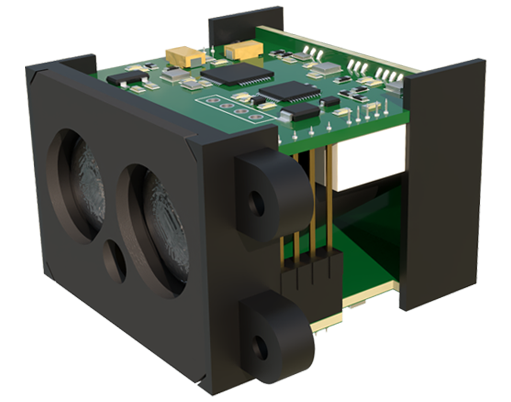
Internal component failure is another significant category. The laser diode itself has a finite lifespan and can degrade or fail due to several factors. Thermal overload is a primary killer; operating the sensor in ambient temperatures exceeding its rating or without adequate heat dissipation can cause irreversible damage. Electrical transients or surges from nearby heavy machinery (like motors or welders) can also spike through the power lines and destroy sensitive semiconductor components, including the laser driver circuit. In such cases, visual inspection might not reveal damage, and replacement of the sensor or its internal module is often required. Implementing surge protection devices (SPDs) on the power line and ensuring proper grounding are essential preventive measures.
Furthermore, the issue might not be with the emission itself but with the sensor's operational logic. Many modern laser sensors have built-in diagnostic functions and programmable parameters. A "no-light" state could be the result of an enabled external enable/disable (E/D) control signal that is currently in the "disable" state. Check the status of any discrete input lines used for this function. Similarly, some sensors in "retro-reflective" or "through-beam" modes with built-in receivers will deliberately shut off the emitter if they detect a permanent "beam received" condition, which could indicate a faulty receiver, misaligned reflector, or an object permanently blocking the beam. Review the sensor's configuration via its teach-in button or software interface to ensure the operating mode and logic are set correctly for the application.

Environmental contamination is a frequently overlooked culprit. Dust, oil mist, coolant, or other particulates can accumulate on the sensor's front lens or window. While this often causes reduced performance or erratic readings, a thick layer can completely block the beam's exit. Regularly clean the optical surface using appropriate, lint-free materials and cleaners compatible with the lens coating. For harsh environments, specify sensors with higher IP (Ingress Protection) ratings or install protective enclosures with clean air purges.
Finally, a systematic approach to troubleshooting is crucial. Start with the simplest checks: confirm power is ON, observe any status LEDs (if present), and verify basic wiring. Proceed to measure input power quality. Isolate the sensor from the machine control logic if possible to rule out external control issues. Consult the sensor's manual for specific error code indications via LED blink patterns. If the sensor is part of a complex system, temporarily substitute it with a known-good unit of the same model (if available and safe to do so) can quickly confirm whether the problem lies with the sensor or the external system.
In conclusion, a laser sensor's failure to emit light is a symptom with multiple potential diagnoses, ranging from simple loose connections to complex internal failures. A methodical troubleshooting process that examines power integrity, wiring, configuration, environment, and internal health is essential. Adherence to installation guidelines, proper environmental protection, and routine preventive maintenance are key strategies to prevent such failures and ensure the continuous, reliable operation of these vital industrial components.