In the ever-evolving landscape of smartphone and laptop technology, the camera laser sensor, often referred to as a laser autofocus (AF) system, has become a notable feature in many high-end and mid-range devices. This component, typically a small, discreet dot near the camera lens, plays a crucial role in how your device captures images. The question of whether to enable or disable this sensor is not always straightforward and depends heavily on your specific needs, environment, and the device you own. This guide delves into the mechanics, benefits, and potential drawbacks to help you make an informed decision.
First, it is essential to understand what a camera laser sensor does. Unlike traditional contrast-detection autofocus, which analyzes the image contrast to find focus, a laser autofocus system emits an invisible, low-power infrared laser beam. This beam measures the distance to the subject by calculating the time it takes for the light to reflect back to the sensor. This method is exceptionally fast and accurate, particularly in low-light conditions where contrast detection often struggles. It allows for near-instantaneous focus lock, making it invaluable for capturing quick moments or shooting in dim environments like restaurants or at dusk.
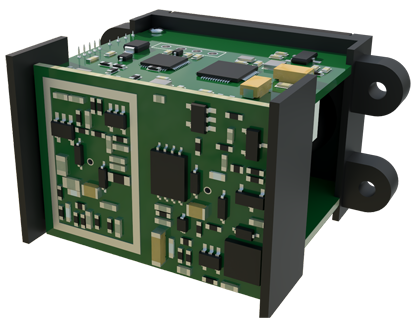
The primary advantage of enabling the laser sensor is its performance boost in challenging lighting. If you frequently take photos indoors, at night, or of subjects that don't have high contrast (like a plain white wall), the laser AF can be a game-changer. It reduces focus hunting—that frustrating back-and-forth movement the lens makes when it can't find focus—leading to sharper images and a better overall experience. For video recording, this translates to smoother, more professional-looking footage without the focus constantly shifting.
However, there are scenarios where the laser sensor might not perform optimally or could even be a hindrance. The technology relies on a clear path for the laser beam to travel and reflect. Shooting through glass windows, transparent surfaces, or in environments with heavy fog, smoke, or very fine particles can confuse the sensor. The laser might reflect off the glass instead of the intended subject, causing the camera to focus on the wrong plane. In such cases, temporarily disabling the laser autofocus (if your camera app allows it) and switching to a standard AF mode or manual focus might yield better results.
Another consideration is subject matter. Laser autofocus excels with static or slow-moving subjects at a short to medium range. For extreme close-up macro photography or capturing fast-moving objects like sports players or wildlife, other technologies like phase-detection autofocus (PDAF) or dedicated tracking algorithms might be more effective. Most modern devices intelligently combine multiple AF systems, using the laser as one tool in a broader toolkit. Therefore, completely disabling it might not be necessary; instead, understanding when the system prioritizes it is key.
From a privacy and power consumption perspective, concerns are minimal but worth noting. The infrared laser is low-power and designed to be eye-safe. It does not record or transmit data; it merely measures distance. Its impact on battery life is negligible compared to other components like the screen or main image sensor. Disabling it would not result in noticeable battery savings.
So, should you enable or disable your camera's laser sensor? For the vast majority of users, the answer is to leave it enabled. Modern device software is sophisticated enough to manage the sensor effectively across most shooting conditions. The benefits in speed and low-light accuracy significantly outweigh the rare instances where it might falter. Instead of looking for a global on/off switch—which many device manufacturers do not provide in standard camera apps—focus on learning your device's capabilities.
Pro users or enthusiasts with advanced camera applications that offer manual control over focus modes might experiment. If you encounter persistent focus issues when shooting through glass or in hazy conditions, try switching your camera app to a mode that doesn't rely on auxiliary sensors, like manual mode or a specific "standard AF" setting if available.
In conclusion, the camera laser sensor is a powerful tool designed to enhance your photography by providing rapid, reliable focus. Disabling it is generally not recommended unless you are facing a specific, recurring problem that you can directly attribute to the laser's interference. Embrace the technology, understand its strengths and limitations, and let it work in tandem with your device's other imaging systems to capture the clearest, most memorable shots possible. The best practice is to trust the integrated intelligence of your camera system while being aware of the simple workarounds for its few edge-case weaknesses.