Proximity sensors are fundamental components in modern automation, manufacturing, and countless electronic devices. Their ability to detect the presence or absence of an object without physical contact makes them invaluable. However, their reliability and accuracy are heavily dependent on correct installation. A poorly installed sensor can lead to false triggers, missed detections, and system downtime. This guide provides a detailed, step-by-step approach to ensure a successful proximity sensor installation, covering planning, mounting, wiring, and testing.
The installation process begins long before mounting the sensor. Thorough planning is critical. First, identify the specific type of proximity sensor required for the application. Inductive sensors detect metallic objects, capacitive sensors can detect both metallic and non-metallic materials, and photoelectric sensors use light beams. Selecting the wrong type is a common and costly error. Next, determine the sensing range. The rated sensing distance, or Sn, is specified under ideal conditions. In practice, factors like the target material, size, and environmental conditions require a safety margin. A good rule is to use only 60-80% of the sensor's nominal range to ensure consistent operation.
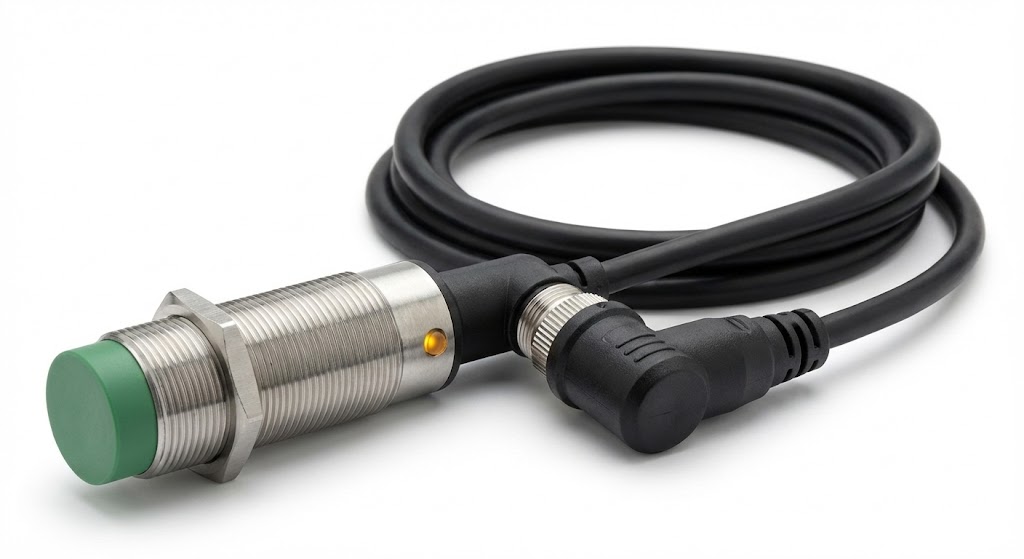
The mounting location and method are paramount. Ensure the mounting surface is clean, flat, and rigid to prevent vibration from affecting performance. For inductive and capacitive sensors, maintain proper clearance around the sensing face. Most sensors require a non-metallic "free zone" around the active area to prevent interference from the mounting hardware or nearby metal structures. Refer to the sensor's datasheet for specific clearance requirements. The orientation relative to the target is also crucial. The sensing face should be perpendicular to the expected path of the target object for maximum sensitivity. Angled approaches can significantly reduce the effective sensing distance.
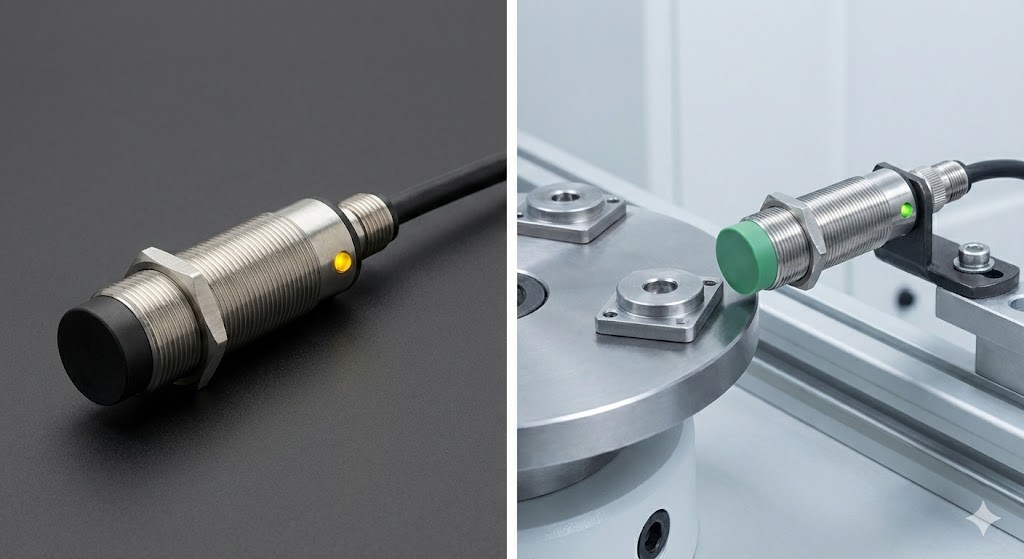
When mounting, avoid overtightening the mounting nuts or brackets, as this can distort the sensor housing and potentially damage internal components. Use the recommended torque if specified. For cylindrical sensors, standard mounting brackets or sleeves often provide the correct orientation and stability. In high-vibration environments, consider using locking nuts or thread-locking compounds to prevent the sensor from loosening over time.
Electrical wiring is the next critical phase. Always disconnect power before making any connections. Carefully review the sensor's wiring diagram, which will specify the connection for the power supply (typically brown wire for +V and blue wire for 0V DC), the load (usually the black wire), and sometimes a separate output for normally closed operation (white wire). A common mistake is confusing PNP (sourcing) and NNP (sinking) output configurations. PNP sensors switch the positive voltage to the load, while NNP sensors switch the negative or ground side. The choice must be compatible with the input circuit of your controller (e.g., PLC). Using shielded cable is highly recommended, especially in environments with significant electrical noise from motors or frequency drives. Connect the shield to ground at only one end, typically at the control panel, to prevent ground loops.
After wiring, do not immediately restore full system power. Perform a preliminary test. Many sensors have a built-in LED indicator that lights up when the target is detected. Manually present a target to the sensor and verify the indicator responds correctly. This simple check can identify major issues with mounting distance or wiring before proceeding.
The final and most important step is fine-tuning and functional testing. With the system powered and in a safe state, introduce the actual target object under real operating conditions. Observe the sensor's behavior. Check for consistency at the required detection points. If the sensor fails to detect reliably, adjust the mounting position slightly. For sensors with adjustable sensitivity (like many capacitive models), use a non-metallic tool to make small adjustments until consistent operation is achieved. Be cautious not to increase sensitivity so high that it detects background objects or environmental changes.
Environmental factors must be continuously considered. For inductive sensors, ensure different types of metals (steel, aluminum, copper) are accounted for, as they have different correction factors. Protect sensors from physical damage from moving parts using guards if necessary. In dirty or wet environments, select sensors with appropriate Ingress Protection (IP) ratings (e.g., IP67 for dust-tight and temporary immersion) and ensure cable entries are properly sealed.
Regular maintenance is part of the installation's long-term success. Periodically inspect the sensor face for buildup of dirt, oil, or metal shavings, which can insulate the sensing field and reduce range. Clean the face with a soft cloth and appropriate cleaner. Check mounting hardware for tightness and inspect cables for wear or damage.
By following this structured approach—from careful selection and planning to precise mounting, correct wiring, and thorough testing—you ensure that your proximity sensor installation delivers the reliable, maintenance-free performance required for efficient and safe operation. Taking the time to install it correctly the first time prevents costly troubleshooting and production interruptions later.