In the realm of computer peripherals, the mouse laser sensor stands as a critical component defining performance, accuracy, and reliability. Unlike traditional optical sensors, laser sensors utilize laser diodes to illuminate surfaces, capturing minute details with higher sensitivity. This technology enables superior tracking on a wider variety of surfaces, including glass and glossy finishes, making it a preferred choice for gamers, graphic designers, and professionals requiring pinpoint accuracy.
Several prominent sensor models dominate the market, each with distinct characteristics. The PixArt PMW3360, for instance, is renowned for its high precision and low latency, offering a maximum DPI (Dots Per Inch) of 12,000. It features minimal acceleration and smoothing, providing a raw, unfiltered tracking experience essential for competitive gaming. Another notable model is the PixArt PAW3395, which pushes boundaries with a DPI of up to 26,000 and improved power efficiency. This sensor is often integrated into wireless gaming mice, balancing high performance with battery longevity.
The Logitech HERO (High Efficiency Rated Optical) sensor, while technically an advanced optical variant, is frequently compared to laser sensors due to its exceptional accuracy and energy management. HERO sensors can achieve up to 25,600 DPI with zero smoothing, filtering, or acceleration, ensuring consistent tracking. For laser-specific technology, the Avago S9808 (also known as the Laser Stream sensor) has been a staple, offering high DPI ranges and surface compatibility, though some users note it may exhibit slight acceleration.
Key specifications to evaluate include DPI, IPS (Inches Per Second), acceleration, and lift-off distance. DPI determines sensitivity; higher values allow for faster cursor movement. IPS measures the maximum speed at which the sensor can track movement accurately, crucial for swift swipes in gaming. Acceleration refers to unwanted variance in tracking speed, which can disrupt precision. Lift-off distance is the height at which the sensor stops tracking when the mouse is lifted; a lower distance is generally preferred for control.
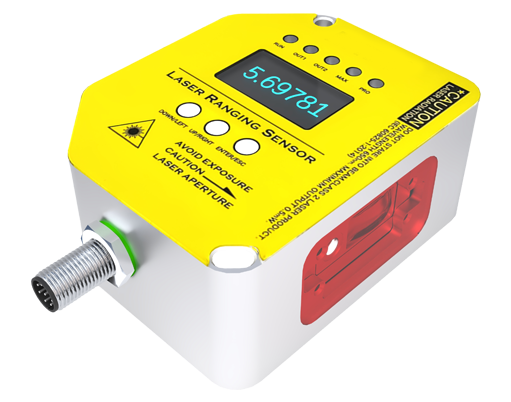
Laser sensors excel in high-DPI scenarios, making them ideal for high-resolution monitors and tasks requiring fine cursor adjustments. However, they may be more prone to jitter on certain surfaces compared to modern optical sensors. When selecting a mouse, consider the sensor's performance in real-world tests, as firmware and implementation by manufacturers significantly affect outcomes.
In professional applications, such as CAD design or video editing, a reliable laser sensor ensures smooth, accurate cursor movement, enhancing productivity. For gamers, sensor choice can impact reaction times and in-game performance, with many esports professionals opting for models featuring the latest sensor technology for a competitive edge.
Maintenance involves keeping the sensor lens clean from dust and debris, which can interfere with tracking. Using an appropriate mouse pad designed for laser sensors can also optimize performance, reducing inconsistencies.
As technology evolves, we anticipate further advancements in laser sensor design, focusing on higher accuracy, lower power consumption, and enhanced surface tracking capabilities. Understanding these models empowers users to make informed decisions, tailoring their mouse choice to specific needs, whether for intense gaming sessions or meticulous professional work.