Proximity sensors are critical components in industrial automation, robotics, and safety systems, detecting the presence or absence of objects without physical contact. Ensuring their proper functionality is essential for maintaining operational efficiency and preventing costly downtime. This guide outlines practical methods for testing and measuring the performance of inductive, capacitive, and magnetic proximity sensors, helping engineers and technicians verify sensor health accurately.
First, understand the sensor type. Inductive sensors detect metallic objects, capacitive sensors respond to both metallic and non-metallic materials, and magnetic sensors (like reed switches or Hall effect sensors) react to magnetic fields. Each type requires a tailored testing approach. Begin with a visual inspection. Check for physical damage, such as cracks in the housing, corrosion on connectors, or loose wiring. Ensure the sensor is clean, as dirt or debris can interfere with detection, especially for capacitive sensors.
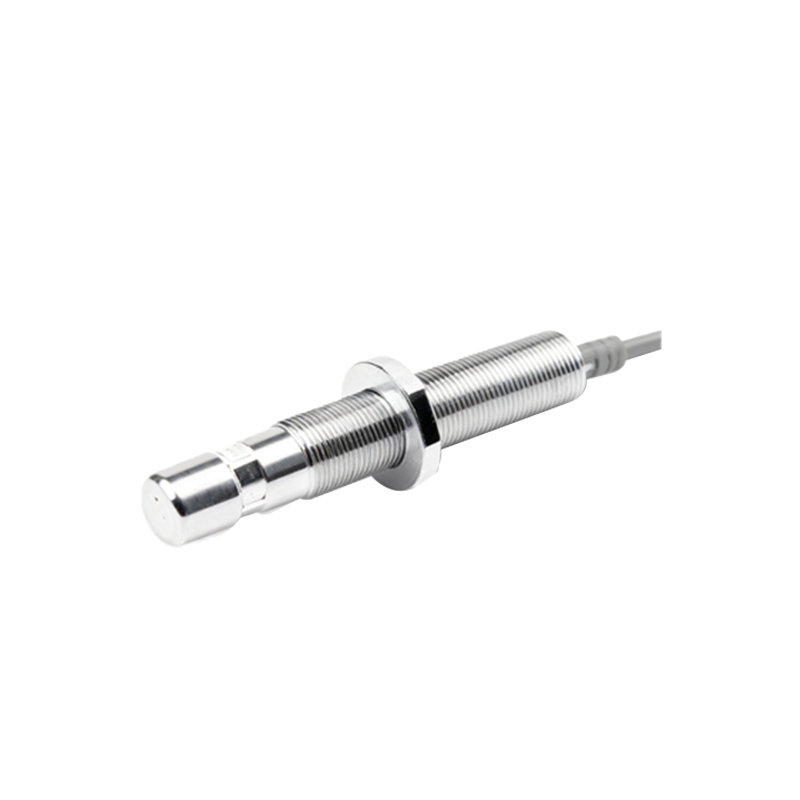
Next, verify the power supply. Most proximity sensors operate on DC (e.g., 10-30 VDC) or AC voltages. Use a multimeter to measure the supply voltage at the sensor's terminals, ensuring it matches the manufacturer's specifications. An unstable or incorrect voltage can cause erratic behavior or failure. For DC sensors, also check polarity; reverse polarity may damage the sensor.
To test sensing functionality, simulate the target object. For inductive sensors, use a standard metal target (like iron or steel) specified in the datasheet. Move the target toward the sensing face at the recommended switching distance. Observe the output signal. In a normally open (NO) configuration, the output should switch on (e.g., from 0V to supply voltage) when the target is within range. For capacitive sensors, test with materials such as plastic or liquid, adjusting sensitivity if needed. Magnetic sensors require a magnet of appropriate strength. Use an oscilloscope or multimeter to monitor the output voltage or current. A clean, rapid switch indicates good performance, while a slow or fluctuating signal suggests wear or internal issues.
Measure key parameters. Switching distance is critical: place the target at the point where the sensor activates, and measure the gap with calipers. Compare it to the rated sensing distance; a significant deviation (e.g., beyond ±10%) may indicate degradation. Repeatability tests involve cycling the target multiple times to ensure consistent activation at the same distance. Hysteresis, the difference between switch-on and switch-off points, should be within datasheet limits—excessive hysteresis can affect precision.
For digital or programmable sensors, use diagnostic tools. Many modern sensors have LED indicators for power and output status. A solid or blinking LED can signal operational states or faults (e.g., short-circuit protection activation). Interface with PLCs or controllers to monitor logic signals; inconsistent readings in ladder logic may point to sensor issues. Additionally, check response time by rapidly moving the target in and out of range. Measure the delay between target presence and output change; slow response can hinder high-speed applications.
Environmental factors can impact performance. Test under actual operating conditions when possible. Temperature extremes, humidity, vibration, or electromagnetic interference (EMI) can cause false triggers or failures. Shielded sensors may be needed in noisy environments. If a sensor fails tests, troubleshoot systematically: inspect wiring for shorts or breaks, verify load compatibility, and ensure proper installation (e.g., avoiding metal-to-metal contact for inductive types). Replacement is often cost-effective for severely degraded sensors.
In summary, regular testing of proximity sensors involves visual checks, power verification, functional simulation, parameter measurement, and environmental assessment. By following these steps, professionals can maintain reliability, reduce downtime, and extend sensor lifespan in industrial settings. Always refer to manufacturer guidelines for specific testing procedures and safety precautions.