In the world of modern office equipment, laser printers stand as pillars of efficiency and reliability. At the heart of their seamless operation lies a network of intricate components, one of the most critical being the paper out sensor. This small, often overlooked part plays a monumental role in ensuring every print job proceeds without interruption. Essentially, the paper out sensor is a detection mechanism that monitors the presence of paper in the printer's input tray. Its primary function is to alert the printer's control system when the paper supply is depleted, preventing attempts to print on thin air and avoiding potential mechanical issues or error states.
The sensor typically operates using either an optical or mechanical principle. Optical sensors employ a light source, usually an LED, and a photodetector. When paper is present in the tray, it interrupts the light beam, changing the signal received by the detector. The printer's logic board interprets this as "paper available." As the last sheet feeds through, the beam is restored, triggering the "paper out" signal. Mechanical sensors, on the other hand, use a physical lever or switch that is depressed by the stack of paper. When the paper level drops, the lever springs back, opening or closing an electrical circuit to send the alert. Both types are designed for durability, given the constant use in office environments.
The consequences of a malfunctioning paper out sensor are immediately apparent. A failed sensor may not detect an empty tray, causing the printer to initiate a print cycle only to jam or display confusing error codes. Conversely, a sensor stuck in the "paper out" state will falsely report an empty tray even when it is fully loaded, rendering the printer unusable. Common symptoms include persistent "Load Paper" messages despite a full tray, failure to pick up paper, or intermittent printing where the printer hesitates as if checking for paper mid-job. Dust, paper debris, worn components, or accidental physical damage are frequent culprits behind sensor failure.
Troubleshooting begins with simple steps. Powering the printer off and on can reset the sensor's state. Inspecting and thoroughly cleaning the paper tray area, especially the sensor's location—often a small opening or a lever near the tray's bottom—can remove obstructions. Using a can of compressed air to blow out dust is effective. It's also crucial to ensure you are using paper that meets the printer's specifications in weight and size, as incorrect paper can fail to properly actuate the sensor. Checking for any obvious physical damage to levers or the sensor housing is also advisable.
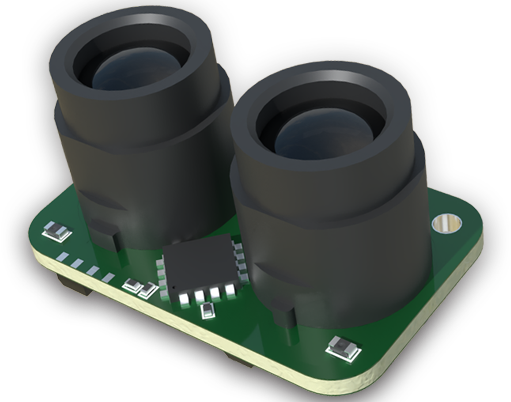
If basic cleaning doesn't resolve the issue, more involved diagnostics may be necessary. This can involve accessing the printer's internal service menu to check for sensor error codes, a process detailed in the service manual. For optical sensors, checking the LED for illumination (often a faint red glow) can indicate if the light source has failed. Ultimately, if the sensor is confirmed defective, replacement is the solution. While some users may attempt this repair, it often requires partial disassembly of the printer and should ideally be performed by a qualified technician to avoid causing further damage.
The reliability of the paper out sensor directly impacts user experience and productivity. A properly functioning sensor ensures smooth, autonomous operation, allowing users to focus on their work rather than printer maintenance. It is a prime example of how a simple, automated feedback component is vital to the sophisticated operation of a laser printer. Regular maintenance, such as keeping the printer clean and using recommended supplies, goes a long way in preserving the sensor's function and extending the overall life of the printer. Understanding this component empowers users to perform basic troubleshooting and appreciate the engineering behind everyday office technology.