Proximity sensors are versatile components that detect the presence or absence of an object within a specific range without physical contact. Their applications span from industrial automation and robotics to consumer electronics and automotive systems. Understanding how to use them correctly is crucial for reliability and performance.
The first step is selecting the right sensor type for your application. The most common technologies are inductive, capacitive, and photoelectric. Inductive sensors are ideal for detecting metallic objects. They generate an electromagnetic field and react when a metal target disrupts it. Use these in machinery for counting metal parts or determining the position of a metal component. Capacitive sensors can detect both metallic and non-metallic materials, including liquids, powders, and plastics. They work by sensing changes in capacitance and are perfect for level detection in tanks or presence detection of materials on a conveyor belt. Photoelectric sensors use a light beam, typically infrared, and are excellent for long-range detection and sensing non-metallic objects. Choose between through-beam, retro-reflective, or diffuse reflection models based on required sensing distance and environmental conditions.
Once selected, proper installation is paramount. Mount the sensor securely to minimize vibration, which can cause false triggers. Pay close attention to the sensor's specified sensing distance, known as the nominal sensing range (Sn). This is the ideal operating distance. For reliable operation, it is standard practice to use a reduction factor. Typically, operate the sensor at 70-80% of its nominal Sn to account for environmental variables like temperature fluctuations, voltage supply variations, and target material differences. Ensure the target object approaches the sensor's sensing face correctly. For inductive and capacitive sensors, the target should approach axially to the face for maximum range. Side approaches can significantly reduce the effective sensing distance.
Wiring the sensor correctly is the next critical phase. Most industrial proximity sensors have three wires: brown for positive voltage supply (typically +24V DC), blue for common negative or ground, and black for the output signal. Always consult the manufacturer's datasheet. For DC sensors, ensure correct polarity. Connect the load (like a PLC input, relay, or indicator lamp) between the output wire and the positive supply or ground, depending on whether the output is NPN (sinking) or PNP (sourcing). NPN outputs switch the negative side, common in some regions, while PPN outputs switch the positive side. Using a shielded cable is advisable in electrically noisy environments, with the shield grounded at one end only to prevent ground loops.
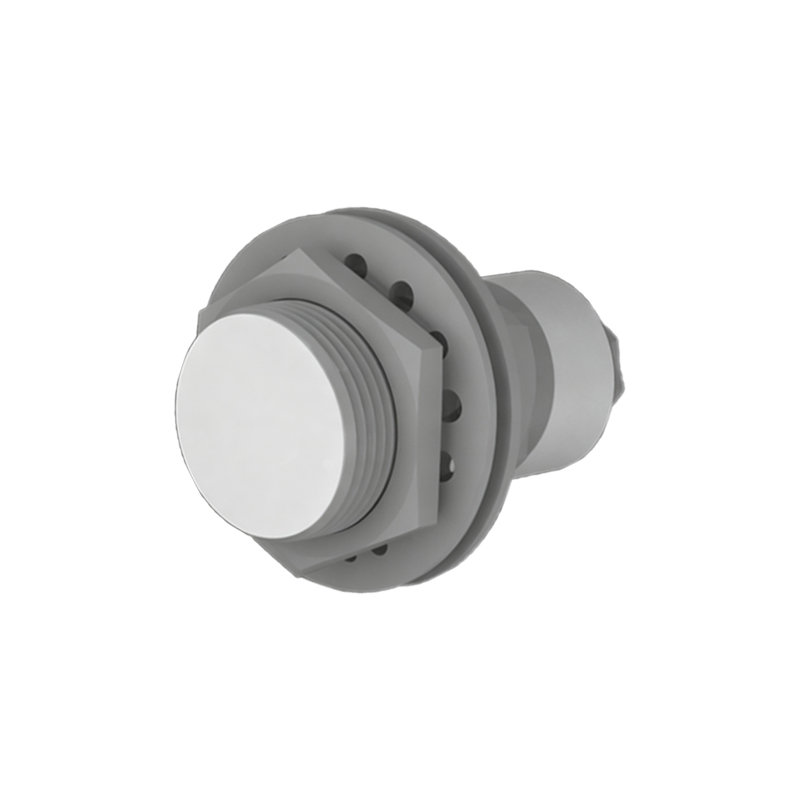
Configuration and calibration come after installation. Many sensors feature a potentiometer or teach-in function to adjust sensitivity. For capacitive sensors, adjust the sensitivity so the sensor reliably detects the target material but ignores the background or container wall. This often requires fine-tuning with the actual target in place. For photoelectric sensors, align the emitter and receiver precisely for through-beam types, and ensure the reflector is clean and correctly aligned for retro-reflective types. Check for ambient light interference, which may require selecting a sensor with a modulated light source.
Integrating the sensor into a control system involves understanding its output. The sensor acts as a switch. When a target is detected, its output state changes—either closes (for a normally open configuration) or opens (for a normally closed configuration). This signal is read by a programmable logic controller (PLC), microcontroller (like an Arduino or Raspberry Pi), or a simple relay circuit. When connecting to a microcontroller, you will typically read a digital HIGH or LOW signal from the sensor's output pin. Some analog-output sensors provide a continuous signal proportional to distance, useful for precision positioning applications.
Troubleshooting common issues is a key skill. If a sensor fails to detect, check power connections and voltage levels first. Verify that the target is within the adjusted sensing range and is of the correct material and size. The target must be large enough to interact sufficiently with the sensor's field. For inductive sensors, different metals have different correction factors; steel is the standard. Stainless steel, aluminum, and copper have reduced effective sensing distances. Environmental contaminants like dust, oil, or metal chips can coat the sensor face, insulating it and reducing performance, especially for capacitive sensors. Regular cleaning is necessary. Electrical noise from motors or frequency drives can cause erratic behavior. Ensure proper grounding, use shielded cables, and consider installing ferrite cores or noise filters on the power lines.
Finally, consider environmental ratings. If the sensor will be exposed to moisture, chemicals, or extreme temperatures, select a model with an appropriate Ingress Protection (IP) rating, such as IP67 for dust-tight and temporary immersion protection. For washdown environments in food processing, sensors with high IP ratings and corrosion-resistant housings (like stainless steel) are essential.
By following these guidelines—selecting the appropriate technology, installing with precision, wiring correctly, calibrating for the specific target and environment,