Proximity sensor switches are vital components in countless industrial, automotive, and consumer applications. They detect the presence or absence of an object without physical contact, relying on electromagnetic fields, infrared light, or ultrasonic sound. When a proximity switch fails, it can halt production lines, cause machinery to behave erratically, or trigger false alarms. Understanding the common symptoms, diagnostic steps, and repair options is essential for maintenance personnel and engineers.
The first sign of a failing proximity sensor is often inconsistent operation. A machine might stop unexpectedly, a conveyor belt may not start, or an automated door could fail to open. In some cases, the sensor might activate without a target present or fail to detect an object that is well within its specified range. These issues point to potential internal component failure, wiring problems, or environmental interference.
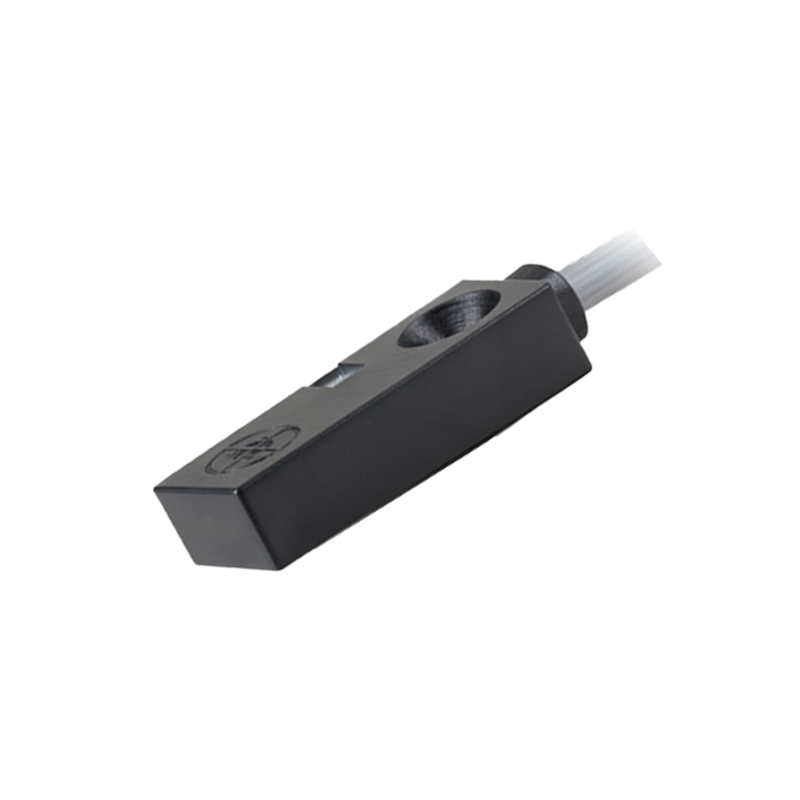
Before concluding the sensor itself is faulty, a systematic diagnostic approach is crucial. Begin by checking the most straightforward potential issues. Ensure the sensor is receiving the correct power supply voltage as per its datasheet. Use a multimeter to verify voltage at the sensor's terminals. Next, inspect the physical condition. Look for visible damage such as cracks in the housing, bent or broken sensing faces, or signs of impact. Accumulation of metal shavings, dirt, oil, or other contaminants on the active face can severely disrupt the sensing field. Clean the face thoroughly with a soft cloth and an appropriate cleaner.
Environmental factors are a common culprit. Strong electromagnetic interference from nearby motors, welders, or high-current cables can disrupt inductive and capacitive sensors. Extreme temperatures, beyond the sensor's rated operating range, can cause internal circuitry to malfunction. Verify the sensor is rated for the ambient conditions of its installation location.
Wiring and connections demand careful attention. Loose terminal screws, corroded contacts, or frayed wires can create intermittent connections. Check the entire cable run for pinch points, cuts, or exposure to chemicals. For sensors with quick-disconnect connectors, ensure the connection is fully seated and free of debris. A continuity test with a multimeter can help identify broken wires within the cable.
If basic checks yield no results, proceed to test the sensor's output. Connect your multimeter to the output wires (consult the wiring diagram). Actuate the sensor by bringing the correct target material (usually ferrous metal for inductive sensors) to the prescribed sensing distance. Observe if the output state changes correctly (e.g., from 0V to 24V for a PNP sensor). A lack of change indicates a failed output circuit. Some modern sensors have diagnostic LEDs that flash error codes; refer to the manufacturer's manual for interpretation.
When testing confirms the proximity switch is defective, replacement is typically the most efficient solution. These devices are generally sealed units not designed for field repair. When selecting a replacement, match the key specifications: sensing technology (inductive, capacitive, ultrasonic), sensing distance, output type (PNP/NPN, NO/NC), voltage rating, housing size, and connection style. Installing a sensor with different electrical characteristics can damage it or the connected controller.
During installation, follow best practices. Tighten mounting hardware to the specified torque to prevent vibration from loosening it. Ensure proper alignment between the sensor and its target. Maintain the recommended gap from surrounding metal objects to avoid false triggering. Finally, always perform a comprehensive functional test of the entire system after replacement to confirm the issue is resolved.
Preventive maintenance can extend the life of proximity sensors. Establish a regular schedule to inspect sensors for physical damage and contamination. Keep electrical panels clean and ensure proper grounding of equipment to minimize EMI. Recording the lifecycle and failure modes of sensors can help identify problematic applications or environments, leading to better sensor selection or protective measures in the future. While a failed proximity sensor switch can cause significant downtime, a logical and thorough troubleshooting process can quickly restore normal operation and minimize production losses.