Capacitive proximity sensors are widely used in industrial automation for detecting objects without physical contact. However, like any electronic component, they can experience failures that disrupt operations. Understanding common failure causes and troubleshooting methods is essential for maintaining system reliability.
One primary cause of failure is environmental contamination. Dust, moisture, or chemical residues can accumulate on the sensor face, altering its capacitance and causing false triggers or detection failures. In food processing or pharmaceutical industries, grease or liquid splashes may coat the sensor, reducing sensitivity. Regular cleaning with appropriate solvents—while ensuring the sensor is powered off—can prevent such issues.
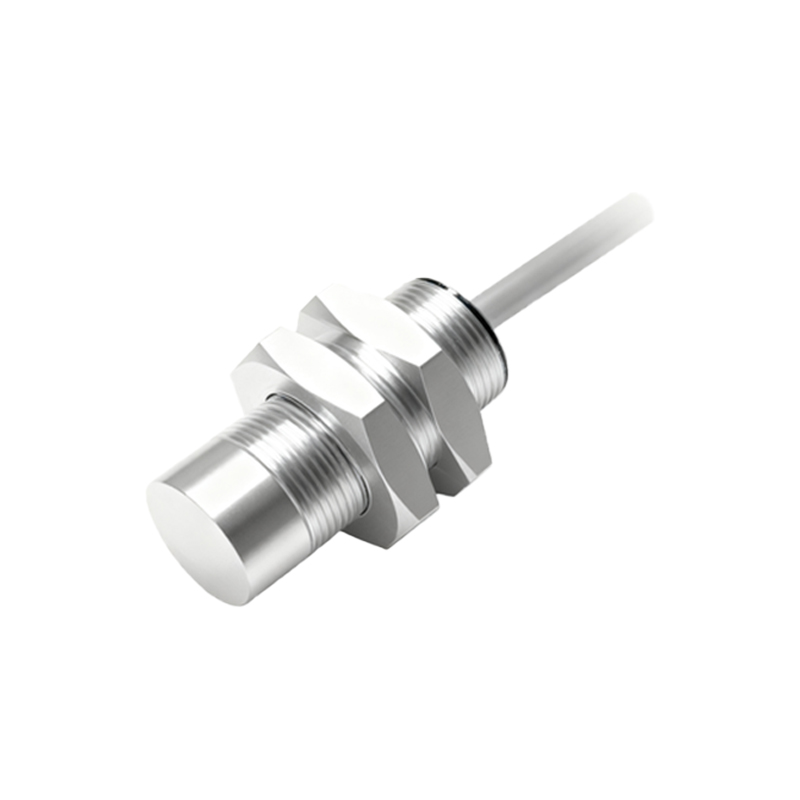
Electrical interference is another frequent culprit. Capacitive sensors operate by generating an electrostatic field, making them susceptible to electromagnetic noise from nearby motors, frequency drives, or high-voltage cables. Shielding the sensor cables, using twisted-pair wiring, and maintaining distance from noise sources can mitigate interference. Additionally, grounding the sensor properly is critical; poor grounding can lead to erratic behavior.
Mechanical damage often leads to sensor failure. Impacts from machinery or excessive vibration can crack internal components or dislodge connections. In conveyor systems, sensors might be struck by misaligned objects. Installing protective guards or choosing ruggedized models with higher IP ratings (e.g., IP67 for dust and water resistance) can enhance durability.
Sensor misalignment or incorrect installation is a common but overlooked issue. If the sensor is positioned too far from the target or at an angle, detection range decreases. Capacitive sensors have a specified sensing distance—typically 5–40 mm depending on the model—and exceeding this range causes failures. Always refer to the datasheet for mounting specifications and perform calibration after installation.
Material properties of detected objects also affect performance. Capacitive sensors detect changes in dielectric constants, meaning materials with low conductivity (e.g., plastics, glass) may not trigger reliably. Adjusting the sensitivity potentiometer on the sensor can help, but if objects vary widely, a different sensor type (e.g., inductive) might be necessary.
Internal component degradation over time is inevitable. Capacitors, oscillators, or output circuits can wear out, especially in high-temperature environments. Most industrial sensors have a lifespan of 100,000+ operations, but continuous cycling or voltage spikes can shorten it. Monitoring operating conditions and replacing sensors proactively—based on manufacturer guidelines—reduces unexpected downtime.
When troubleshooting, follow a systematic approach. First, visually inspect for physical damage or contamination. Next, verify power supply voltage (typically 10–30 V DC) and check wiring connections. Use a multimeter to test output signals; if the sensor fails to switch states when an object is present, sensitivity may need adjustment. Many modern sensors include LED indicators for status—a solid or blinking light often indicates specific faults (e.g., short-circuit protection activation).
For persistent issues, consult the manufacturer’s diagnostic manual. Some sensors offer diagnostic modes or programmable parameters via IO-Link or similar interfaces. Replacing the sensor with a known-working unit can isolate whether the problem lies with the sensor or external factors.
Preventive maintenance is key to avoiding failures. Schedule periodic inspections, clean sensors in harsh environments, and log performance data to identify trends. Training personnel on proper handling and installation also minimizes human error.
In summary, capacitive proximity sensor failures stem from environmental, electrical, mechanical, or installation-related factors. By implementing correct mounting practices, shielding against interference, and adhering to maintenance schedules, most failures can be prevented. When issues arise, methodical troubleshooting—starting with simple checks—restores functionality efficiently, ensuring continuous operation in automated systems.