1. Understanding Signal Basics in Photoelectric Sensors
Photoelectric sensors operate by emitting a beam of light (typically infrared, visible red, or laser) and detecting changes in the received light intensity. The signal output is typically a digital ON/OFF (NPN/PNP) or analog voltage/current (0-10V, 4-20mA). For engineers, the first step is to verify the sensor's wiring diagram and confirm the power supply (usually 10-30V DC) is stable. Use a multimeter to measure voltage across Vcc and GND; if it fluctuates, the signal will be unreliable. Common signal issues include noise from nearby motors or inverters, so always check shielding and grounding.
2. Using an Oscilloscope for Precise Signal Analysis
To accurately evaluate signal integrity, connect an oscilloscope probe to the sensor output (with a 1kΩ pull-up resistor for open-collector types). Set the scope to trigger on the rising or falling edge. Observe the waveform: a clean square wave with sharp edges indicates good signal. If you see ringing, glitches, or slow rise times, it may be due to cable capacitance (over 10m length) or electrical interference. Adjust the sensor's sensitivity potentiometer if available, or add a ferrite bead to reduce noise. For analog sensors, check for linearity against a calibrated target distance.

3. Performing a Load Test with a PLC Input Simulator
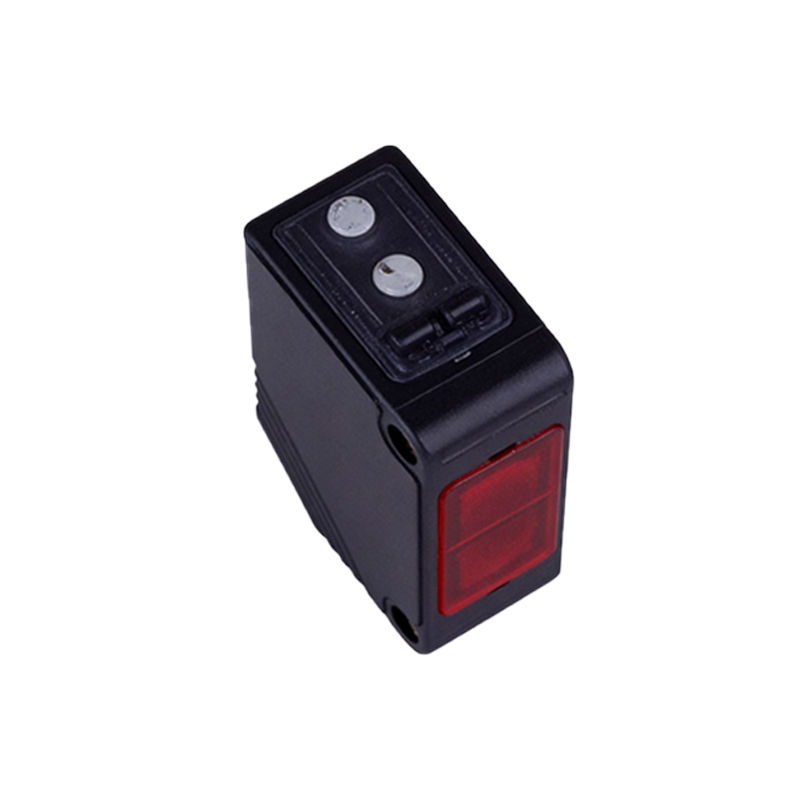
In industrial automation, sensor signals must drive PLC inputs correctly. Use a PLC input simulator (or a simple resistor load) to mimic the target load. Connect the sensor to a 24V DC source with a 2.2kΩ resistor in series with the output to simulate a 10mA load. Monitor the voltage drop across the load: for a PNP sensor, the output should be +24V when active; for NPN, it should be 0V. If the voltage is lower than expected (e.g., 18V instead of 24V), the sensor may be underpowered or the transistor is saturated. Replace the sensor or verify the cable length.
4. Troubleshooting Ambient Light and Reflection Issues
Photoelectric sensors are sensitive to ambient light (sunlight, welding arcs) and target reflectivity. For through-beam types, check if the emitter and receiver are aligned; use a laser alignment tool. For diffuse sensors, ensure the target has adequate reflectivity; matte black surfaces may fail detection. Use a lux meter to measure ambient light at the sensor lens; if it exceeds 10,000 lux, install a light shield or switch to a modulated light sensor. Also, verify the sensor's response time (e.g., 1ms for high-speed applications) by triggering with a fast-moving target.
5. Using Diagnostic Tools and Software for Advanced Checks
Many modern photoelectric sensors (e.g., from Banner, Sick, or Keyence) offer IO-Link or discrete diagnostic outputs. Connect to a PC via an IO-Link master to view real-time signal strength, excess gain, and error codes. For example, an excess gain of 2.0 or higher is ideal; below 1.5 indicates marginal detection. Use the manufacturer's software to plot signal strength over time; if it fluctuates more than 10%, inspect for vibration or contamination on the lens. Clean the lens with isopropyl alcohol and a lint-free cloth, and recheck.