2026-06-10
Tech Hub
By 创始人
How to Adjust Photoelectric Sensor Settings for Precision Detection
Understanding the Basics of Photoelectric Sensor Adjustment
Photoelectric sensors are essential components in modern industrial automation, used for detecting objects without physical contact. To achieve optimal performance, adjusting their sensitivity, response time, and detection range is critical. Begin by identifying the sensor type: through-beam, retro-reflective, or diffuse. Each requires a distinct adjustment approach. For instance, a diffuse sensor relies on reflected light from the target, while a through-beam sensor uses a separate emitter and receiver. Always refer to the manufacturer‘s datasheet for baseline values, then fine-tune based on the specific application environment, such as conveyor belts or packaging lines.
Calibrating Sensitivity with the Potentiometer
Most photoelectric sensors feature a potentiometer or digital interface for sensitivity adjustment. Turn the potentiometer clockwise to increase sensitivity (detecting smaller or darker objects) and counterclockwise to decrease it. Use a test object that matches the real target in size, color, and material. For example, in a metal parts sorting line, adjust until the sensor consistently triggers when the part passes and ignores background noise. A common mistake is oversensitivity, which can cause false triggers from dust or reflections. After each adjustment, run a trial cycle to verify consistency.
Optimizing the Detection Range
Range adjustment varies by sensor type. For retro-reflective sensors, position the reflector at the maximum required distance and adjust the gain until the sensor locks onto the beam. For diffuse sensors, the range is often limited by target reflectivity. Use the teach-in function if available: place the target at the desired distance and press the teach button. This stores the optimal threshold. In harsh environments with fog or vibration, reduce the range by 10-20% to maintain reliability. Always test with the sensor mounted in its final orientation, as angle and height affect performance.
Setting Response Time for Dynamic Applications
Response time determines how fast the sensor can detect moving objects. Adjust it via the frequency or filter setting. For high-speed conveyor belts (e.g., 500 items per minute), select a fast response time (e.g., 0.1 ms). For slower, error-prone processes, a longer response time (e.g., 10 ms) reduces false triggers from flicker or glare. Some sensors offer a “speed vs. stability” toggle. Prioritize stability if the sensor is near electromagnetic interference sources like motors. After setting, test with the fastest expected object speed to ensure no missed detections.
Mitigating Environmental Interference
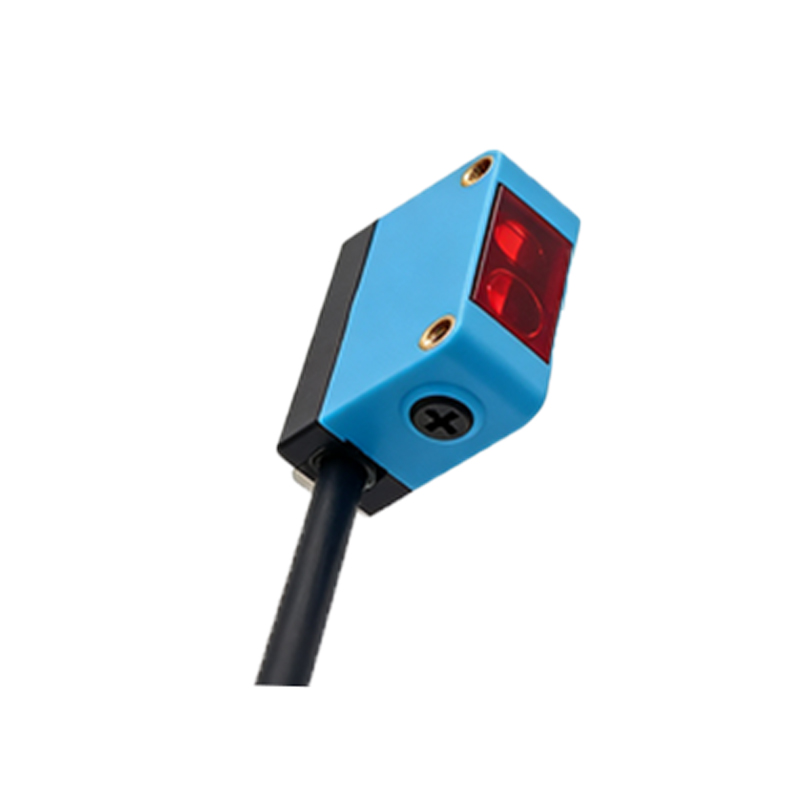
Environmental factors like ambient light, dust, or condensation can skew sensor readings. Use the background suppression feature on diffuse sensors to ignore objects beyond the set range. Clean the lens regularly, and adjust the emission frequency (e.g., infrared vs. visible red) to match the environment. For outdoor use, select sensors with IP67 rating and a narrow beam angle. If interference persists, install a protective shield or modify the mounting height. After adjustments, run a 24-hour validation test under worst-case conditions, such as bright sunlight or heavy dust.
Final Verification and Documentation
After all adjustments, perform a final verification with a full production cycle. Measure the sensor’s output against a known standard, such as a calibration target. Document the final settings: sensitivity level, range, response time, and any environmental compensations. This documentation is vital for troubleshooting and future replication. For example, in a food processing line, record that the sensor is set to 75% sensitivity with a 0.5 ms response time for detecting transparent film. Use this log to train technicians and ensure consistent performance across shifts.