Introduction to Photoelectric Sensors and Their Symbols
Photoelectric sensors, also known as photoelectric switches, are essential components in industrial automation, used to detect the presence or absence of objects based on light emission and reception. In electrical schematics, these devices are represented by standardized symbols that convey their function and configuration. As an electrical engineer, it is crucial to interpret these symbols accurately to design and troubleshoot control systems. This article explores the common symbols for photoelectric sensors and switches, focusing on through-beam, retroreflective, and diffuse types.
Basic Symbol Components and Conventions
The core symbol for a photoelectric sensor typically includes a light source represented by a circle with an arrow indicating light emission, and a receiver shown as a rectangle or circle with a line for detection. The International Electrotechnical Commission (IEC) and National Electrical Manufacturers Association (NEMA) provide guidelines. For example, a through-beam sensor symbol consists of two separate blocks: one for the emitter (often labeled "E") and one for the receiver (labeled "R"), connected by a dashed line representing the light beam. In contrast, a retroreflective sensor symbol combines emitter and receiver in one unit, with a small reflector symbol opposite, indicating the need for a reflector.
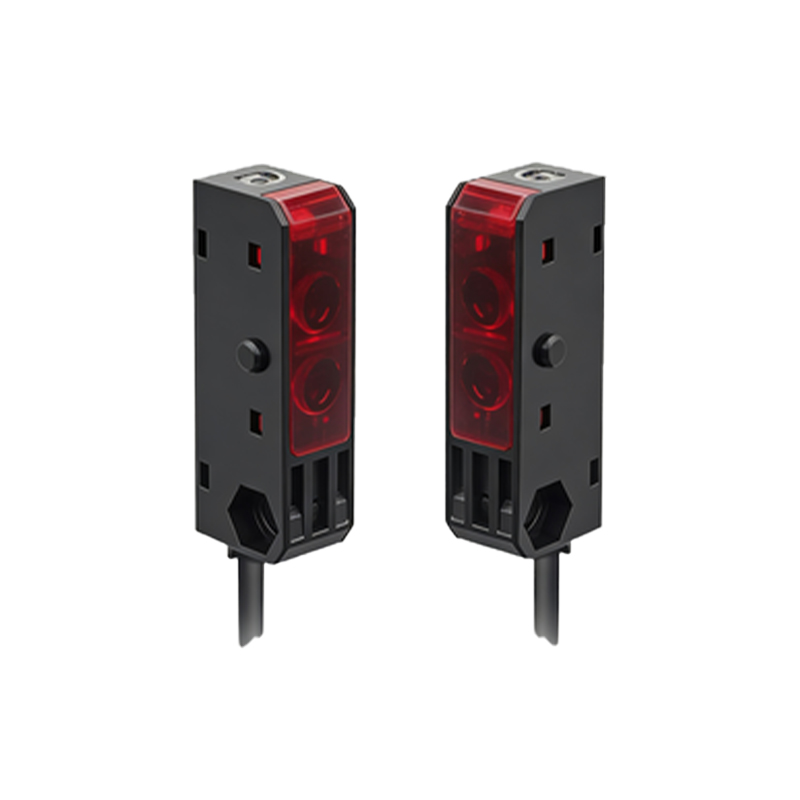
Symbol for Through-Beam Photoelectric Switch
In a through-beam configuration, the symbol features an emitter block with an arrow pointing toward a receiver block. The emitter is often drawn as a circle with a cross inside or a simple arrow, while the receiver is a square with a diagonal line or a detector icon. The connection between them is shown as a dotted or dashed line, representing the uninterrupted light path. When the object interrupts this beam, the switch triggers. For electrical circuits, the output is typically represented as a normally open (NO) or normally closed (NC) contact, with the symbol including a small triangle or line to indicate the switching action. This symbol is critical in safety systems like door sensors or conveyor belt guards.
Symbol for Retroreflective Photoelectric Switch
Retroreflective sensors use a single housing for both emitter and receiver, with a reflector placed opposite. The symbol often shows a combined rectangle with an arrow pointing to a small circle or triangle representing the reflector. The light path is depicted as a double-headed arrow or a line with a reflection symbol, such as a small arc. In electrical schematics, this sensor is drawn with a single block labeled "PR" (photoreflective) or "RETRO," and its output contacts are shown as standard switch symbols. This design is common in packaging lines for detecting clear objects, and engineers must recognize the reflector symbol to avoid miswiring.
Symbol for Diffuse Photoelectric Switch
Diffuse sensors detect objects by the light reflected directly from the target, eliminating the need for a separate reflector. The symbol is a single block with an arrow pointing outward and a curved line representing reflected light returning to the receiver. Often, the symbol includes a small dot or an "R" next to the arrow to indicate reflection. The output is again shown as a standard switch contact. This symbol is widely used in automation for proximity detection. Engineers should note that the diffuse sensor symbol may vary by manufacturer, but the core elements—emitter, receiver, and reflected path—remain consistent.
Common Variations and Industry Standards
Different manufacturers may use slight variations in symbols. For instance, Omron and Banner use simplified icons with LED indicators, while Siemens follows DIN standards with more detailed representations. In all cases, the symbols include labels like "PNP" or "NPN" for output type, and "L" for light-on or "D" for dark-on operation. As a best practice, always refer to the datasheet for the specific sensor to confirm the symbol meaning. Understanding these variations ensures accurate reading of electrical diagrams in industrial panels.
Practical Tips for Engineers
When working with photoelectric sensor symbols in schematics, always verify the power supply connections (e.g., 24V DC or AC) and the output type. Use a multimeter to test continuity based on the symbol’s NC/NO designation. Additionally, remember that the light beam in through-beam symbols is often shown as a dashed line, while retroreflective and diffuse symbols use solid lines with special markers. By mastering these symbols, you can reduce installation errors and improve system reliability in manufacturing environments.