Understanding the Carlo Gavazzi Photoelectric Sensor Series
Carlo Gavazzi photoelectric sensors, such as the PD30 series, are widely used in automation for object detection, positioning, and counting. These sensors operate using light beams (visible red or infrared) and are designed for harsh industrial environments. Before adjustment, ensure the power supply (typically 10-30 VDC) and wiring are correct. The sensor must be mounted securely to avoid vibration interference. Common models include through-beam, retro-reflective, and diffuse types, each requiring specific alignment for optimal performance.
Essential Tools and Safety Precautions
To adjust a Carlo Gavazzi photoelectric sensor, you will need a small flathead screwdriver, a reflective tape (for retro-reflective models), and a multimeter to verify output signals. Always disconnect power before making wiring changes. Wear safety glasses and avoid looking directly into the laser beam if the sensor uses a Class 2 laser. Ensure the sensing area is free of dust, oil, or debris, as contaminants can affect detection accuracy.
Step 1: Initial Inspection and Wiring Verification
First, check the sensor’s LED indicators. Most Carlo Gavazzi sensors have a green LED for power and a yellow LED for output. If the yellow LED is not lit when an object is present, the sensor may be misaligned. Verify the wiring: brown wire to +V, blue to 0V, and black or white for output. For NPN or PNP configurations, confirm the load is connected correctly. Use a multimeter to measure voltage at the output terminal.
Step 2: Adjusting the Sensitivity Potentiometer
Locate the potentiometer on the sensor body (often a small screw near the cable entry). Turn it clockwise to increase sensitivity or counterclockwise to decrease it. For diffuse sensors, start at 50% and test with the target object at the expected distance. For retro-reflective sensors, adjust until the sensor reliably detects the reflector but ignores shiny surfaces. Use a non-metallic screwdriver to avoid accidental short circuits.
Step 3: Fine-Tuning the Detection Range
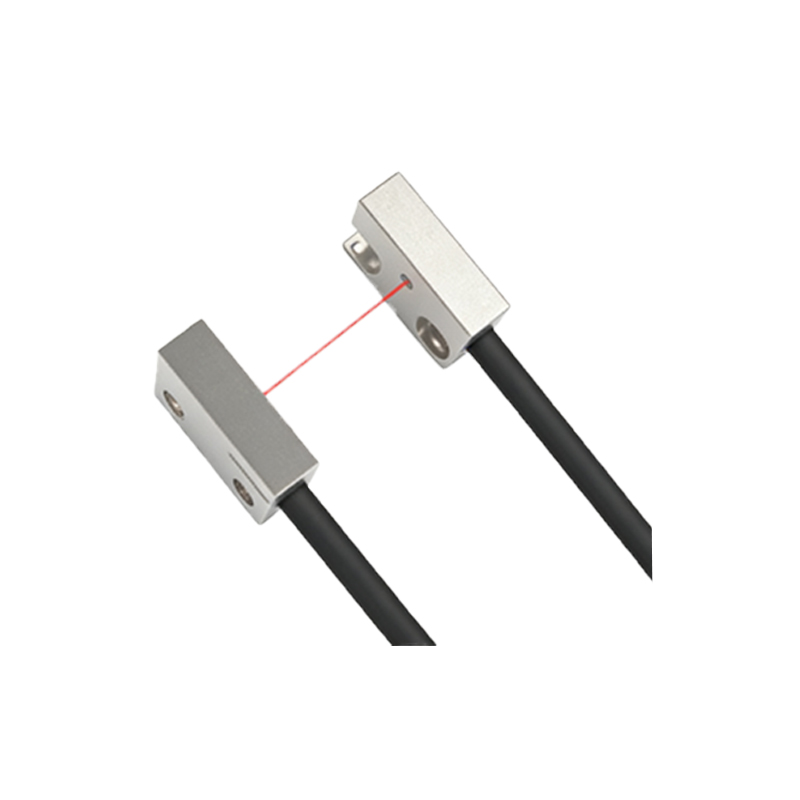
For through-beam sensors, align the emitter and receiver so the light beam is centered. Use the sensor’s alignment tool or a piece of paper to check beam visibility. Adjust the mounting brackets until the yellow LED is solid when the beam is unblocked. For diffuse sensors, adjust the range by moving the object closer or farther while turning the potentiometer. The optimal setting is when the sensor switches cleanly without flickering.
Step 4: Testing with Real-World Objects
Place the target object (e.g., a metal box, plastic bottle, or wooden pallet) in the sensing zone. Observe the output LED: it should turn on when the object is present and off when absent. Test at different speeds to ensure no false triggers. If the sensor is too sensitive, reduce the gain. If it fails to detect, increase sensitivity or check for reflective backgrounds. Repeat tests at least three times.
Step 5: Environmental Compensation and Noise Filtering
Industrial environments often have ambient light, dust, or vibrations. Carlo Gavazzi sensors feature background suppression and ambient light filters. If interference occurs, adjust the sensitivity downward and reposition the sensor. For sensors with teach-in mode (like the PD30CT series), follow the manual to set a specific threshold. Use the sensor’s housing to shield it from direct sunlight or welding sparks.
Troubleshooting Common Issues
If the sensor fails to adjust, check for LED error codes: fast blinking indicates overload or short circuit; slow blinking suggests alignment issues. Verify the target material: clear glass or dark objects may require a polarizing filter. For retro-reflective sensors, clean the reflector. If all else fails, replace the sensor module, as internal electronics may be damaged.
Maintenance and Calibration Schedule
After adjustment, document the potentiometer setting and mounting position. Perform a monthly check: clean the lens with a soft cloth, re-tighten brackets, and re-test with a standard object. For high-vibration areas, use locking nuts on the sensor mount. Store spare sensors in a dry, dust-free environment.