Introduction to Photoelectric Sensor Symbols
Photoelectric sensors are essential components in modern industrial automation systems. Their schematic symbols, standardized by IEC and NEMA, enable engineers to interpret wiring diagrams quickly. These symbols represent the sensor's functional blocks: emitter, receiver, and output stage. For example, a through-beam sensor uses separate symbols for the light source and detector, while a retro-reflective sensor combines them into one unit. Understanding these symbols is critical for troubleshooting and system design.
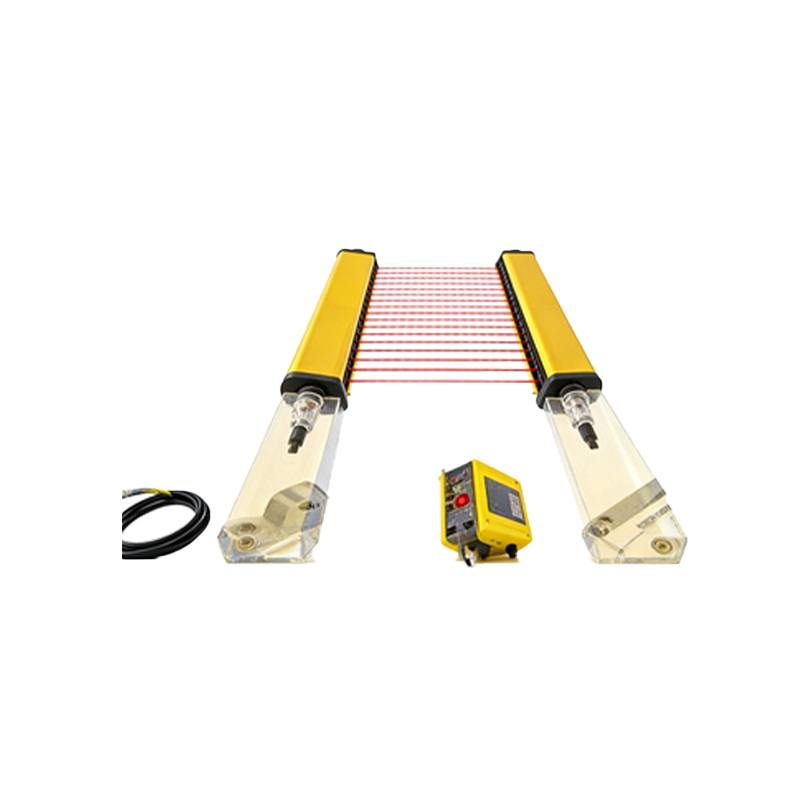
Basic Symbol Components
A typical photoelectric sensor symbol includes a rectangle with internal markings. The emitter side is often denoted by a triangle or arrow pointing outward, representing the light beam. The receiver side features a triangle or circle with a line, indicating light reception. Output terminals are shown as standard electrical contacts (NO or NC). Ground and power connections are also included, usually labeled as Vcc and GND. For instance, a diffuse sensor symbol may have a curved arrow to show scattered light reflection.
Through-Beam Sensor Symbol
In through-beam configurations, the emitter and receiver are physically separate. The schematic shows two distinct blocks: one with an upward arrow and a light bulb icon (emitter), and another with a downward arrow and a photodiode icon (receiver). Dashed lines between them indicate the light path. This symbol is common in conveyor belt systems where precise object detection is required. The output may be labeled as PNP or NPN depending on the transistor type.
Retro-Reflective Sensor Symbol
Retro-reflective sensors use a single housing containing both emitter and receiver. The symbol combines them into one rectangle with a bidirectional arrow or a curved line representing the reflected beam. A small circle or triangle near the corner indicates the polarizing filter used to reject false reflections from shiny objects. This symbol is often seen in packaging machines where space is limited. The output stage is typically shown with a transistor symbol and a feedback loop.
Diffuse Sensor Symbol
Diffuse sensors, also called proximity sensors, rely on the target's surface to reflect the beam. Their symbol features a single rectangle with a curved arrow pointing down and to the side, indicating the scattered light path. This design eliminates the need for a separate reflector, making it ideal for irregular surfaces. The symbol includes a sensitivity adjustment notation (e.g., a potentiometer icon) to fine-tune detection range. Common applications include counting products in robotic assembly lines.
Fiber Optic Sensor Symbol
Fiber optic sensors use flexible cables to transmit light. The symbol shows a rectangle with two small circles on one side, representing the fiber connectors. A wavy line between them denotes the optical fiber path. The amplifier unit is shown separately with a power supply and output terminals. This symbol is crucial for confined spaces like semiconductor manufacturing equipment. The fiber tip is often illustrated as a small lens.
Polarized and Background Suppression Symbols
Specialized sensors have unique symbols. Polarized retro-reflective sensors include a crossed-line pattern near the receiver to indicate polarizing filters. Background suppression sensors use a triangular shape with a narrow beam angle, showing the ability to ignore objects beyond the set range. These symbols help engineers quickly identify sensor capabilities for complex automation tasks like color sorting.
Connecting Symbols to Wiring Diagrams
In practical diagrams, photoelectric sensor symbols are linked to control systems via colored wires. Brown (Vcc), blue (GND), and black (output) are standard. The symbol may include pin numbers or terminal labels. For example, a three-wire PNP sensor symbol shows the output arrow pointing outward from the load, while NPN points inward. Always verify polarity and load type to prevent damage.
Common Mistakes in Symbol Interpretation
Misreading symbols can lead to installation errors. For instance, confusing a diffuse sensor symbol with a retro-reflective one may result in incorrect reflector placement. Another mistake is ignoring the output type label, causing mismatched PLC inputs. Engineers should cross-reference the symbol with the sensor datasheet to confirm features like sensing range and response time.