Understanding the Role of Reflective Tape in Photoelectric Sensor Systems
Reflective tape is a critical component in retro-reflective photoelectric sensor setups. Unlike diffuse sensors, retro-reflective sensors rely on a reflector to bounce the emitted beam back to the receiver. When the beam is interrupted by an object, the sensor triggers an output. Using high-quality reflective tape ensures reliable detection, even in dusty or vibrating environments. Proper installation directly impacts sensor accuracy, range, and longevity. Incorrect placement or alignment can lead to false triggers or detection failures, especially in industrial settings with moving machinery.
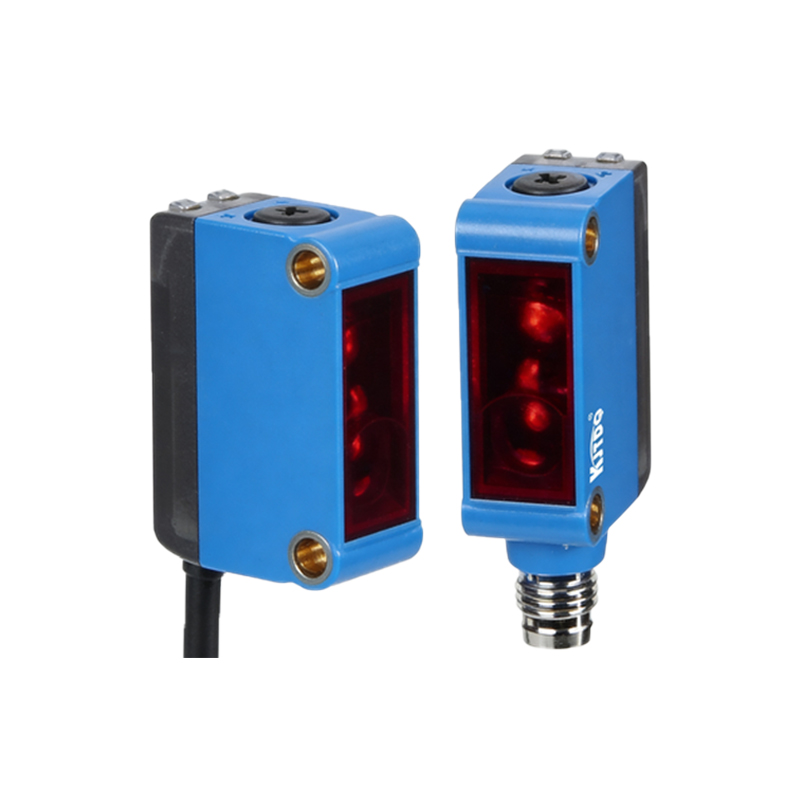
Selecting the Right Reflective Tape for Your Application
Before applying the tape, choose a type compatible with your sensor’s wavelength (typically 650nm red light or 880nm infrared). Common materials include microprismatic or glass-bead retro-reflective tape. For harsh environments, opt for outdoor-grade, UV-resistant, and weatherproof tape. Ensure the adhesive is strong enough for the mounting surface—metal, plastic, or painted surfaces. Avoid using standard duct tape or labels, as they lack the precise reflective properties required for consistent beam return. Always verify the sensor’s datasheet for recommended reflector characteristics.
Preparing the Mounting Surface
Clean the target surface thoroughly to remove grease, dust, rust, or old adhesive residue. Use isopropyl alcohol (70-90%) and a lint-free cloth. Allow the surface to dry completely. For rough or uneven surfaces, sand lightly with fine-grit sandpaper to create a smooth base. In high-temperature environments, consider using a primer specifically designed for adhesive tapes. A clean surface prevents air bubbles and ensures the tape adheres firmly, reducing the risk of peeling over time due to vibrations or thermal expansion.
Measuring and Cutting the Tape
Measure the required area based on your sensor’s beam diameter and recommended reflector size. Most sensors specify a minimum reflector diameter (e.g., 20mm to 100mm). Cut the tape slightly larger than the recommended size to allow for alignment tolerance. Use sharp scissors or a utility knife for clean edges. Avoid stretching the tape during cutting, as this can distort the microprismatic pattern. For rectangular or square reflectors, ensure corners are sharp to maximize reflective surface area.
Applying the Tape with Correct Alignment
Peel the backing paper slowly to avoid curling. Align the tape with the sensor’s beam path. For most retro-reflective sensors, the tape must be perpendicular to the sensor’s axis. Use a laser alignment tool or a bubble level if available. Press the tape from the center outward using a squeegee or your thumb to remove air pockets. Apply even pressure for at least 30 seconds. For large areas, use overlapping strips with a 2-3mm overlap to maintain continuous reflection. Avoid touching the adhesive side with bare fingers to prevent oil contamination.
Verifying Installation with a Test Cycle
After applying, power on the sensor and perform a complete test cycle. Place a test object (e.g., a piece of cardboard) between the sensor and the tape to verify that the output switches correctly. Check the sensor’s indicator light—steady green or red typically indicates proper alignment. Use a multimeter to measure output voltage if needed. If the sensor does not detect the tape, adjust the angle by rotating the tape slightly (within 5 degrees) to optimize beam return. Re-test after each adjustment.
Common Mistakes and Troubleshooting Tips
- Avoid using wrinkled or creased tape, as this scatters the beam.
- Do not install tape on curved surfaces without accounting for beam divergence.
- If the sensor triggers falsely, check for reflective surfaces nearby, such as shiny floors or metal beams.
- In wet conditions, ensure the tape has anti-fog or hydrophobic coating.
- For high-speed applications, verify the sensor’s response time; some tapes may cause minor delays due to microprismatic structure.
Maintenance and Replacement Guidelines
Inspect reflective tape periodically for signs of wear, discoloration, or peeling. Clean the tape with a soft, damp cloth and mild detergent—never use abrasive cleaners. Replace the tape every 6-12 months in dusty environments, or immediately if surface cracking appears. Always keep spare tape rolls on hand to minimize downtime. Document the installation angles and positions for future reference, especially in multi-sensor arrays.