Understanding the Core Principle
Capacitive proximity sensors operate on the fundamental principle of capacitance change. They generate an electrostatic field from the sensing face, which acts as one plate of a capacitor, with the target object acting as the other. When an object enters this electrostatic field, it alters the dielectric constant and the capacitance of the system. The sensor's internal oscillator detects this specific change. Once the capacitance reaches a preset threshold, the sensor's output state switches, signaling the presence or absence of the target. This mechanism allows them to detect a wide variety of materials, including metals, plastics, glass, wood, and liquids, making them exceptionally versatile.
Key Advantages in Industrial Settings
The primary strength of capacitive sensors lies in their material-agnostic detection capability. Unlike inductive sensors, which only detect metals, capacitive variants can sense almost any solid or liquid. They are ideal for level detection through non-metallic container walls, such as monitoring plastic hoppers or glass bottles. Their sensitivity is often adjustable via a potentiometer, allowing engineers to fine-tune the sensing range and ignore interfering backgrounds like container walls. Furthermore, they are relatively immune to environmental factors like dust, dirt, and ambient light, ensuring reliable operation in harsh conditions common in manufacturing and packaging lines.
Common Industrial Applications
Capacitive sensors find critical roles across numerous industries. In packaging, they detect the presence of labels, foil seals, or liquid levels in bottles. On assembly lines, they verify the presence of non-metallic components like plastic caps or rubber gaskets. A major application is bulk material and liquid level control in silos, tanks, and hoppers, where they provide a non-contact method to prevent overfills or run dry. They are also used in woodworking to detect wood grains or board thickness, and in the food industry to sense powders, grains, or viscous liquids through plastic or glass barriers.
Installation and Calibration Best Practices
Proper installation is crucial for optimal performance. The sensor should be mounted securely to minimize vibration. It is vital to consider the sensor's "dead zone"—the area immediately surrounding the sensing face where detection is unreliable. Maintaining adequate clearance from surrounding metal objects or the mounting bracket is necessary to prevent false triggering. During calibration, the sensitivity should be adjusted with the target object in the desired sensing position. For level detection through a wall, the sensor is first adjusted with the container empty to ignore the wall, then fine-tuned with the material at the desired detection point.
Selecting the Right Sensor for the Job
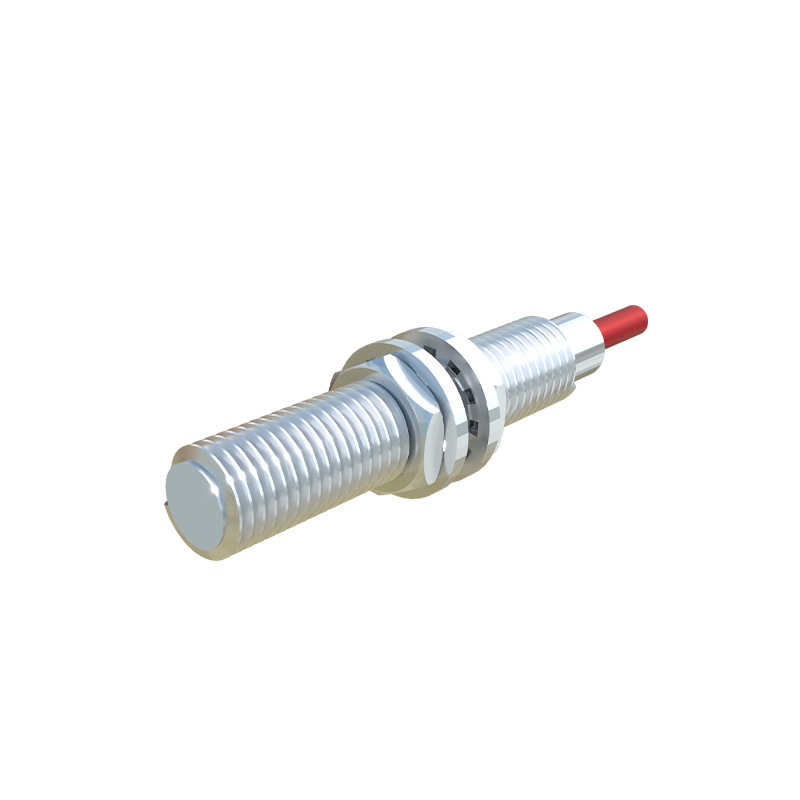
Selection involves several key parameters. First, determine the required sensing distance, noting that the rated sensing distance is for a metal target; for other materials, an effective reduction factor applies. The housing material (typically PBT, PTFE, or stainless steel) must be compatible with the environment, considering exposure to chemicals, washdowns, or extreme temperatures. Output type (PNP/NPN, NO/NC, analog) must match the control system (PLC). Finally, consider the form factor (barrel, rectangular, ring-shaped) and connection type (pre-wired, quick-disconnect) based on the mounting constraints and maintenance needs of the application.
Troubleshooting Common Issues
Persistent false triggers often stem from environmental interference. A common culprit is moisture or condensation on the sensor face, which can be mistaken for a target. Ensuring the sensor is rated for the environment or using a model with a PTFE face can mitigate this. Electrical noise from nearby motors or variable frequency drives can also cause issues; using shielded cables and proper grounding is essential. If the sensor fails to detect, verify the target material and distance, check for a buildup of material on the sensing face, and ensure the sensitivity setting is appropriately adjusted for the application's current conditions.