Introduction to Proximity Sensors
Proximity sensors are essential components in modern industrial automation, enabling non-contact detection of objects within a specific range. These devices are widely used in manufacturing, robotics, and safety systems due to their reliability and precision. Typically, proximity sensors operate by emitting an electromagnetic field or a beam of radiation, and they detect changes in the field or return signal when an object enters their sensing area. Common types include inductive, capacitive, and ultrasonic sensors, each suited for different materials and environments. Understanding the basics of proximity sensors is crucial for effective implementation in various applications, from simple object counting to complex machinery control.
Selecting the Right Proximity Sensor
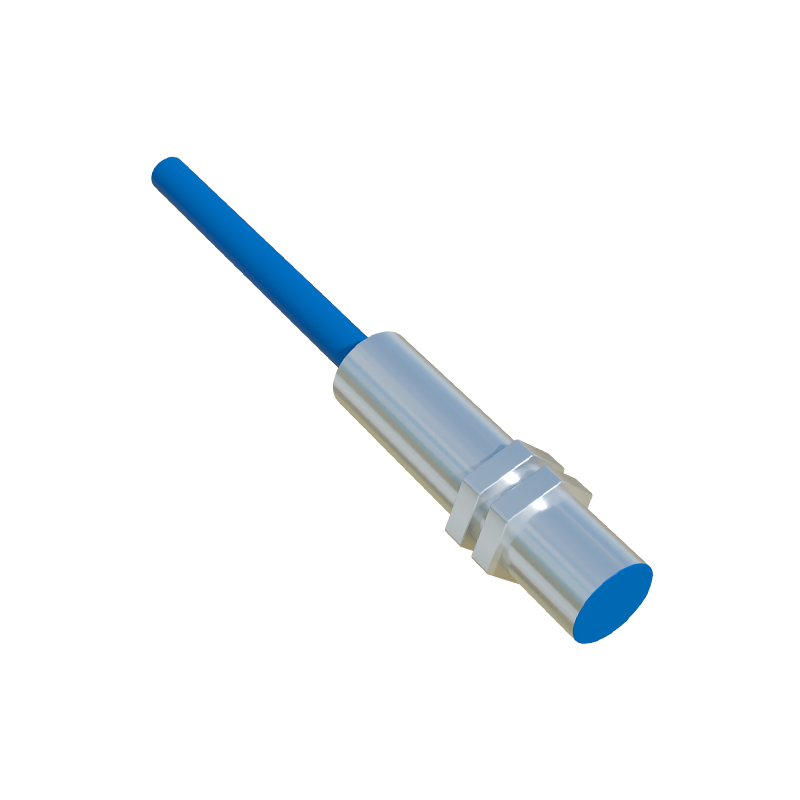
Choosing the appropriate proximity sensor depends on several factors, such as the target material, sensing distance, environmental conditions, and output requirements. Inductive sensors are ideal for detecting metallic objects, while capacitive sensors can handle non-metallic materials like plastics or liquids. Ultrasonic sensors offer longer ranges and are suitable for diverse surfaces. Consider the operating voltage, typically 10-30V DC, and the output type, such as NPN or PNP, to ensure compatibility with your control system. Additionally, evaluate the sensor's housing material and IP rating for durability in harsh conditions like dust, moisture, or extreme temperatures.
Downloading Proximity Sensor Tutorial Resources
To access comprehensive tutorial materials, visit reputable manufacturer websites or industry portals that offer free downloads. Look for PDF guides, datasheets, and software tools related to your specific sensor model. For example, companies like Siemens, Omron, and Pepperl+Fuchs provide detailed documentation, including installation manuals, wiring diagrams, and application notes. Ensure you download from secure sources to avoid malware. Many tutorials include step-by-step instructions, troubleshooting tips, and video demonstrations to enhance learning. Bookmark these resources for future reference, as they often contain updates and technical support information.
Installation Preparation and Safety Guidelines
Before installing a proximity sensor, gather necessary tools such as screwdrivers, wire strippers, and a multimeter. Always disconnect power to the system to prevent electrical hazards. Review the sensor's datasheet for specifications like mounting dimensions, sensing range, and wiring requirements. Clean the installation area to remove debris that could interfere with sensor performance. Wear appropriate personal protective equipment (PPE), such as gloves and safety glasses, especially in industrial settings. Ensure the sensor is positioned correctly, avoiding obstructions and aligning it with the target object for optimal detection.
Step-by-Step Installation Process
Begin by mounting the sensor securely using brackets or threaded housings as per the manufacturer's instructions. For inductive or capacitive sensors, maintain the recommended gap between the sensor and target to avoid false triggers. Connect the wiring according to the diagram: typically, brown wire to positive voltage, blue wire to negative, and black wire to the output signal. Use shielded cables in noisy environments to reduce interference. After wiring, power on the system and test the sensor by bringing an object into its range. Adjust the sensitivity or sensing distance if the sensor has potentiometers, and verify the output signal with a multimeter or PLC monitor.
Configuration and Calibration Techniques
Once installed, configure the sensor for your specific application. Many modern proximity sensors feature adjustable settings for response time, hysteresis, and output delay. Use the manufacturer's software or manual to calibrate the sensor, ensuring accurate detection thresholds. For example, in high-speed applications, reduce the response time to minimize latency. Calibrate by placing reference objects at the desired sensing points and fine-tuning until the sensor triggers consistently. Document these settings for maintenance purposes. Regularly check calibration, especially after environmental changes, to maintain performance and prevent downtime in automated systems.
Troubleshooting Common Issues
If the proximity sensor fails to operate correctly, start by checking power connections and voltage levels with a multimeter. Inspect wiring for loose or damaged cables, and ensure proper grounding to avoid electrical noise. Verify that the target object is within the specified sensing range and material compatibility. For false triggers, adjust the sensitivity or relocate the sensor away from interfering sources like motors or metal surfaces. Consult the tutorial resources for error codes or LED indicators on the sensor, which often provide diagnostic clues. If problems persist, refer to the manufacturer's support or consider replacing the sensor with a compatible model.
Maintenance and Best Practices
To prolong the lifespan of proximity sensors, implement a routine maintenance schedule. Clean the sensor face regularly to remove dust, oil, or debris that could impair detection. Inspect mounting hardware for tightness and check for environmental damage, such as corrosion or moisture ingress.