Introduction to Photoelectric Sensors in Print Heads
The photoelectric sensor is a critical component within the L805 print head assembly, serving as the primary mechanism for monitoring and controlling ink flow and print head positioning. This sensor operates on the principle of light detection, utilizing an infrared light-emitting diode (LED) and a phototransistor to detect the presence or absence of ink droplets or the position of mechanical components. In the L805, this sensor is integral to ensuring precise dot placement, preventing ink starvation, and maintaining overall print quality. Its function is often overlooked, yet it is fundamental to the printer's ability to execute complex printing tasks with high accuracy and consistency.
Core Function and Operational Principle
The primary function of the L805 print head photoelectric sensor is to detect the ink level in the print head's internal channels and monitor the movement of the carriage or related mechanisms. It works by emitting an infrared light beam. When the light path is clear—for instance, when an ink droplet is not present at the detection point—the light reaches the phototransistor, generating a signal. Conversely, when an ink droplet or a mechanical flag interrupts the beam, the signal changes. This binary feedback is continuously processed by the printer's main logic board to regulate ink ejection timing, initiate cleaning cycles when blockages are suspected, and calibrate the print head's horizontal alignment. This real-time feedback loop is essential for preventing dry firing, which can permanently damage the print head's nozzles.
Common Symptoms of Sensor Failure
A malfunctioning photoelectric sensor in the L805 print head often manifests through specific error messages and print quality issues. Users may encounter persistent error codes such as "Print Head Error" or "Ink System Error" on the printer's display. More subtly, print quality may degrade, showing symptoms like banding, misaligned colors, incomplete characters, or streaks. The printer might also enter unnecessary and frequent deep cleaning cycles, consuming excessive ink. In severe cases, printing may halt entirely. It is crucial to differentiate these symptoms from those caused by clogged nozzles or failing ink pumps, as misdiagnosis can lead to unnecessary part replacements.
Step-by-Step Troubleshooting Procedures
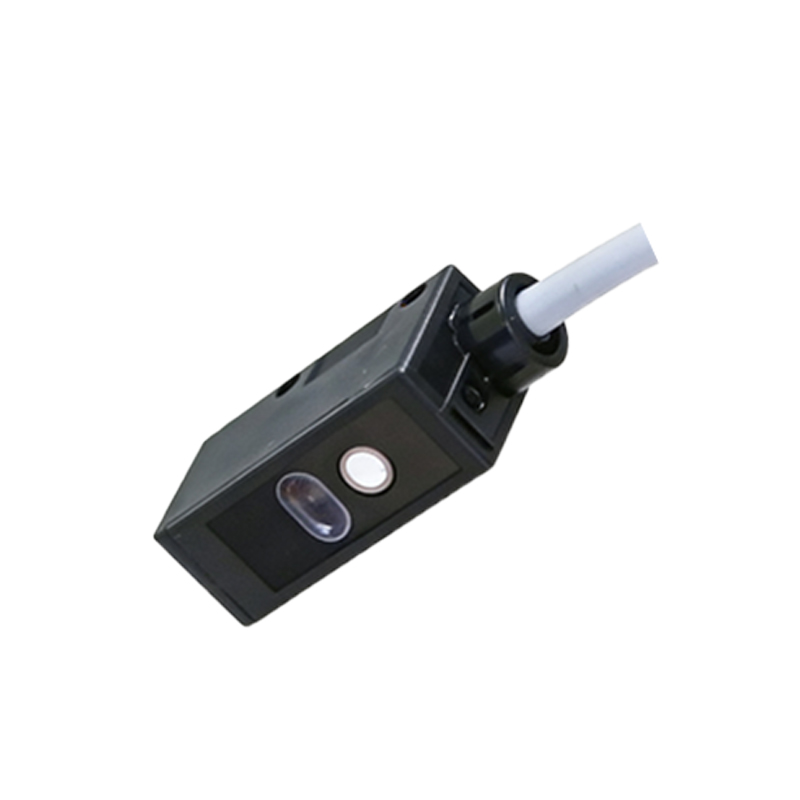
Before concluding sensor failure, perform systematic checks. First, run the printer's built-in nozzle check and head alignment utilities from the maintenance menu. If patterns are missing or misaligned, perform a standard print head cleaning cycle. If issues persist, inspect the sensor's physical environment. Power off and unplug the printer. Carefully access the print head area, typically by removing the printer's outer covers. Visually examine the sensor lens, usually a small, clear window on the print head or carriage assembly, for ink splatter, dust, or debris. Gently clean the lens using a lint-free swab slightly dampened with distilled water or isopropyl alcohol. Never use abrasive materials. Reassemble and test. If problems continue, advanced diagnostics using service software may be required to check the sensor's electronic signal output.
Cleaning and Maintenance Best Practices
Preventive maintenance is key to ensuring the longevity of the photoelectric sensor. Regularly clean the printer's interior, especially the area around the print head carriage path, to minimize dust accumulation. When performing manual print head cleaning, be extremely cautious to avoid contaminating the sensor lens with ink or cleaning fluids. Use only recommended cleaning solutions. Avoid touching the sensor's optical components with fingers. Furthermore, always use genuine or high-quality compatible ink cartridges, as inferior inks may produce more aerosols or residues that can coat the sensor over time. Implementing a consistent printing schedule, even if only a small test page weekly, helps keep the ink channels active and reduces the risk of dried ink near the sensor.
Replacement Considerations and Procedures
If all troubleshooting and cleaning steps fail, sensor replacement may be necessary. Note that the photoelectric sensor is often integrated into the print head assembly or a small circuit board on the carriage. Replacement typically involves replacing the entire print head, which is a significant investment. Confirm the diagnosis unequivocally before proceeding. The replacement process requires technical skill: disconnecting the printer from all power sources, removing the print head following the manufacturer's service manual, disconnecting multiple flexible cables, and installing the new unit. Precise alignment is critical post-installation. Due to the complexity and cost, this step is often best left to authorized service technicians who have the proper tools and calibration software to ensure correct installation and functionality.
Impact on Overall Print Quality and Longevity
The health of the photoelectric sensor directly correlates with the L805's print output reliability and the operational lifespan of the print head itself. A fully functional sensor ensures optimal ink usage, precise dot placement, and timely maintenance alerts. This not only produces sharp, vibrant prints but also protects the expensive print head from damage due to ink starvation or mechanical collisions. Neglecting sensor issues can lead to cascading failures, including complete print head burnout, which far exceeds the cost of timely sensor maintenance or replacement. Therefore, understanding and attending to this component is a vital aspect of responsible printer ownership for professionals and enthusiasts who rely on consistent, high-quality printing.