Understanding the S8 Proximity Sensor's Operation
The S8 series represents a widely adopted line of inductive proximity sensors in industrial automation. To effectively stop or disable an S8 sensor, a clear understanding of its fundamental operating principle is paramount. These sensors are non-contact devices that detect the presence of metallic objects within their sensing range. They generate an oscillating electromagnetic field from the active face. When a ferrous or non-ferrous metal target enters this field, it induces eddy currents, causing a change in the oscillation amplitude. This change is detected by the sensor's internal circuitry, which subsequently switches its output state. The output is typically a solid-state transistor (PNP or NPN) that controls a load, such as a PLC input or a relay coil. Interrupting this detection and switching process is the core objective when you need to stop the sensor from functioning in its normal capacity.
Primary Method: Power Disconnection and Electrical Isolation
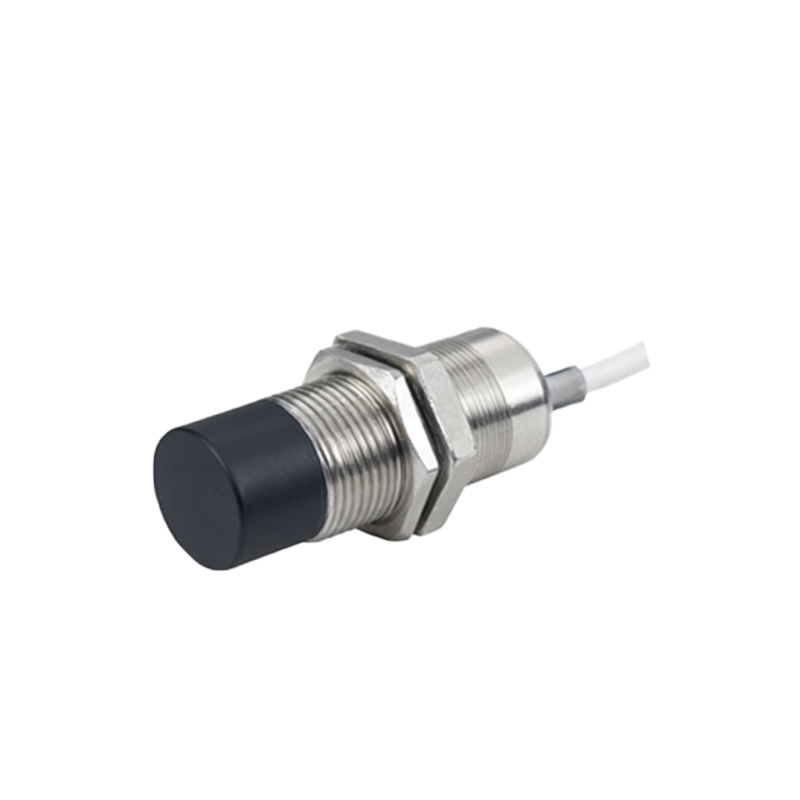
The most definitive and safe method to stop an S8 proximity sensor is to completely remove its power supply. This involves de-energizing the circuit at its source. First, follow all applicable lockout/tagout (LOTO) procedures to ensure the safety of personnel and equipment. Identify the power source for the sensor's DC supply, commonly 10-30V DC. Physically disconnect the positive (brown wire) and negative (blue wire) supply leads. For sensors in a networked system, this may require isolating a specific branch circuit. Merely removing the signal wire (black wire) is insufficient, as the sensor remains powered and operational internally. Complete electrical isolation guarantees the sensor is inert and cannot produce an output signal, effectively stopping its sensing function. Always verify the absence of voltage with a multimeter before proceeding with any work.
Utilizing the Built-in Output Enable or Muting Function
Some advanced models within the S8 family, particularly those designed for safety or complex automation sequences, may feature an output enable or muting function. This is a designed method to temporarily stop the sensor's output without removing power. This function is typically accessed via a dedicated control wire (often a white or gray wire) or through a networked command via IO-Link, if the sensor is equipped with such communication. Applying a specific voltage signal to this control pin or sending a digital command will force the output transistor into a known high-impedance state, effectively "stopping" the output signal regardless of target presence. Consult the specific S8 sensor's datasheet to confirm if this feature is available and for the precise wiring and signaling requirements. This method is ideal for controlled machine sequences or safety interlocks.
Shielding the Sensing Face and Adjusting Sensing Range
A physical, non-destructive approach to stop the S8 sensor from detecting a target is to shield its active face. Since the sensor operates on an electromagnetic principle, placing a thick, non-metallic barrier (like high-density plastic or ceramic) between the sensor and the target can attenuate or block the field, preventing detection. Alternatively, for sensors with adjustable sensing ranges (often via a potentiometer), you can reduce the sensing distance to a minimum. By turning the potentiometer counter-clockwise, the effective range shrinks. If the target no longer enters this reduced active zone, the sensor will not switch. This method is useful for troubleshooting or temporarily disabling detection in a specific area without altering wiring. Ensure any shielding material does not itself contain metal fillers.
Software and Configuration-Based Deactivation
In modern, connected industrial environments, S8 sensors with digital interfaces like IO-Link can be stopped or reconfigured through software. Using the manufacturer's configuration tool or a PLC with IO-Link master capability, an engineer can connect to the sensor's parameter set. Key actions to stop functionality include disabling the switching output, setting the sensing mode to "inactive," or dramatically increasing the response time to a very high value. This software-based stop is clean, reversible, and provides an audit trail. It is particularly effective in complex systems where physical access is limited or where the sensor's parameters need to be managed dynamically from a central control room. Always download and save the original configuration before making changes.
Addressing Fault Conditions and False Triggers
Sometimes, an S8 sensor may appear to need stopping because it is behaving erratically or causing false triggers. Before attempting to disable it, diagnose the root cause. Common issues include electrical noise interference, sensor misalignment, buildup of metallic debris on the face, or an incompatible target material. Employing shielded cables, proper grounding, and installing ferrite cores can mitigate noise. Cleaning the sensor face and ensuring the target is