Understanding the Challenge of Unmarked Sensors
Encountering a proximity sensor without a visible model number or any identifying markings is a common yet frustrating scenario in industrial maintenance and automation. These sensors are critical components in machinery for position detection, object counting, and safety interlocks. When one fails and lacks a part number, the immediate replacement process hits a roadblock. The absence of a model number means you cannot simply order an identical unit from the supplier's catalog. This situation demands a systematic, engineering-based approach to identify the sensor's key specifications and source a compatible replacement. Rushing to install an incorrect sensor can lead to machine downtime, inaccurate sensing, or even damage to the sensor or the controlled equipment. The first step is to remain calm and treat this as a diagnostic puzzle that can be solved with careful observation and logical deduction.
Conducting a Thorough Physical Inspection
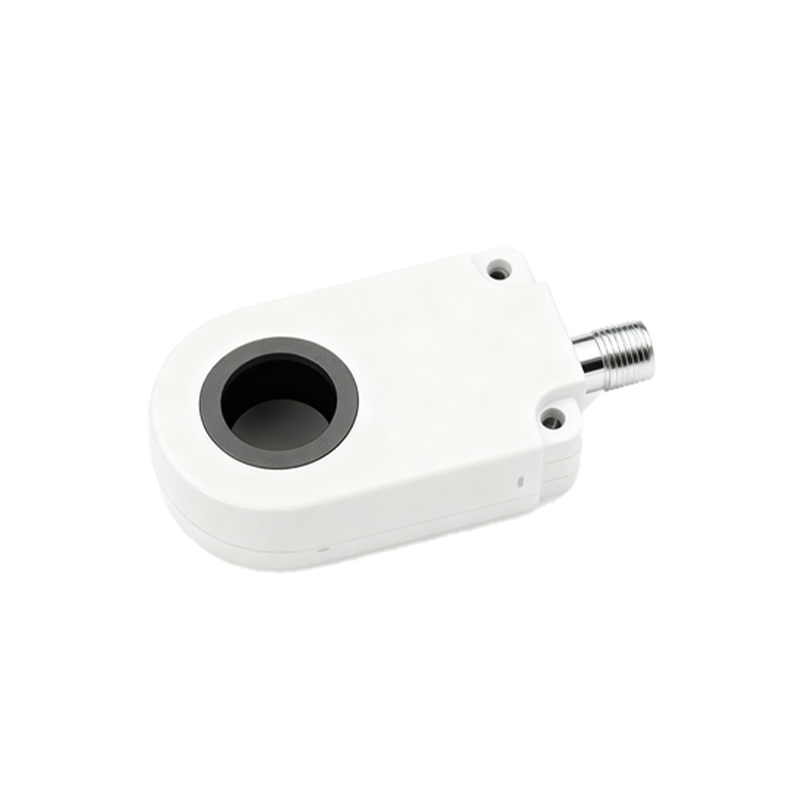
Begin with a meticulous physical examination of the sensor itself. Do not disconnect it immediately. First, note its mounting style: is it cylindrical (barrel-type), rectangular, or a specialized shape? Precisely measure its body diameter and length using calipers. For cylindrical sensors, the mounting thread is a crucial identifier; measure the thread diameter and pitch (e.g., M8, M12, M18, M30 are industry standards). Observe the sensing face material—is it plastic, stainless steel, or brass? Check the housing color, which sometimes indicates the sensing technology (e.g., blue often for inductive, white or black for capacitive). Look for any faint laser etching, stamped codes on the back or side, or colored dots that might be remnants of a part number. Also, identify the connection type: does it have a built-in cable (potted) or a quick-disconnect (QD) connector? If it's a QD type, note the pin count and style (e.g., M12 4-pin, M8 3-pin).
Determining the Sensing Technology and Type
This is the most critical technical step. You must determine whether the sensor is inductive, capacitive, or photoelectric. An inductive sensor detects metallic objects and typically has a metal sensing face. A capacitive sensor can detect both metallic and non-metallic materials (like liquids or plastics) and often has a plastic or ceramic face. If the application involves detecting a non-metallic object through a container, it's likely capacitive. If the sensor has a clear lens with emitter and receiver windows, it is a photoelectric sensor. Next, identify the output type. With the sensor powered off and safely disconnected, use a multimeter to check the wiring. A 2-wire sensor is typically AC or DC and acts as a switch. A 3-wire sensor has separate power, ground, and signal wires. Determine if the output is Normally Open (NO) or Normally Closed (NC), and whether it is a PNP (sourcing) or NNP (sinking) DC output. This information is vital for compatibility with your PLC or control system.
Analyzing the Electrical Specifications
If possible and safe, power the sensor in a controlled manner to gather electrical data. Refer to the machine's electrical drawings if available. Identify the operating voltage range. Common DC voltages are 10-30V DC; AC voltages might be 20-250V AC. Use your multimeter to verify the voltage at the connection point. If you can simulate a target object, measure the output signal to confirm its behavior (e.g., a 24V swing for a PNP sensor). Also, note the current rating. While harder to measure directly, you can estimate based on the load it drives. Another key spec is the sensing distance. This is often marked as "Sn" on the sensor body. If not, you can cautiously test it by moving a standard target (a 1mm thick steel square for inductive) toward the face and measuring the point of activation. This nominal range will help narrow down options.
Researching and Sourcing a Replacement
Armed with your collected data—physical dimensions, thread size, technology, output type, voltage, and approximate range—you can now search for a replacement. Use industrial supplier websites (e.g., Allied Electronics, Digi-Key, Grainger, or direct manufacturer sites like Pepperl+Fuchs, Omron, Sick, Allen-Bradley). Use their parametric search filters. Input your known specifications step by step. You may not find an exact visual match, but you will find functional equivalents. Pay close attention to the electrical compatibility and mounting dimensions. It is often advisable to select a sensor from a major brand with a similar or slightly better specification (e.g., a longer sensing