Proximity sensors are widely used in industrial automation, consumer electronics, and safety systems to detect the presence or absence of objects without physical contact. Over time, these sensors may require resetting due to calibration drift, environmental changes, or operational errors. Resetting a proximity sensor typically involves restoring it to its default settings or recalibrating it for accurate detection. The exact reset procedure varies depending on the sensor type, manufacturer, and application, but general steps can be followed to ensure proper functionality.
First, identify the sensor type. Common proximity sensors include inductive, capacitive, ultrasonic, and photoelectric sensors. Each type has unique reset requirements. For example, inductive sensors detect metallic objects and may need recalibration if the target material changes. Capacitive sensors respond to both metallic and non-metallic materials and might require adjustment for different dielectric constants. Refer to the sensor’s datasheet or user manual for specific instructions, as reset methods can differ significantly between models.
Before resetting, ensure safety precautions are in place. Disconnect power to the sensor and associated equipment to prevent electrical hazards or accidental activation. If the sensor is part of a larger system, follow lockout-tagout procedures to isolate energy sources. Inspect the sensor for physical damage, contamination, or loose connections, as these issues can mimic calibration problems and should be addressed first.
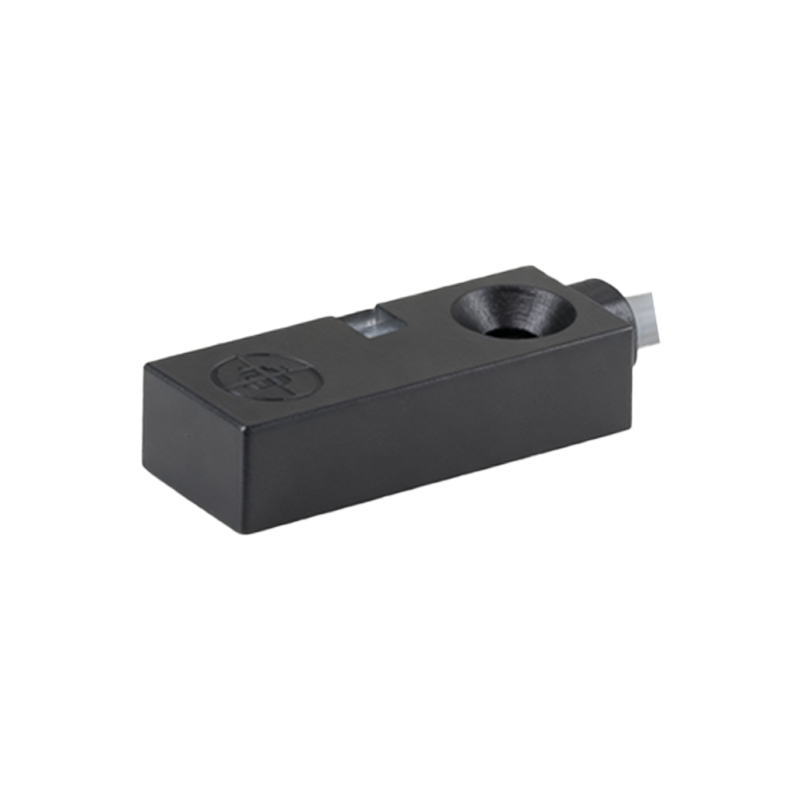
For many proximity sensors, resetting involves adjusting sensitivity or threshold settings. This can be done via potentiometers, dip switches, or digital interfaces. If the sensor has a potentiometer, use a small screwdriver to turn it clockwise or counterclockwise to modify the detection range. Some sensors feature a reset button that, when pressed, restores factory defaults. In advanced systems, resetting may require connecting the sensor to a programming device or software to reconfigure parameters like hysteresis, response time, or output mode.
Recalibration is often necessary after resetting. To recalibrate, place a standard target object at the desired detection distance and adjust the sensor until it reliably detects the target. For inductive or capacitive sensors, ensure the target material and size match the sensor’s specifications. Ultrasonic sensors may need environmental compensation for temperature or humidity changes. Photoelectric sensors might require alignment of the emitter and receiver. Test the sensor multiple times to verify consistency, and document the settings for future reference.
If resetting does not resolve issues, consider external factors. Electrical noise, vibration, or interference from other devices can affect sensor performance. Shield cables, relocate the sensor, or install filters if needed. Additionally, check the power supply voltage, as fluctuations can cause erratic behavior. For networked sensors, review communication protocols and address conflicts.
In summary, resetting a proximity sensor involves identifying the sensor type, following safety steps, adjusting settings, and recalibrating. Always consult manufacturer guidelines for precise instructions. Regular maintenance, such as cleaning lenses or checking mounting stability, can prevent frequent resets and extend sensor life. By understanding these principles, users can ensure reliable operation in applications ranging from assembly lines to smart devices.