Introduction to Proximity Sensors
Proximity sensors are essential devices in modern industrial automation, designed to detect the presence or absence of objects without physical contact. They operate based on various principles, such as electromagnetic fields, infrared light, or ultrasonic waves, making them versatile for applications ranging from manufacturing lines to safety systems. For beginners, understanding the basic types—inductive, capacitive, and photoelectric sensors—is the first step toward effective usage. These sensors enhance efficiency by enabling precise control in machinery, reducing wear from mechanical contact, and improving safety in hazardous environments. By integrating proximity sensors, engineers can automate processes with greater accuracy and reliability, leading to cost savings and increased productivity in electrical and industrial settings.
Selecting the Right Sensor Type
Choosing the appropriate proximity sensor depends on the specific application requirements. Inductive sensors are ideal for detecting metallic objects, commonly used in metalworking or automotive industries due to their robustness and resistance to environmental factors like dust or moisture. Capacitive sensors, on the other hand, can detect both metallic and non-metallic materials, such as plastics or liquids, making them suitable for packaging or food processing. Photoelectric sensors utilize light beams to sense objects at longer distances and are effective in clean environments like electronics assembly. Factors to consider include sensing range, response time, and environmental conditions; for instance, in high-temperature areas, selecting sensors with adequate thermal tolerance is crucial. Consulting manufacturer datasheets and testing in real-world scenarios can help ensure optimal performance and compatibility.
Installation and Wiring Basics
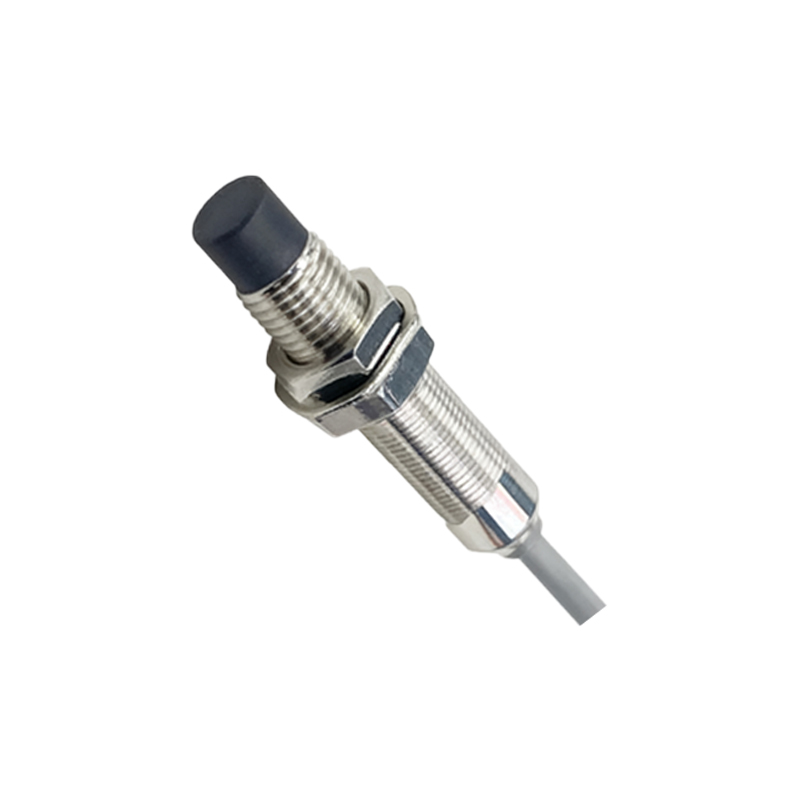
Proper installation is key to maximizing the functionality of proximity sensors. Start by mounting the sensor securely in a location where it can reliably detect the target object without interference from surrounding materials. Ensure the sensing face is aligned correctly, as misalignment can lead to false readings or reduced range. For wiring, most proximity sensors have three or four wires: typically, brown for positive voltage, blue for negative or ground, and black for the output signal. Always refer to the wiring diagram provided by the manufacturer to avoid short circuits or damage. Use shielded cables in electrically noisy environments to prevent signal interference, and maintain appropriate distances from power lines or motors. After connecting to a power supply and controller, such as a PLC, test the sensor by moving a target object within its range to verify output activation.
Calibration and Adjustment Tips
Calibration ensures that proximity sensors operate accurately under varying conditions. Many sensors feature adjustable settings, such as sensitivity or hysteresis, which can be fine-tuned using potentiometers or digital interfaces. For inductive and capacitive sensors, adjust the sensitivity to avoid false triggers from background objects; for example, in a conveyor system, set the threshold to detect only specific items. Photoelectric sensors may require alignment of the emitter and receiver, with some models offering teach-in functions for easy setup. Regularly check and recalibrate sensors in dynamic environments where temperature or humidity changes might affect performance. Using a multimeter or oscilloscope can help monitor output signals and troubleshoot issues like drift or inconsistent detection. Keeping a log of calibration dates and settings aids in maintenance and prolongs sensor lifespan.
Common Applications and Best Practices
Proximity sensors are widely used in diverse industries for tasks such as object counting, position sensing, and safety interlocks. In automotive manufacturing, they detect parts on assembly lines to trigger robotic actions, while in packaging, they ensure correct filling levels by sensing containers. For safety, sensors can create protective zones around machinery to halt operations when a person approaches. Best practices include regular cleaning of sensor surfaces to prevent buildup that might impair detection, and implementing redundancy in critical systems by using multiple sensors for fail-safe operation. Avoid exposing sensors to extreme conditions beyond their specifications, and consider environmental factors like vibration or chemical exposure when selecting enclosures. By following these guidelines, users can achieve reliable and long-term performance, minimizing downtime and enhancing operational safety.
Troubleshooting and Maintenance
Even with proper setup, proximity sensors may encounter issues such as no output, intermittent signals, or reduced sensing range. Begin troubleshooting by checking power connections and voltage levels to ensure they match the sensor's requirements. Inspect for physical damage or contamination on the sensing face, and clean it with a soft cloth if necessary. If the sensor fails to detect objects, verify the target material and adjust sensitivity settings; for example, capacitive sensors might need retuning for different materials. In cases of electrical noise, relocate cables or add ferrite cores to suppress interference. Regular maintenance involves periodic inspections, testing with known targets, and replacing sensors that show signs of wear or outdated technology. Documenting issues and solutions can streamline future repairs and improve system reliability.