Introduction to Keyence Photoelectric Sensor Push Buttons
Keyence photoelectric sensors are renowned for their precision, reliability, and advanced features in industrial automation. A critical yet often understated component of many modern Keyence sensor models is the integrated push button. This button is not merely for power cycling; it is a sophisticated interface designed to streamline setup, configuration, and diagnostics. Unlike traditional sensors that require separate programming tools or complex wiring adjustments, Keyence sensors with push buttons offer a level of user-friendly interactivity that significantly reduces installation and maintenance time. This feature embodies Keyence's philosophy of simplifying complex automation tasks, making high-performance sensing accessible to operators of all skill levels. The push button is typically a tactile, recessed switch designed to withstand harsh industrial environments, ensuring durability against dust, moisture, and accidental impacts.
Primary Functions and Operational Modes
The push button on a Keyence photoelectric sensor serves multiple essential functions, primarily accessible through different press durations. A short press often activates the "Teaching" or "Setting" mode. In this mode, the sensor learns the detection threshold automatically. For instance, by pressing the button while the sensor is aimed at the object to be detected, it memorizes the received light intensity as the ON point. Conversely, pressing it while aimed at the background sets the OFF point. This auto-teach function eliminates manual potentiometer adjustments and guesswork. A long press, typically several seconds, might be used to lock the current settings to prevent accidental changes or to enter an advanced configuration menu, allowing toggling between light-on/dark-on operation, selecting response times, or enabling special functions like window mode or hysteresis adjustment. Some models use button press sequences for more complex parameter sets.
Streamlining Installation and Commissioning
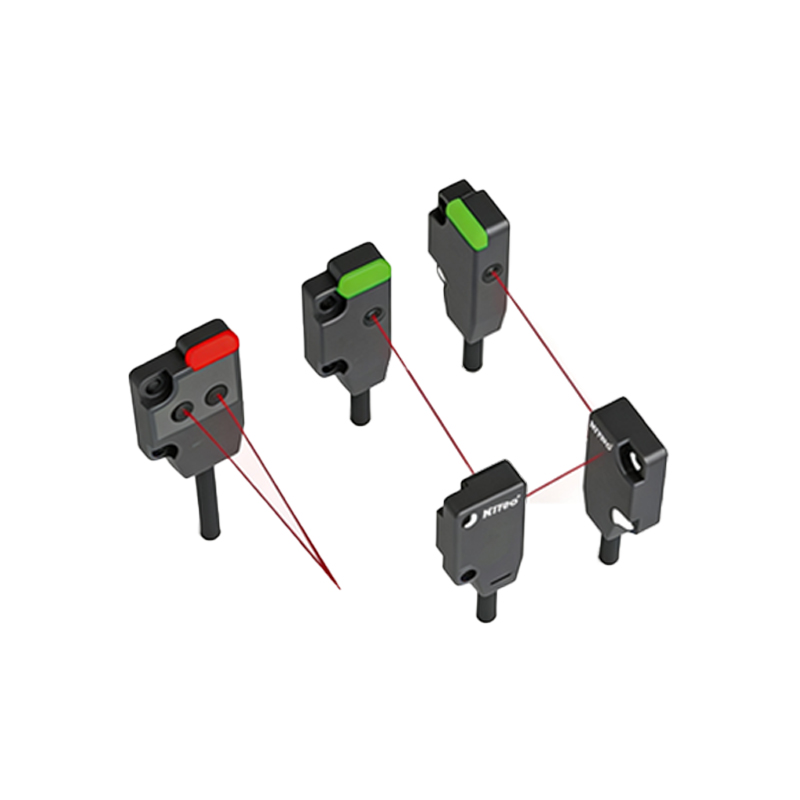
The inclusion of a push button revolutionizes the sensor commissioning process. During installation, engineers can quickly verify sensor functionality and alignment without connecting to a PLC or using a dedicated monitor. By simply pressing the button, the sensor can be forced into a test output state, and its indicator LED will provide immediate visual feedback—confirming both power supply and output circuit integrity. This on-the-spot verification drastically cuts down machine setup time. Furthermore, when replacing a sensor, the new unit can be rapidly taught using the existing target and background conditions, ensuring a seamless swap with minimal machine downtime. The button allows for quick sensitivity adjustments on the fly if process conditions change slightly, providing unparalleled flexibility during production runs.
Enhanced Diagnostic and Maintenance Capabilities
Diagnostics are a cornerstone of efficient maintenance, and the push button is a key diagnostic tool. Many Keyence sensors feature a diagnostic mode accessible via the button. This mode can provide status information through the sensor's LED indicators, such as signaling marginal detection conditions, lens contamination, or excessive ambient light interference. For example, a specific LED blink pattern initiated by a button press might indicate that the received light level is near the set threshold, warning the operator of potential future detection failures. This proactive maintenance capability allows teams to schedule cleaning or realignment before a fault occurs, preventing unplanned production stops and maintaining high Overall Equipment Effectiveness (OEE).
Applications Across Various Industries
The practicality of push-button-equipped Keyence sensors finds value across diverse sectors. In packaging lines, operators can quickly teach sensors for different box sizes or product types during changeovers. In automotive assembly, sensors detecting parts on fast-moving conveyors can be easily fine-tuned for varying surface finishes. In material handling, sensors used for level detection or jam prevention can have their sensing windows adjusted without tools. The food and beverage industry benefits from the easy-clean designs and the ability to swiftly reconfigure sensors for different container types. Essentially, any application requiring reliable object detection with a need for quick setup, flexibility, or easy troubleshooting gains a significant advantage from this intuitive manual interface.
Best Practices for Utilizing the Push Button
To maximize the benefits, users should adhere to certain best practices. First, always consult the specific sensor's manual, as button functions can vary between Keyence series (e.g., PZ, PM, FS). Ensure the sensor is in the correct operating mode before initiating a teach function. Use a clean tool or finger to press the button to avoid contaminating the sensor face. After teaching, verify the setting by testing with the target and non-target conditions several times. For sensors in critical applications, utilize the setting lock function to prevent operational drift. Regularly use the diagnostic features during preventive maintenance checks. Proper utilization not only ensures optimal sensor performance but also extends the unit's service life by maintaining it within ideal operational parameters.
Conclusion: The Value of an Integrated Interface
The humble push button on a Keyence photoelectric sensor is a powerful feature that encapsulates user-centric design. It transforms a passive detection device into an interactive component that empowers operators. By consolidating configuration, testing, and diagnostics into a single, robust interface, Keyence reduces complexity, minimizes the need for additional tools, and enhances overall system uptime. This focus on operational simplicity, without compromising on the sensor's core performance metrics of speed, accuracy, and range, is what sets Keyence apart in the competitive field of industrial automation. As systems become more complex, intuitive interfaces like these become increasingly vital for maintaining efficient and responsive production environments.