In the world of automation and smart devices, the seamless interaction between sensing and alerting components is crucial. One such fundamental pairing is the proximity sensor and the buzzer. This combination forms a reliable system for detection and audible notification, found in countless applications from industrial safety to everyday consumer electronics. Understanding how a proximity sensor triggers a buzzer reveals the elegance of simple, effective electronic control systems.
At its core, a proximity sensor is a device that detects the presence or absence of an object within a specific range without physical contact. Common types include inductive (for metals), capacitive (for both metals and non-metals), and infrared sensors. When an object enters the sensor's field, it causes a change in the sensor's output state. Typically, this is a shift in voltage level on its signal pin—for instance, from a HIGH (5V) to a LOW (0V) state, or vice-versa, depending on the sensor's configuration (normally open or normally closed).
The buzzer, in this context, is usually an active piezoelectric buzzer. An active buzzer has an internal oscillating circuit, so it only requires a DC voltage to produce a continuous, fixed-frequency sound. This makes it incredibly simple to control with a digital signal. The magic happens at the intersection of these two components, often mediated by a simple control circuit or a microcontroller like an Arduino.
The most basic connection involves linking the output pin of the proximity sensor directly or through a switching transistor to the buzzer's positive wire. When the sensor detects an object, its output pin goes active (e.g., provides a voltage), which completes the circuit for the buzzer, causing it to sound. This provides an immediate, real-time audible alarm. For example, in a piece of machinery, this can warn an operator that their hand is too close to a pinch point.
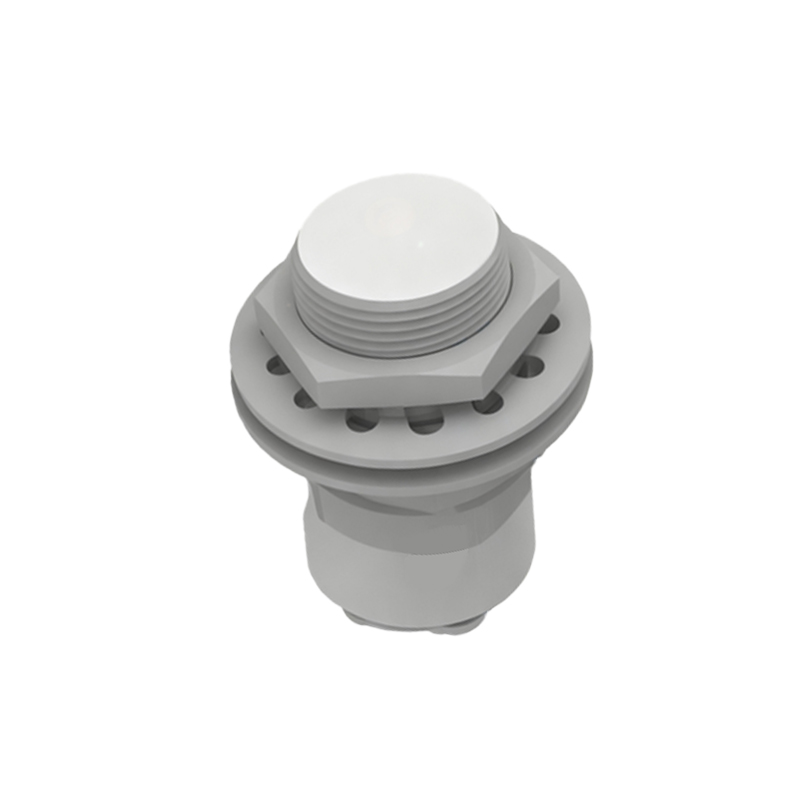
In more sophisticated setups, a microcontroller acts as the brain. The sensor's output is connected to a digital input pin on the microcontroller. The buzzer is connected to a digital output pin. The microcontroller runs a program that constantly reads the state of the sensor. When it detects the programmed condition (e.g., object detected), it sets the buzzer's output pin to HIGH for a duration, creating the audible alert. This method offers immense flexibility. The buzzer can be programmed to sound in different patterns—a quick beep, a long siren, or intermittent chirps—to convey different types of warnings. It also allows for integration with other actions, such as turning on a light, sending a network alert, or stopping a motor.
The applications for proximity sensor-buzzer systems are vast and varied. In automotive systems, they are the backbone of parking assist sensors, emitting faster beeps as a vehicle gets closer to an obstacle. In industrial settings, they safeguard workers by creating audible warnings when someone breaches a safety perimeter around robotic arms or dangerous equipment. In smart homes, they can be used in cabinets or drawers, beeping when left open. Consumer appliances like paper towel dispensers or automatic soap faucets use a similar infrared sensor principle to activate not a buzzer, but a motor; however, a buzzer variant could provide feedback in low-light conditions.
Designing a reliable system requires attention to a few key factors. First is selecting the right sensor for the target material and required sensing distance. Second is managing power and signal levels; ensuring the sensor's output can adequately drive the buzzer, often requiring a transistor as a switch if the current draw is high. Third is considering the environment. In noisy industrial areas, the buzzer's sound pressure level (SPL) must be high enough to be heard, potentially necessitating a louder transducer or a flashing light as a supplement.
Troubleshooting common issues often involves a systematic approach. If the buzzer does not sound, check the power supply to both components. Use a multimeter to verify the sensor's output state changes when an object is presented. Ensure the buzzer is functional by applying its rated voltage directly. In microcontroller-based systems, verify the code logic and pin assignments.
The proximity sensor and buzzer duo exemplifies how basic electronic principles solve real-world problems with efficiency and reliability. Its simplicity is its strength, enabling robust performance in demanding conditions. As technology advances, these components are becoming smaller, more energy-efficient, and more integrated, but their fundamental cooperative relationship remains a cornerstone of automated alert systems. From preventing accidents to enabling touchless interfaces, this combination continues to be an indispensable tool for engineers and designers across industries.