In the world of industrial automation and electronic design, seeing is often the first step to understanding. Hall Effect proximity sensors, critical components for non-contact detection, come in various shapes and forms. A collection of Hall Effect proximity sensor images provides an invaluable visual reference for engineers, technicians, and hobbyists alike. These pictures do more than just show a device; they reveal key physical characteristics, mounting styles, and typical application environments that datasheets alone cannot fully convey.
Examining detailed images of these sensors, one can immediately distinguish between the primary form factors. The most common is the cylindrical threaded barrel type, often shown in images with a metallic housing and a sensing face at one end. These pictures frequently include a scale, like a ruler or a common object, giving immediate insight into their compact size, which can range from as small as 4mm in diameter to larger 30mm models. The images highlight crucial markings: part numbers, voltage ratings, output type designations (like NPN or PNO), and polarity indicators. Close-up photos are particularly useful for identifying the wiring or connector type, whether it's a pre-attached cable, a quick-disconnect plug, or terminal pins.
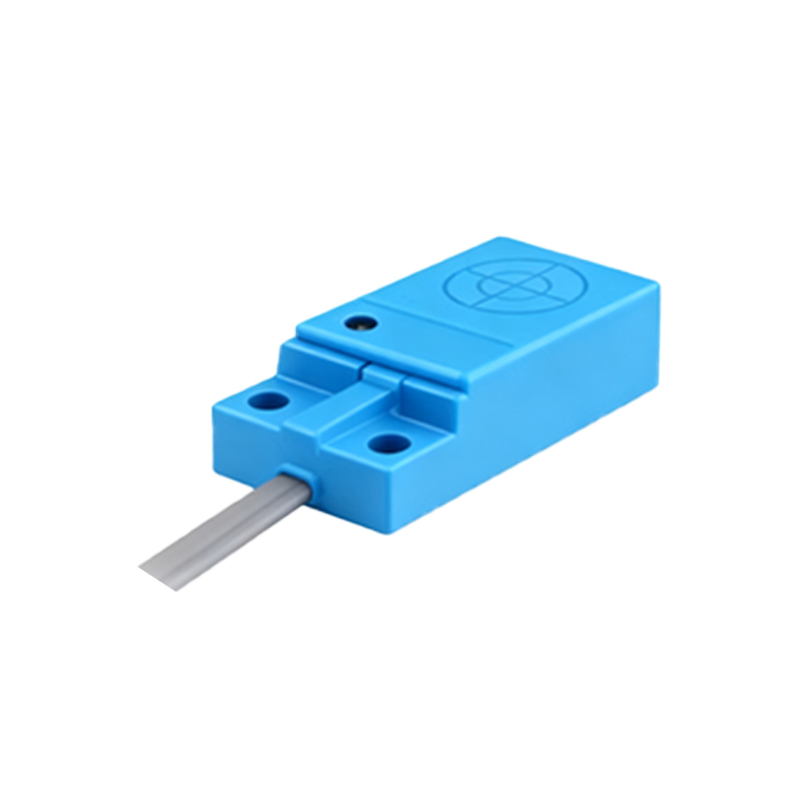
Beyond the standard cylindrical sensor, images showcase specialized variants. Flat-pack or rectangular sensors are visible in pictures designed for surface mounting. Slot-type or "fork" sensors, used for detecting flags or gaps, are clearly depicted with their U-shaped profile. Images also illustrate the difference between shielded (flush-mountable) and unshielded versions. A shielded sensor, shown mounted flush in a metal bracket, demonstrates its ability to be installed without side-interference. In contrast, an unshielded sensor image typically shows it protruding, indicating its longer sensing range but sensitivity to adjacent metal.
The context within application photos is where the true value lies. A well-composed image might show a cylindrical Hall sensor mounted on a robotic arm, positioned millimeters away from a small magnet embedded in a rotating joint. This visualizes its role in angular position sensing. Another common application picture depicts a sensor fixed to a stationary frame, detecting a magnet on a passing door or a sliding panel, exemplifying limit or end-position detection. In automotive contexts, images show these sensors embedded near wheel hubs for anti-lock braking systems (ABS) or within transmission assemblies.
High-quality macro photography reveals the sensor's face. One can often see the epoxy potting that protects the delicate Hall IC and the small, integrated magnet in omnipolar models. Diagrams or annotated images frequently accompany photos to explain the sensing field. A useful graphic might show a circular sensing area projecting from the face, with lines indicating the effective range, often just a few millimeters for detecting a magnet's presence.
For selection and troubleshooting, comparison images are powerful. Side-by-side photos of a Hall sensor versus an inductive proximity sensor highlight physical similarities but underscore a key difference: the Hall sensor detects magnetic fields, not just metal. Installation images demonstrate correct and incorrect mounting, such as ensuring the target magnet approaches the correct sensing axis. Pictures of output signal diagrams, often superimposed on the sensor image, link the physical device to its electrical behavior, showing the voltage change as a magnet enters its field.
In summary, a repository of Hall Effect proximity sensor images serves as a practical visual dictionary. It bridges the gap between technical specifications and real-world implementation. From identifying a replacement part to designing a new fixture, these visuals provide immediate, unambiguous information that accelerates decision-making and ensures correct application, making them an essential resource in both digital and physical engineering workspaces.